
Close Menu
geekfence.comgeekfence.com
    What's Hot

    Re-architecting frontline technology: why Workforce Management (WFM) is becoming the system of enablement 

    February 17, 2026

    Apple Launch Event on March 4, 2026

    February 17, 2026

    The digital quant: instant portfolio optimization with JointFM

    February 17, 2026
    Facebook X (Twitter) Instagram
    • About Us
    • Contact Us
    Facebook Instagram
    geekfence.comgeekfence.com
    • Home
    • UK Tech News
    • AI
    • Big Data
    • Cyber Security
      • Cloud Computing
      • iOS Development
    • IoT
    • Mobile
    • Software
      • Software Development
      • Software Engineering
    • Technology
      • Green Technology
      • Nanotechnology
    • Telecom
    geekfence.comgeekfence.com
    Home»Mobile»Gboard’s allegedly got a ‘cursor mode’ in the oven that’s giving me laptop vibes
    Mobile

    Gboard’s allegedly got a ‘cursor mode’ in the oven that’s giving me laptop vibes

    AdminBy AdminFebruary 17, 2026No Comments3 Mins Read0 Views
    Facebook Twitter Pinterest LinkedIn Telegram Tumblr Email
    Gboard’s allegedly got a ‘cursor mode’ in the oven that’s giving me laptop vibes
    Share
    Facebook Twitter LinkedIn Pinterest Email


    What you need to know

    • A tipster alleges that Google is working on a “cursor mode” for Gboard that would turn its keyboard into a trackpad.
    • Users would be granted a trackpad that lets them slide around their text placement indicator to quickly arrive at the right spot for edits and more.
    • Gboard’s previous updates include real-time translation capabilities and a smarter suggestion box for the emoji kitchen.

    Rumors for Google’s keyboard are back in play, with a report claiming that there may be better text management for users.

    Tipster AssembleDebug, with Android Authority, reportedly discovered Google’s development of a “cursor mode” for Gboard. From the tipster’s screenshots, it seems that this new mode will enable users to activate a trackpad, simulating a laptop experience on their phone. This moderately sized space would consume the majority of the space reserved for keys in Gboard.

    The tipster adds that early code suggests users would activate this trackpad by “holding down the space bar.” Afterward, users would seemingly have full reign over where they can slide their cursor to change their text with a little more control. Currently, you have to either tap or slide your finger across your text if you’re looking to change something.


    You may like

    At times, you can over-slide or under-slide, causing you to make micro-adjustments. This might hopefully alleviate some issues users would have with the current method on their devices. What the tipster found appears to be the extent of what Google is working on. Right now, there’s no indication as to when users can see this arrive on their phones.

    Writing shouldn’t be a struggle

    A rumored screenshot of Gboard's supposed "cursor mode," which would turn the keyboard into a trackpad to move around your text placement marker.

    (Image credit: Android Authority)

    There hasn’t been much going on for Gboard, considering Google’s been busy implementing AI into every app under its umbrella. There was one update for the digital keyboard that brought a smarter suggestion bar to the emoji kitchen. Aside from that, another key update for Gboard was real-time translation capabilities while the user types.

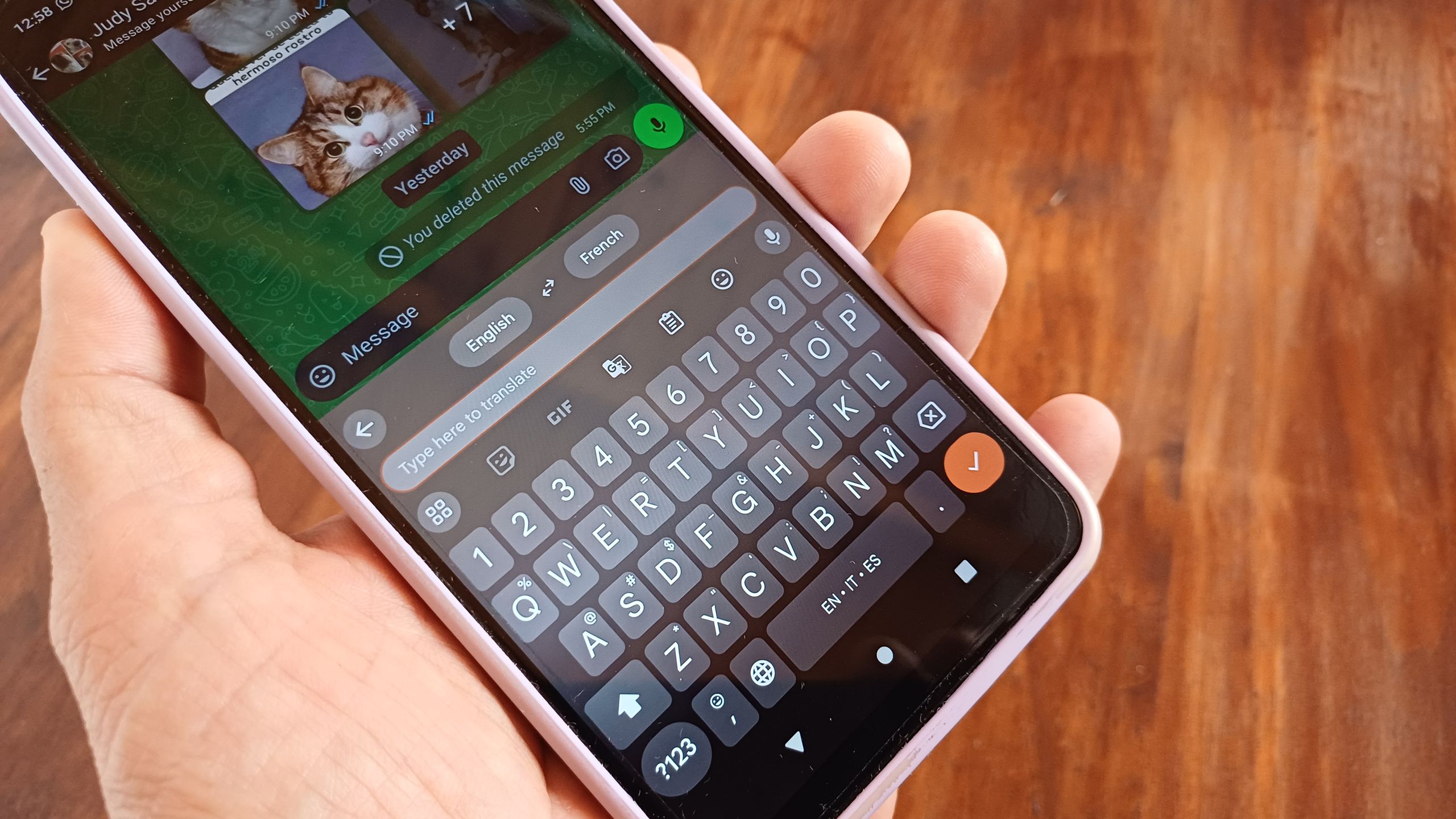
    Users can navigate to Settings > System > Language & input > on-screen keyboard > toggle on Gboard. Users can tap the translate button that would appear above their keyboard and choose their languages. This is, without a doubt, more of a convenience update for Gboard, as users wouldn’t have to leave their messaging app, hop into Google Translate, then return.


    Android Central’s Take

    This feature that’s been spotted for Gboard might be one of those “take it or leave it” feature updates. There probably aren’t many instances in which the grand majority of users need to slide through line after line of text on their phone for edits. Usually, you’re probably texting or writing a quick social media post. In that case, you’re not going through that much. For people like myself who often write notes, there’s a lot to go through, and this feature could have its uses in that regard.

    Get the latest news from Android Central, your trusted companion in the world of Android


    Source link

    Share. Facebook Twitter Pinterest LinkedIn Tumblr Email

    Related Posts

    vivo V60 Lite quietly debuts with SD 6s 4G Gen 2 chip at the helm

    February 16, 2026

    The great computer science exodus (and where students are going instead)

    February 15, 2026

    [Video] Samsung Teases Galaxy Unpacked 2026 by Turning Global Landmarks Into a Sneak Peek of Effortless Photo Creation With Galaxy AI

    February 14, 2026

    Stream Every Winter Olympic Event With a VPN. Here’s How

    February 13, 2026

    How Automated Prompt Optimization Unlocks Quality Gains for ML Kit’s GenAI Prompt API

    February 12, 2026

    iPhone 18 Pro: 3 design changes you can expect this fall

    February 11, 2026
    Top Posts

    Hard-braking events as indicators of road segment crash risk

    January 14, 202618 Views

    Understanding U-Net Architecture in Deep Learning

    November 25, 202514 Views

    How to integrate a graph database into your RAG pipeline

    February 8, 202610 Views
    Don't Miss

    Re-architecting frontline technology: why Workforce Management (WFM) is becoming the system of enablement 

    February 17, 2026

    Frontline workers sit at the center of enterprise value creation, yet Human Resources (HR) and employee technology platforms have historically underserved them. Despite…

    Apple Launch Event on March 4, 2026

    February 17, 2026

    The digital quant: instant portfolio optimization with JointFM

    February 17, 2026

    How Cities Use AI to Improve Playground Design

    February 17, 2026
    Stay In Touch
    • Facebook
    • Instagram
    About Us

    At GeekFence, we are a team of tech-enthusiasts, industry watchers and content creators who believe that technology isn’t just about gadgets—it’s about how innovation transforms our lives, work and society. We’ve come together to build a place where readers, thinkers and industry insiders can converge to explore what’s next in tech.

    Our Picks

    Re-architecting frontline technology: why Workforce Management (WFM) is becoming the system of enablement 

    February 17, 2026

    Apple Launch Event on March 4, 2026

    February 17, 2026

    Subscribe to Updates

    Please enable JavaScript in your browser to complete this form.
    Loading
    • About Us
    • Contact Us
    • Disclaimer
    • Privacy Policy
    • Terms and Conditions
    © 2026 Geekfence.All Rigt Reserved.

    Type above and press Enter to search. Press Esc to cancel.