

In this article, you will learn how to package a trained machine learning model behind a clean, well-validated HTTP API using FastAPI, from training to local testing and basic production hardening.
Topics we will cover include:
- Training, saving, and loading a scikit-learn pipeline for inference
- Building a FastAPI app with strict input validation via Pydantic
- Exposing, testing, and hardening a prediction endpoint with health checks
Let’s explore these techniques.

The Machine Learning Practitioner’s Guide to Model Deployment with FastAPI
Image by Author
If you’ve trained a machine learning model, a common question comes up: “How do we actually use it?” This is where many machine learning practitioners get stuck. Not because deployment is hard, but because it is often explained poorly. Deployment is not about uploading a .pkl file and hoping it works. It simply means allowing another system to send data to your model and get predictions back. The easiest way to do this is by putting your model behind an API. FastAPI makes this process simple. It connects machine learning and backend development in a clean way. It is fast, provides automatic API documentation with Swagger UI, validates input data for you, and keeps the code easy to read and maintain. If you already use Python, FastAPI feels natural to work with.
In this article, you will learn how to deploy a machine learning model using FastAPI step by step. In particular, you will learn:
- How to train, save, and load a machine learning model
- How to build a FastAPI app and define valid inputs
- How to create and test a prediction endpoint locally
- How to add basic production features like health checks and dependencies
Let’s get started!
Step 1: Training & Saving the Model
The first step is to train your machine learning model. I am training a model to learn how different house features influence the final price. You can use any model. Create a file called train_model.py:
|
1 2 3 4 5 6 7 8 9 10 11 12 13 14 15 16 17 18 19 20 21 22 23 24 |
import pandas as pd from sklearn.linear_model import LinearRegression from sklearn.pipeline import Pipeline from sklearn.preprocessing import StandardScaler import joblib
# Sample training data data = pd.DataFrame({ “rooms”: [2, 3, 4, 5, 3, 4], “age”: [20, 15, 10, 5, 12, 7], “distance”: [10, 8, 5, 3, 6, 4], “price”: [100, 150, 200, 280, 180, 250] })
X = data[[“rooms”, “age”, “distance”]] y = data[“price”]
# Pipeline = preprocessing + model pipeline = Pipeline([ (“scaler”, StandardScaler()), (“model”, LinearRegression()) ])
pipeline.fit(X, y) |
After training, you have to save the model.
|
# Save the entire pipeline joblib.dump(pipeline, “house_price_model.joblib”) |
Now, run the following line in the terminal:
You now have a trained model plus preprocessing pipeline, safely stored.
Step 2: Creating a FastAPI App
This is easier than you think. Create a file called main.py:
|
from fastapi import FastAPI from pydantic import BaseModel import joblib
app = FastAPI(title=“House Price Prediction API”)
# Load model once at startup model = joblib.load(“house_price_model.joblib”) |
Your model is now:
- Loaded once
- Kept in memory
- Ready to serve predictions
This is already better than most beginner deployments.
Step 3: Defining What Input Your Model Expects
This is where many deployments break. Your model does not accept “JSON.” It accepts numbers in a specific structure. FastAPI uses Pydantic to enforce this cleanly.
You might be wondering what Pydantic is: Pydantic is a data validation library that FastAPI uses to make sure the input your API receives matches exactly what your model expects. It automatically checks data types, required fields, and formats before the request ever reaches your model.
|
class HouseInput(BaseModel): rooms: int age: float distance: float |
This does two things for you:
- Validates incoming data
- Documents your API automatically
This ensures no more “why is my model crashing?” surprises.
Step 4: Creating the Prediction Endpoint
Now you have to make your model usable by creating a prediction endpoint.
|
@app.post(“/predict”) def predict_price(data: HouseInput): features = [[ data.rooms, data.age, data.distance ]]
prediction = model.predict(features)
return { “predicted_price”: round(prediction[0], 2) } |
That’s your deployed model. You can now send a POST request and get predictions back.
Step 5: Running Your API Locally
Run this command in your terminal:
|
uvicorn main:app —reload |
Open your browser and go to:
|
http://127.0.0.1:8000/docs |
You’ll see:
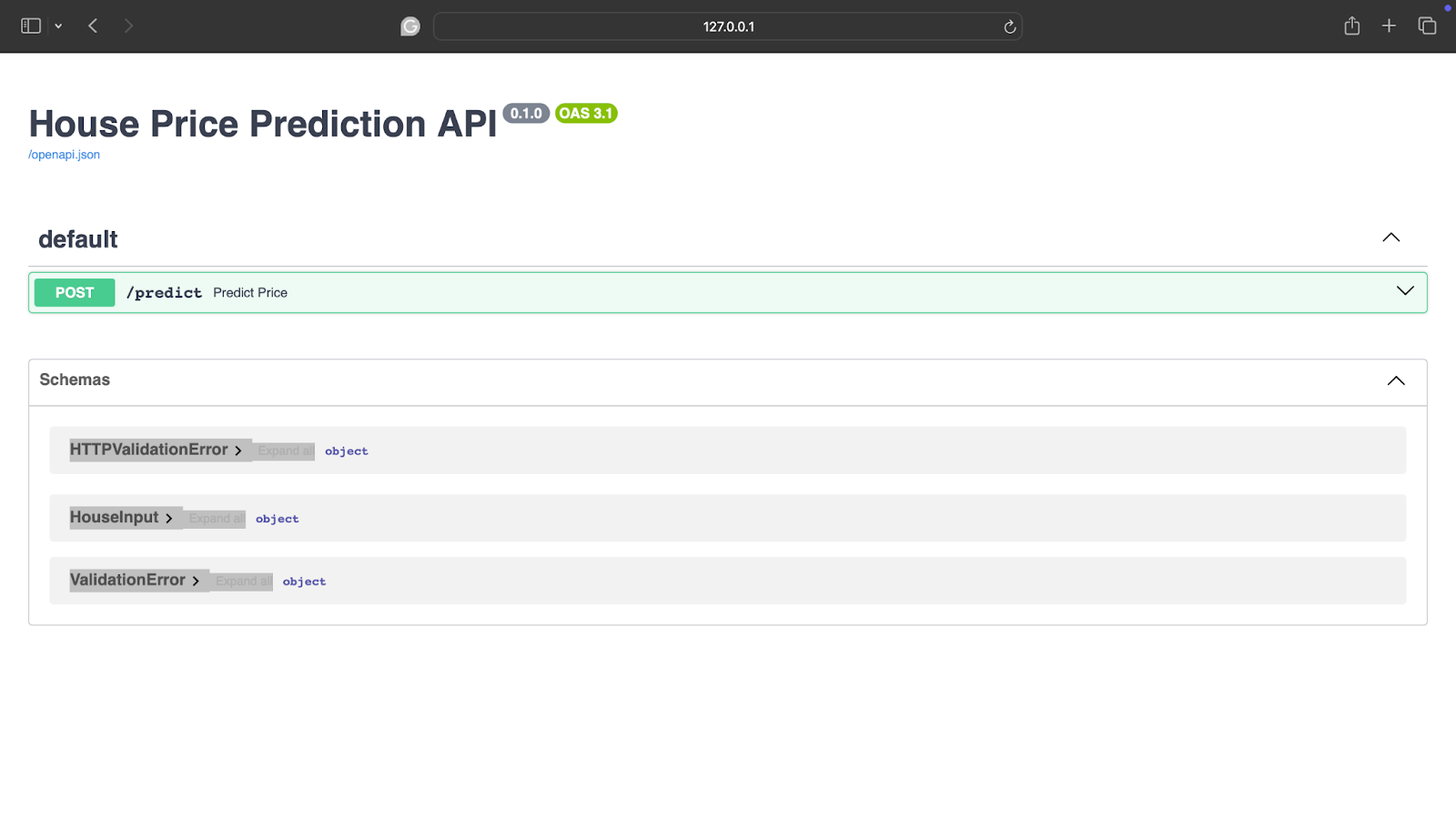
If you are confused about what it means, you are basically seeing:
- Interactive API docs
- A form to test your model
- Real-time validation
Step 6: Testing with Real Input
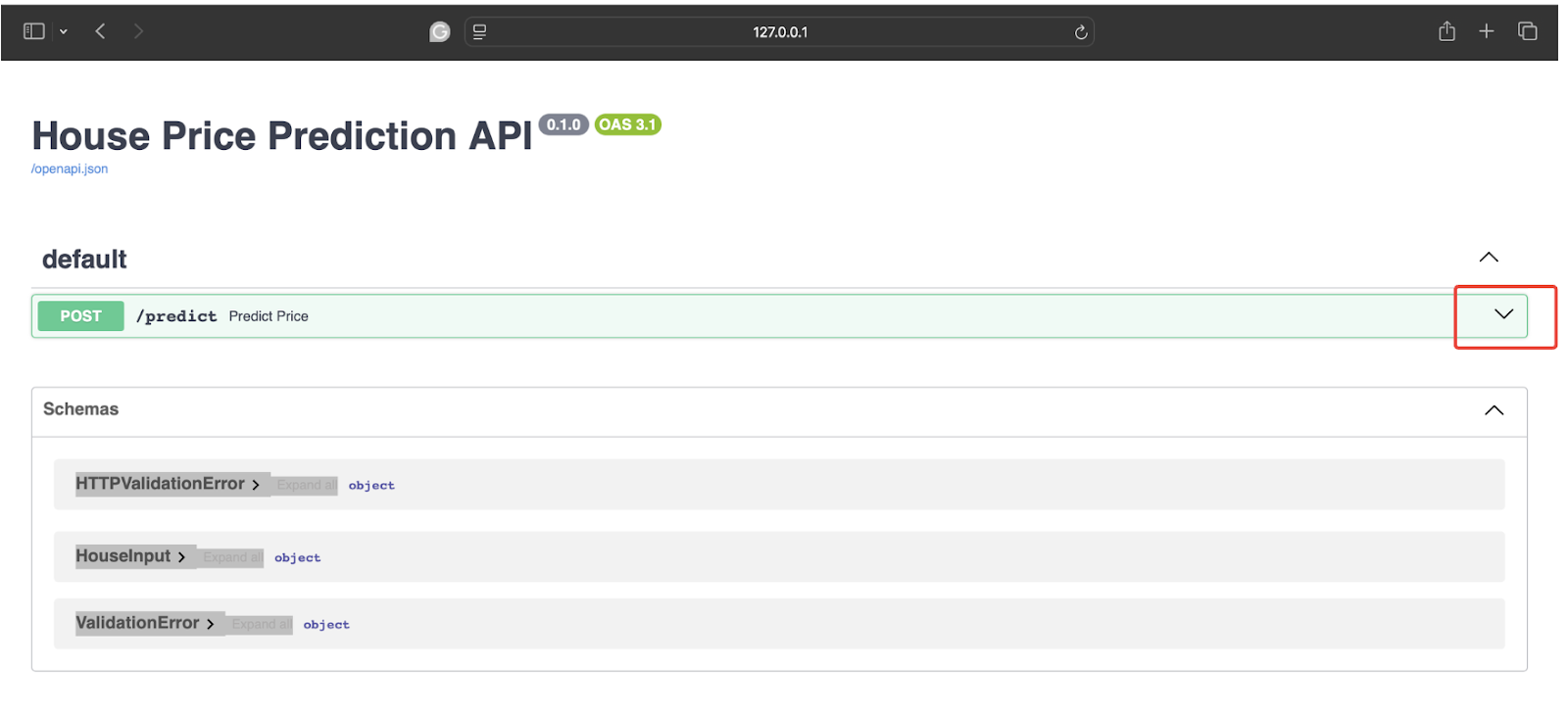
To test it out, click on the following arrow:
After this, click on Try it out.
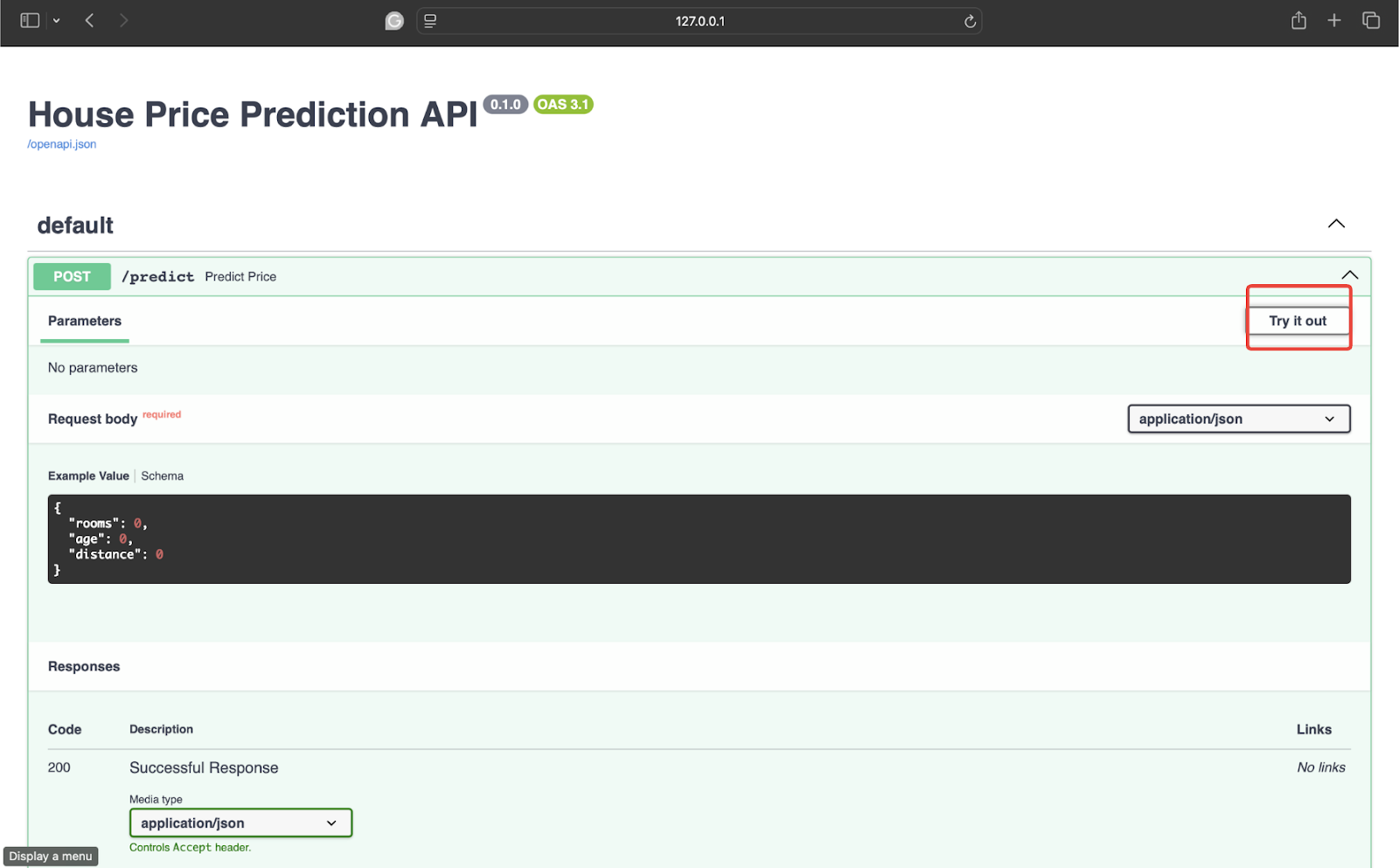
Now test it with some data. I am using the following values:
|
{ “rooms”: 4, “age”: 8, “distance”: 5 } |
Now, click on Execute to get the response.

The response is:
|
{ “predicted_price”: 246.67 } |
Your model is now accepting real data, returning predictions, and ready to integrate with apps, websites, or other services.
Step 7: Adding a Health Check
You don’t need Kubernetes on day one, but do consider:
- Error handling (bad input happens)
- Logging predictions
- Versioning your models (/v1/predict)
- Health check endpoint
For example:
|
@app.get(“/health”) def health(): return {“status”: “ok”} |
Simple things like this matter more than fancy infrastructure.
Step 8: Adding a Requirements.txt File
This step looks small, but it’s one of those things that quietly saves you hours later. Your FastAPI app might run perfectly on your machine, but deployment environments don’t know what libraries you used unless you tell them. That’s exactly what requirements.txt is for. It’s a simple list of dependencies your project needs to run. Create a file called requirements.txt and add:
|
fastapi uvicorn scikit–learn pandas joblib |
Now, whenever anyone has to set up this project, they just have to run the following line:
|
pip install –r requirements.txt |
This ensures a smooth run of the project with no missing packages. The overall project structure looks something like:
|
project/ │ ├── train_model.py ├── main.py ├── house_price_model.joblib ├── requirements.txt |
Conclusion
Your model is not valuable until someone can use it. FastAPI doesn’t turn you into a backend engineer — it simply removes friction between your model and the real world. And once you deploy your first model, you stop thinking like “someone who trains models” and start thinking like a practitioner who ships solutions. Please don’t forget to check the FastAPI documentation.