

Managing media is a really difficult task if you try to do all of it yourself, especially if the media comes from other sources. The file can be submitted in any state and size, but what if you need something really specific? You can code it all yourself or you can use an awesome service like Filestack, a utility to upload, transform, and deliver that media in the most optimal style imaginable!
The Setup
The first step in the Filestack journey is signing up for free. You’ll get at 21 day free trial and can cancel at any time. Once signed up, you’ll have full access to the Filestack libraries of code. You’ll also want to spend time catching up on the Filestack documentation, which is a developer’s dream — code samples and detailed usage information.
Upload
Allowing your users to take advantage of easy uploading with Filestack starts with the
// Using JavaScript
const client = filestack.init("apikey");
const picker = client.picker();
picker.open();
The result is an elegant, highly functional, and feature filled file uploading UI component:
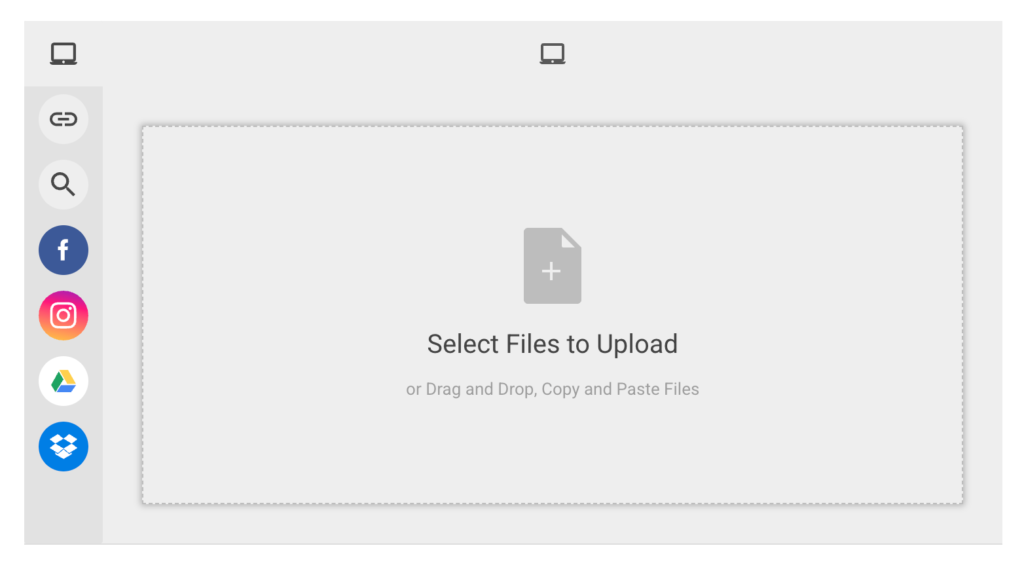
This great utility integrates with 20+ popular services like Google Drive, Dropbox, GitHub, Facebook, Instagram, and more. As the Filestack picker also illustrates, users can take advantage of the ease of dragging and dropping files to upload.
If you prefer to do your uploading on the back end, you can use the Filestack Python library:
from filestack import Client

client = Client(APIKEY)

store_params = {
    'location': 's3',
    'path': 'folder/subfolder/',
    'upload_tags': {
          "foo":"bar"
    }
}
filelink = client.upload(filepath="path/to/filename.jpg", store_params=store_params)
Unlike many services, Filestack provides a number of code libraries to make the developer experience much easier. With files uploaded, it’s time to transform!
Transform
Users can upload any type of file at any size or format, so the ability to quickly and easily transform file that file into something more to the developer’s liking is key. Transformations can be applied to videos, images, and even documents. Transformations can also be done on in real time or via sync workflows.
For example, you can resize and manipulate images by adjusting URL parameters:
// Resize an image to have a width of 300px


// Add a color filter, rotate the image, and add a "polaroid" border to the image
So what else can be done with transformations beside file dimension and effects? Lots!
- Enhancing: Upscale and remove red eye effects
- Borders & Effects: Rounded corners, vignette, polaroid, torn edges, shadows
- Filters: Sharpen, blur, b&w, Sepia, oil paint, pixelate, and more
- Facial Detection: detect, crop, pixelate, and blur faces
- File Type: format conversion, animation (image to GIF), ASCII, collage, QR code, screenshot
- Documents: PDF create and convert, document to image
All of these commands can be combined to completely transform any file into exactly what you’d like to present to your users! And if you’d prefer to have a UI for users to transform media themselves, you can!

Deliver
With the files uploaded and transforms completed, the last step is delivering to clients. That delivery is incredibly important, as reliability and fast rendering can impact user retention and business conversion.
Filestack’s CDN caches Filestack URLs the first time they are accessed, such as in the case of storage aliases or transformations. The cached copy of any unique Filestack URL will live for 30 days – it will then be re-cached only when it is requested again.
Try Filestack!
Filestack’s platform is incredibly flexible, powerful, and useful. From the start of uploading, to transforming into a custom file, and delivering that file quickly, Filestack is a great platform that takes those files from start to finish; from source to consumer!
Source link