

Building production-ready Apache Flink applications requires learning a complex ecosystem. The learning curve is steep for newcomers, and even experienced Flink developers encounter complexity when scaling applications or troubleshooting production issues. With the new Kiro Power and Agent Skill for Amazon Managed Service for Apache Flink, you can get AI-assisted guidance for building, improving, and migrating streaming applications directly in your development environment, with recommendations that are grounded in best practices.
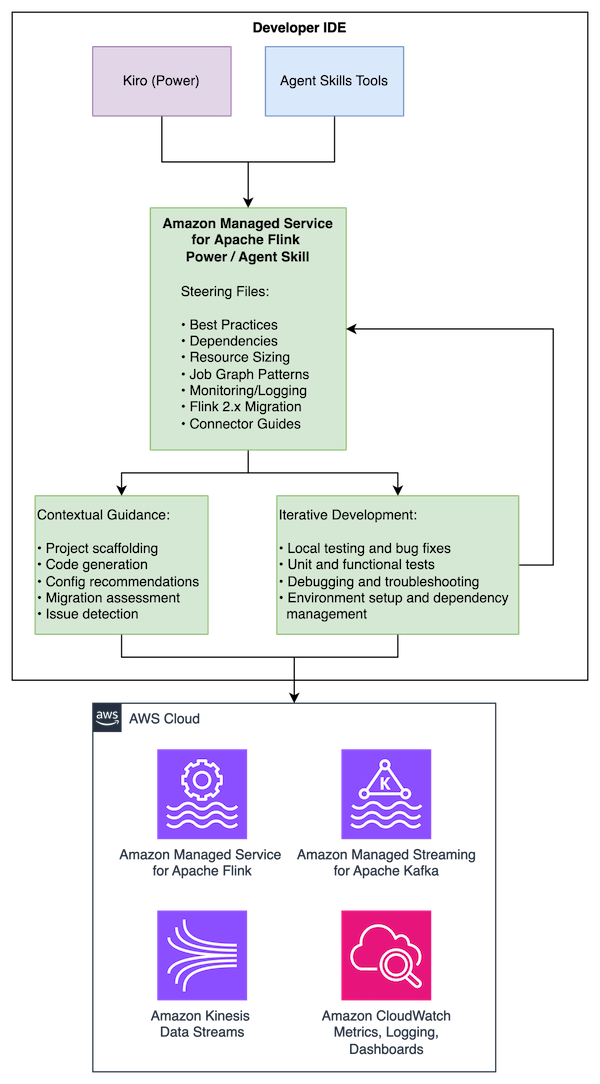
The Managed Service for Apache Flink Kiro Power and Agent Skill helps you navigate challenges across the Flink application lifecycle. For new development, the tool provides contextual guidance on application architecture, state management patterns, and connector selection. For existing application improvements, it analyzes your existing code to identify performance bottlenecks, reliability risks, and opportunities for improvement. If you’re upgrading from Apache Flink 1.x to 2.x, it detects compatibility issues and provides targeted refactoring steps to modernize your applications.
In this post, we walk through installing the Power and Skill, using Amazon Kinesis Data Streams to build a Kinesis Data Stream-to-Kinesis Data Stream streaming pipeline, and migrating an existing application to Flink 2.2. You can follow along with this use case to see how the Managed Service for Apache Flink Kiro Power can help you build a resilient, performant application grounded in best practices.
Solution overview
The Managed Service for Apache Flink Power/Skill works across multiple AI development tools, providing the same comprehensive guidance in each:
- Kiro: Installs as a Power that automatically activates for Flink-related development activities
- Cursor and Claude Code: Installs as an Agent Skill following the open Agent Skills standard
- Other compatible agents: Compatible with tools supporting the Agent Skills specification
The Power/Skill provides guidance across the development lifecycle:
- Best practices for Managed Service for Apache Flink application development
- Maven dependency management and project structure
- Resource improvements including KPU sizing, parallelism tuning, and checkpointing
- Job graph architecture patterns and anti-patterns
- Amazon CloudWatch monitoring and logging configuration
- Flink 1.x to 2.2 migration guidance with state compatibility assessment
- Connector-specific guidelines
The content is maintained in a single repository with use case specific entry points that are dynamically loaded depending on your needs.
Prerequisites
To use the tool, you need:
- A development machine running macOS, Linux, or Windows with Java 11 or later (Java 17 for Flink 2.2) and Apache Maven installed
- One of the following AI development tools:
- Kiro IDE
- Cursor
- Claude Code
- Other Agent Skills-compatible tools
- Basic knowledge of Java and stream processing concepts (helpful but not required)
- An AWS Identity and Access Management (IAM) role configured with access to create and run Managed Service for Apache Flink applications, create Amazon Simple Storage Service (Amazon S3) buckets for Flink application dependencies, create Kinesis Data Streams for streaming, and create IAM roles (required if deploying an application)
Installation
Installing as a Kiro Power
- Open Kiro IDE.
- Open Amazon Managed Service for Apache Flink and select Open in Kiro.
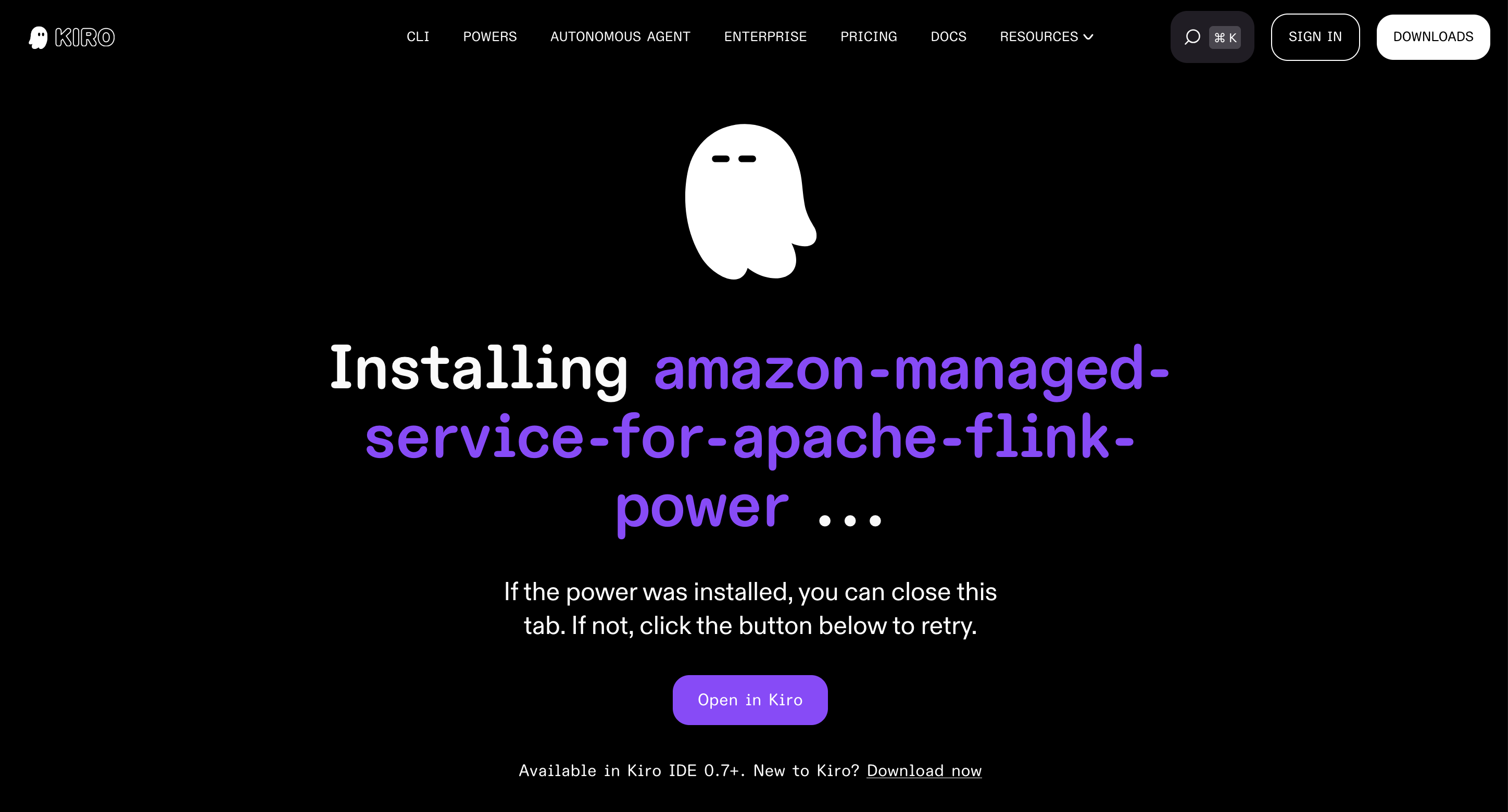
- Choose Install to install the power.
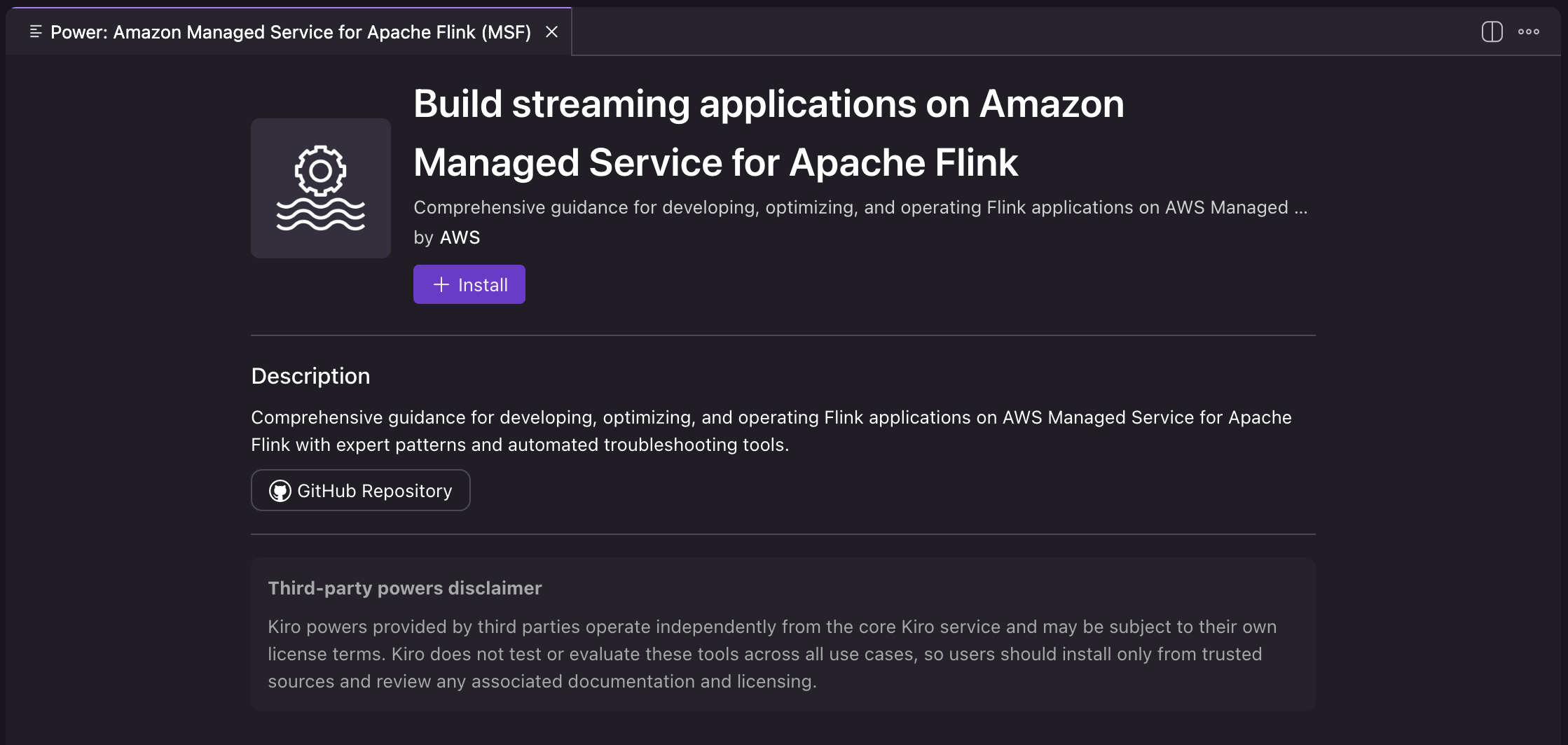
- Verify that the power is listed in the installed powers in the Kiro IDE.
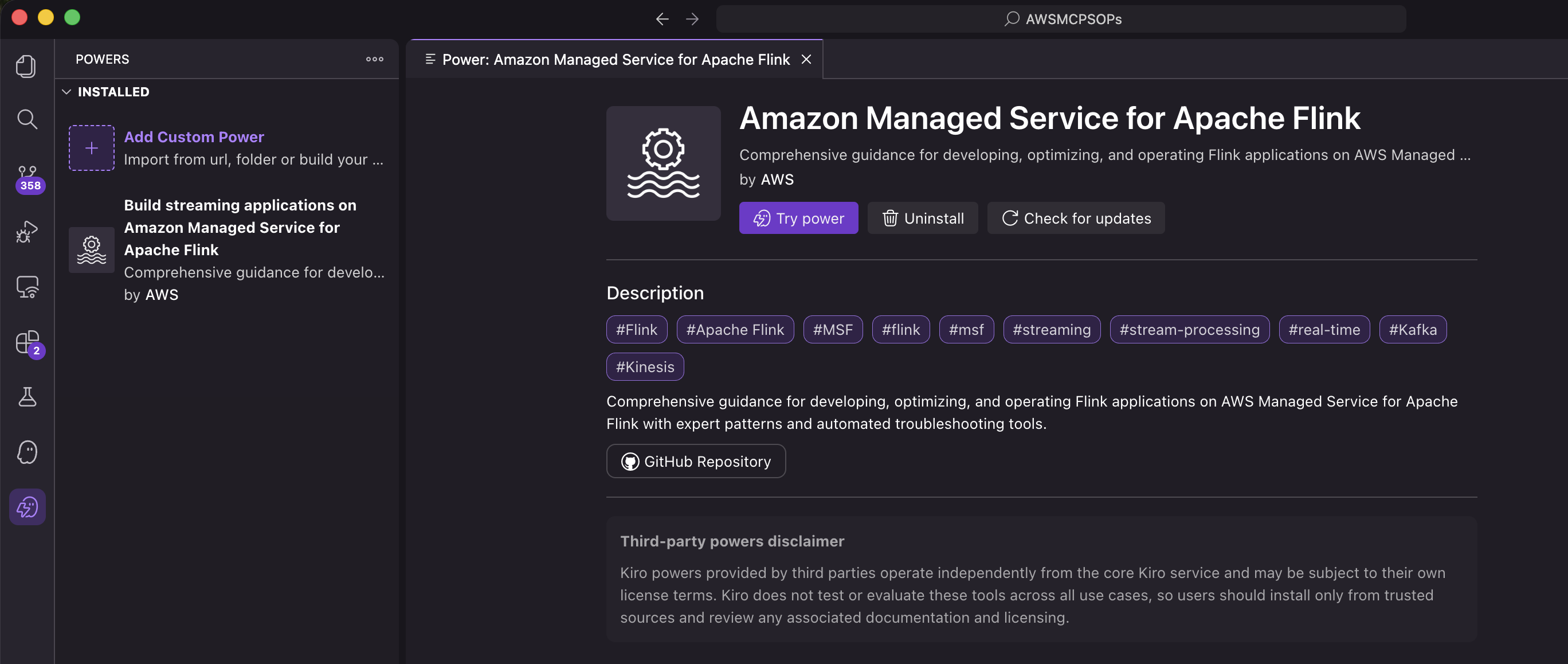
The Power is now installed and automatically activates when you work on Flink-related development activities.
Installing as an Agent Skill
Agent Skills are discovered automatically by compatible tools through the SKILL.md file. Installation varies by tool:
Per-project installation (available in one project):
Personal installation (available across projects):
To verify the installation, interact with the skill in your preferred tool. In Claude Code, you can invoke it with /flink. In Cursor, type / in Agent chat and search for flink. For more information about Agent Skills, see the Agent Skills documentation.
Example: Building a Kinesis-to-Kinesis streaming pipeline
Rather than listing best practices, the Power/Skill actively guides you through making the right architectural decisions at each stage of development.
The following walkthrough demonstrates building a Flink application that reads from Amazon Kinesis Data Streams, analyzes events, and writes to another Kinesis stream. To follow along, run the same prompts in your Kiro IDE or other development tool. In the following prompts, we focus on local development and don’t create AWS resources. However, if you prompt the agent to create and deploy AWS resources, they will incur additional costs.
Starting the conversation
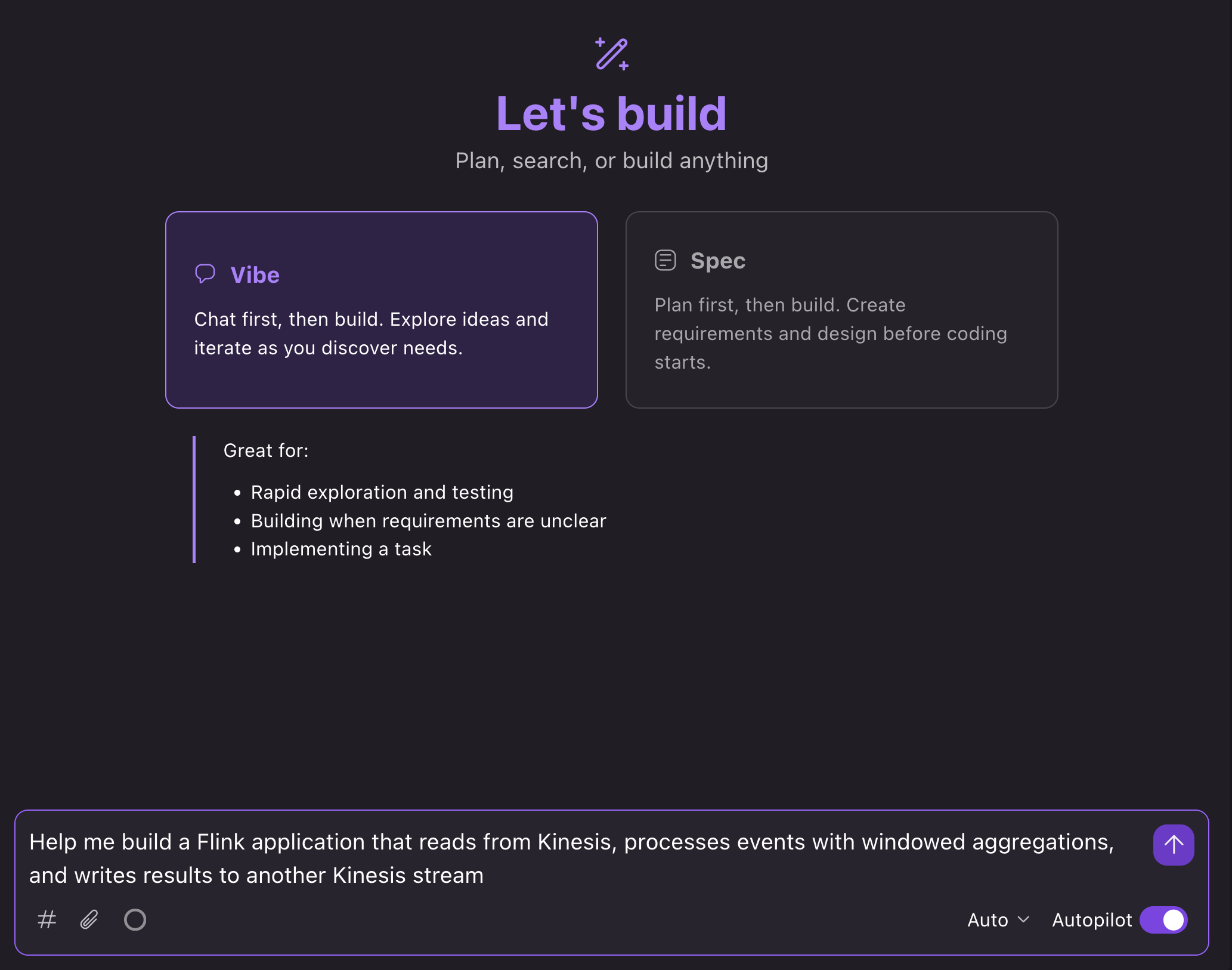
In the Kiro IDE, we can open a new chat in Vibe mode and prompt: “Help me build a Flink application that reads from Kinesis, processes events with windowed aggregations, and writes results to another Kinesis stream”:
What happens next
The AI assistant loads relevant guidance and walks you through the development process:
1. Confirm project requirements and details
Kiro automatically loads the Power based on the context of your prompt. The assistant then asks you questions about your use case to make sure that it builds the right application for your needs:
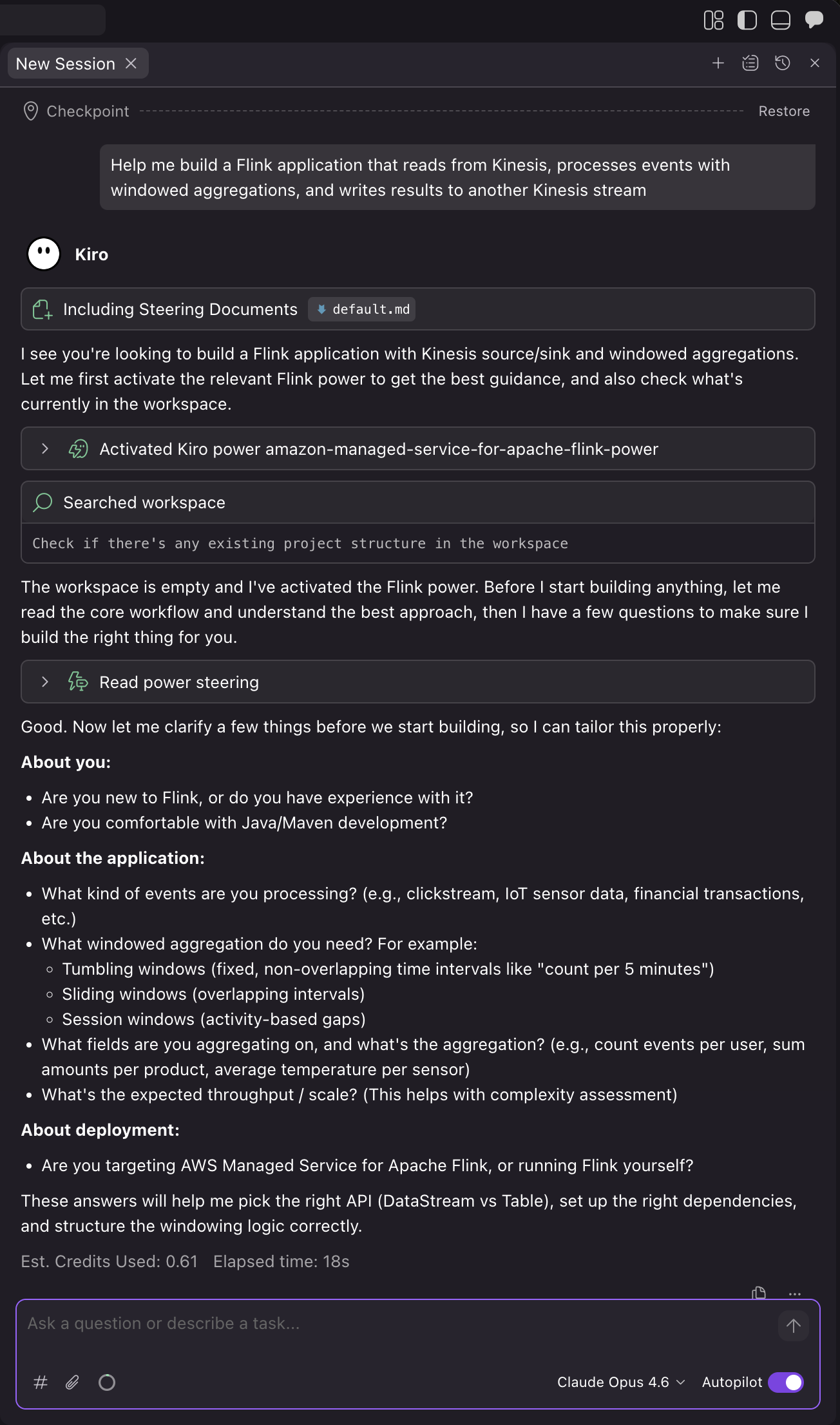
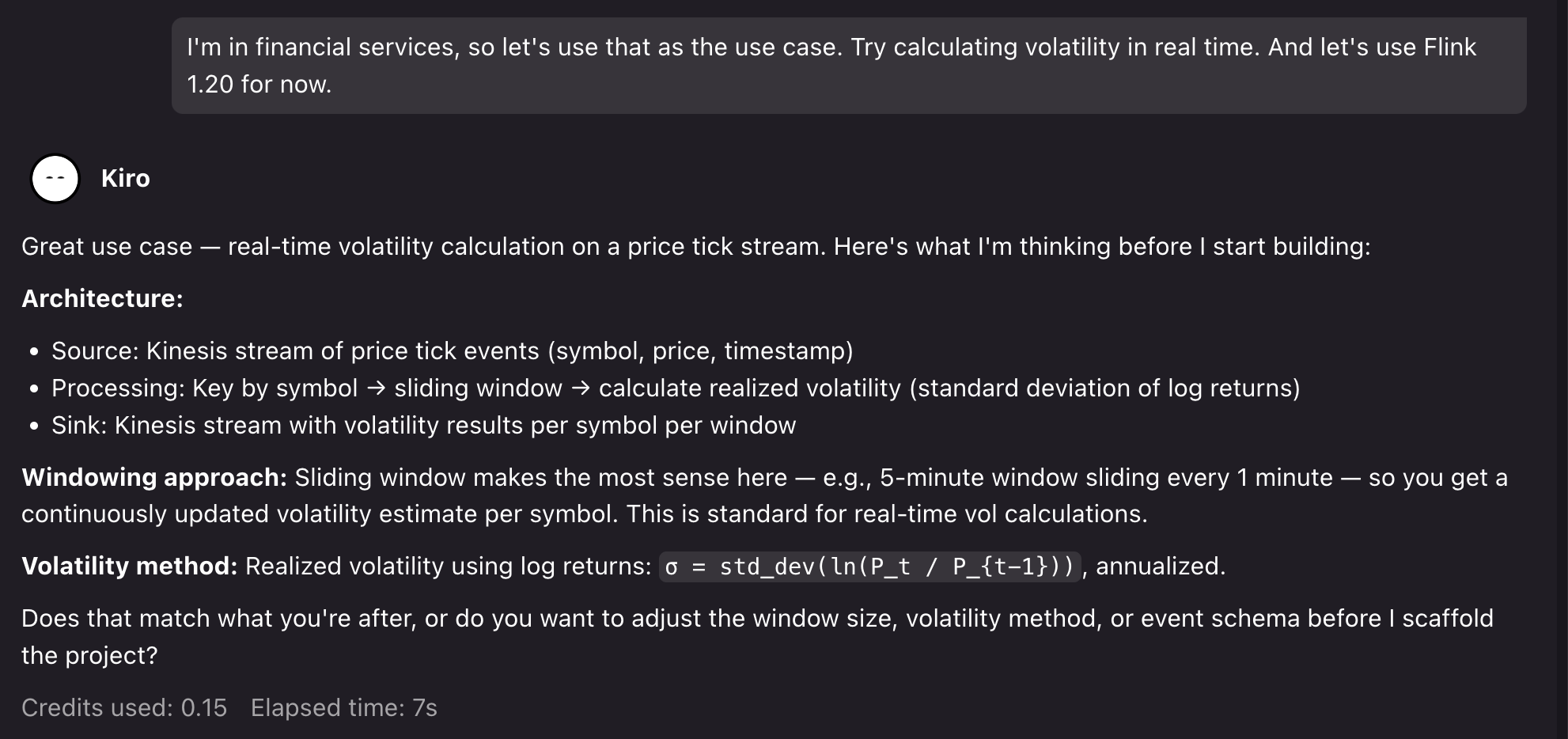
For the demo, we can prompt for a financial services use case: “I’m in financial services, so let’s use that as the use case. Try calculating volatility in real-time. And let’s use Flink 1.20 for now.”.
Kiro then confirms its assumptions and asks to proceed:
2. Project setup
After we confirm, Kiro generates a project with Flink 1.20 dependencies, Kinesis connectors, and proper scope configuration for Managed Service for Apache Flink deployment. The assistant creates the application structure with proper configuration separation between local development and Managed Service for Apache Flink service-level settings. Then, it creates a Kinesis source with proper deserialization and the sink with partitioning strategy, and windowed aggregation logic with proper state management, TTL configuration, and error handling.
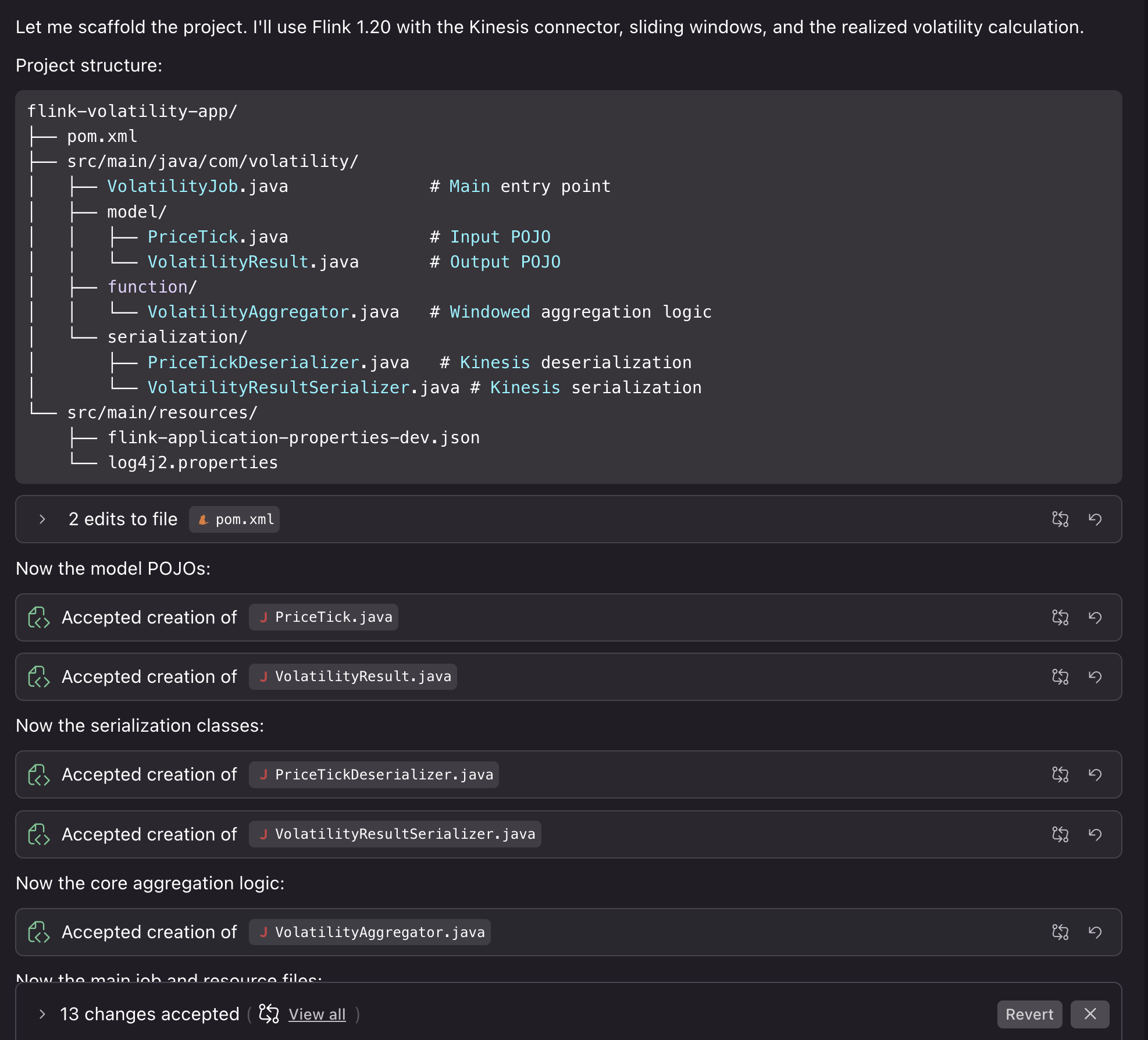
Kiro also compiles the code to verify that it builds correctly. We can then proceed by asking Kiro to help us with running the application locally for testing.
3. Testing the project locally
You can run the application locally to test the results. We can prompt: “Can we run this locally using something like LocalStack to test deploying the job and also see some example results?”
Kiro creates the necessary Docker resources, testing scripts, and deployment steps to run the application locally with synthetic resources. If it encounters bugs or detects issues during the local testing process, it fixes them so that your deployment runs smoothly:
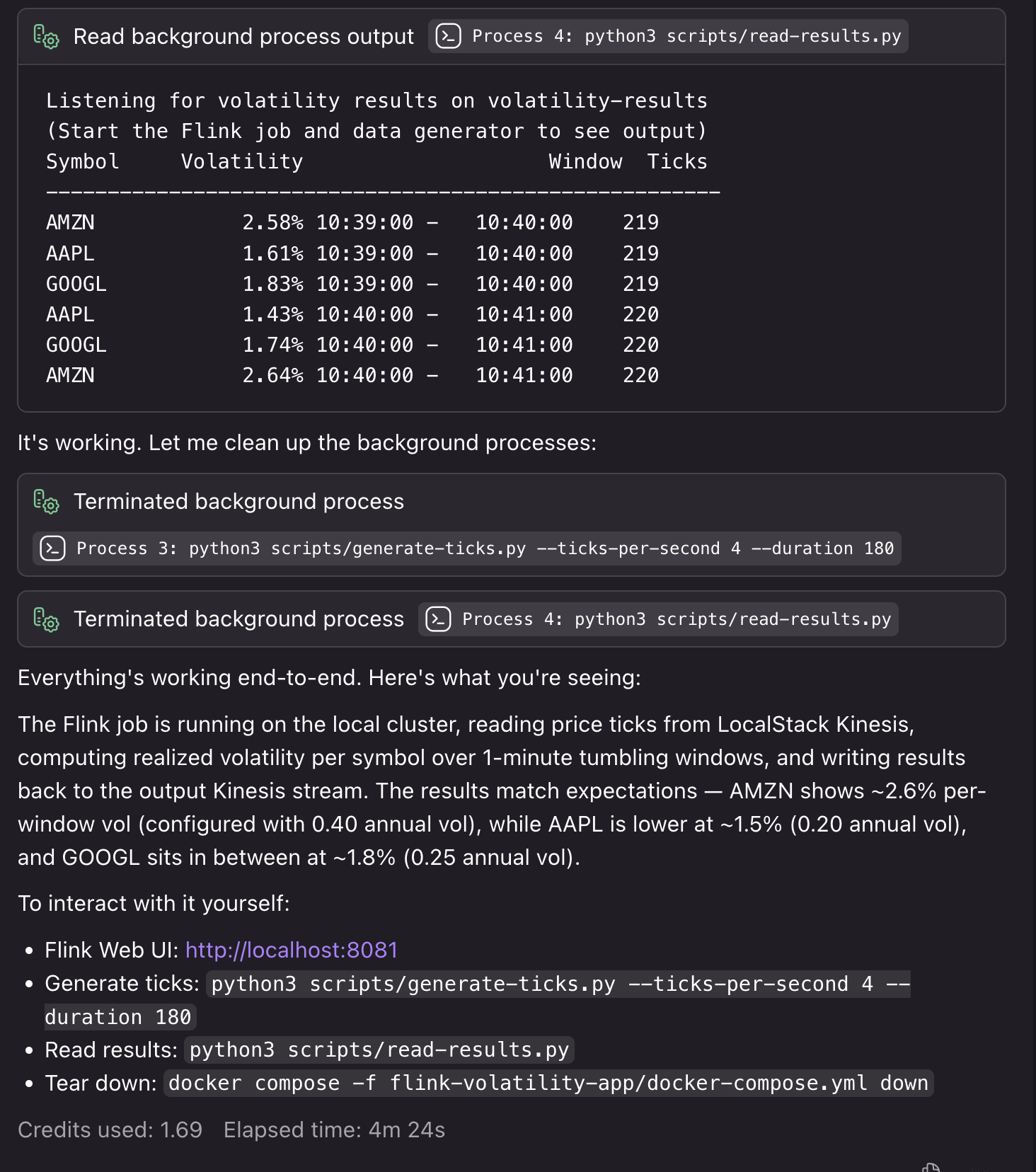
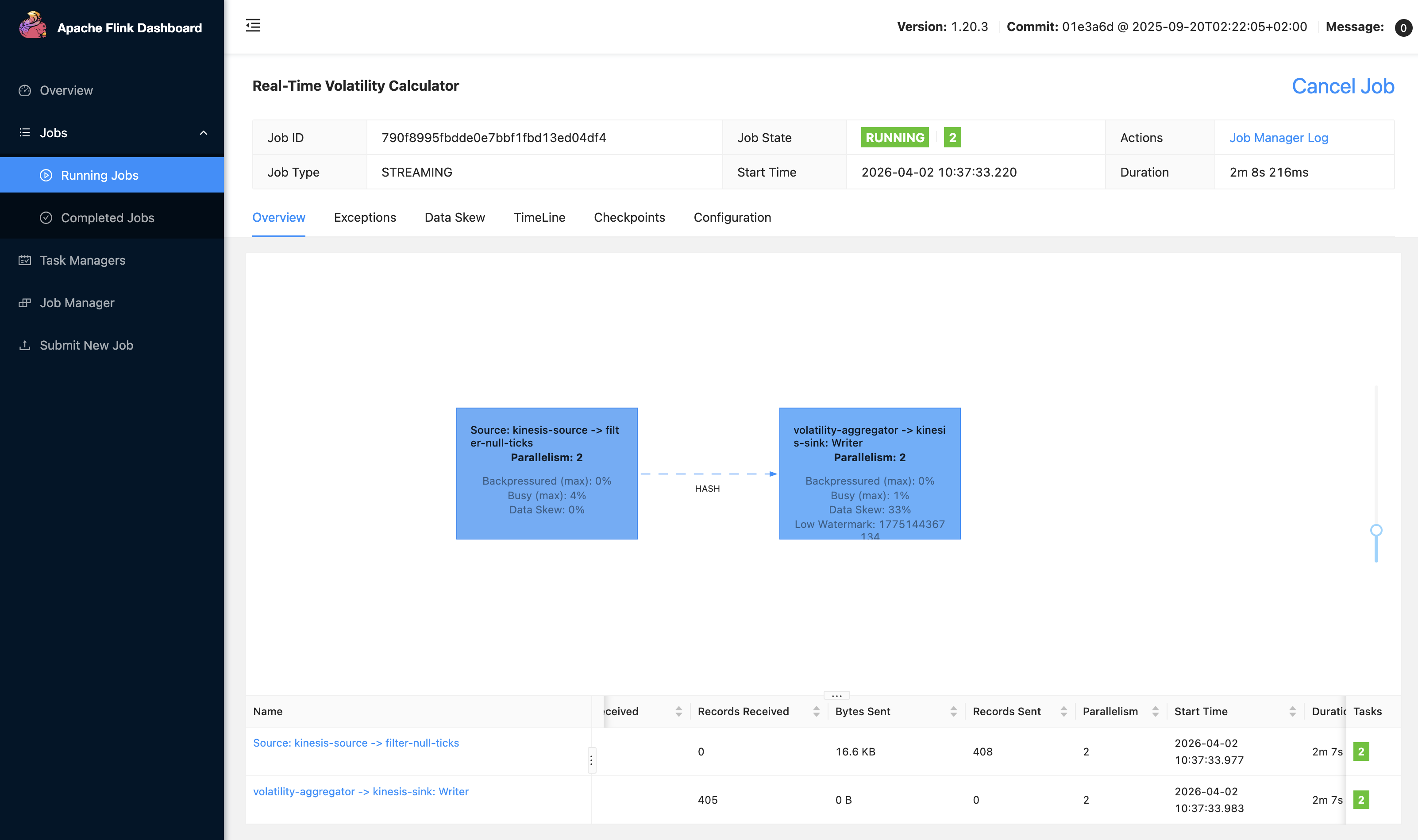
We can also access our local Flink UI to view our application:
4. Deploying the application to Managed Service for Apache Flink
Now that our application is running and generating results end-to-end, we can use the Power for other tasks. For example, you can get guidance on KPU allocation and parallelism settings based on your expected throughput, configure monitoring with CloudWatch metrics, logging, and dashboards for operational visibility, or set up infrastructure as code (IaC) for deploying in Managed Service for Apache Flink. We can prompt: “This is great! Can you help me deploy this application to Managed Service for Apache Flink? I’d like to use CloudFormation for deployment.”
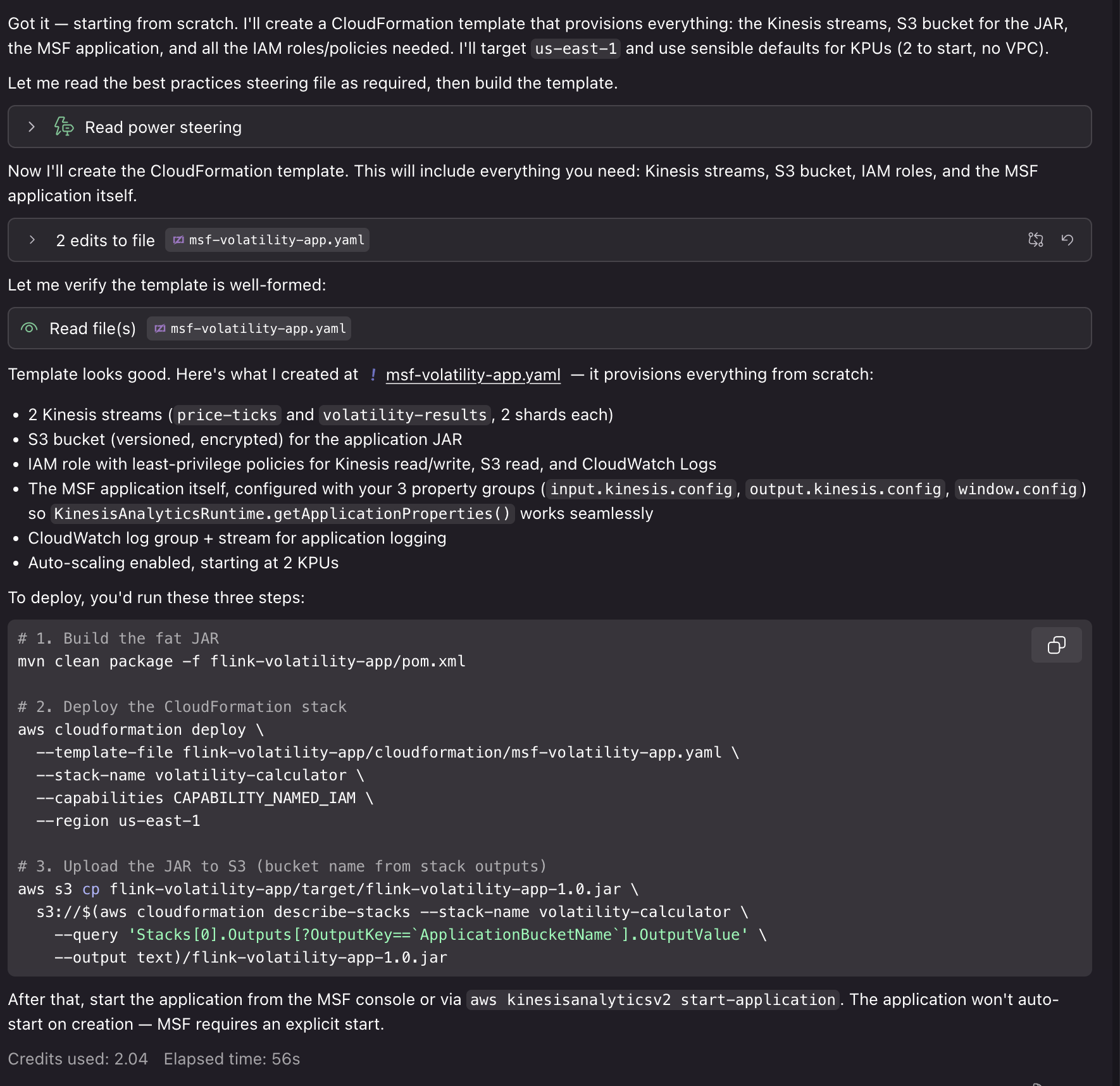
Using the generated AWS CloudFormation templates and deployment scripts, we can deploy our application to AWS with associated resources for Kinesis Data Streams, Amazon S3 buckets for application JAR files, CloudWatch log groups, and IAM roles. Deploying these resources requires IAM credentials with associated permissions and will incur cost for the associated resource usage.
In a traditional workflow, you build your application, deploy to Managed Service for Apache Flink, then discover performance issues or configuration problems in production. You spend time debugging checkpoint failures, serialization errors, or resource bottlenecks.With the Power/Skill, the AI assistant catches these issues during development. When you need complex aggregation and processing logic, it helps you to do so in a way that uses resources efficiently with Flink’s scaling model. When you create an application bug that would cause a crash in production, it helps you identify it early with local end-to-end testing. The Power is configured with guidance and best practices to help with the development process from start to finish.
Example: Migrating to Flink 2.2
The Managed Service for Apache Flink Kiro Power and Agent Skill provide contextual advice specific to your situation. For new developers, it walks through the complete workflow from project setup to deployment, explaining Managed Service for Apache Flink-specific concepts along the way. For migration projects, it analyzes your existing code for Flink 2.2 compatibility issues and provides targeted refactoring guidance. The following example shows how the tool helps with the complex task of migrating from Flink 1.x to 2.2.
1. Assessing migration compatibility
We can ask Kiro to help us upgrade our project from the previous example to Flink 2.2: “I need to migrate my Flink 1.x application to 2.2. Can you help me identify compatibility issues?”
The assistant loads the Managed Service for Apache Flink Kiro Power and analyzes our code to identify potential issues:
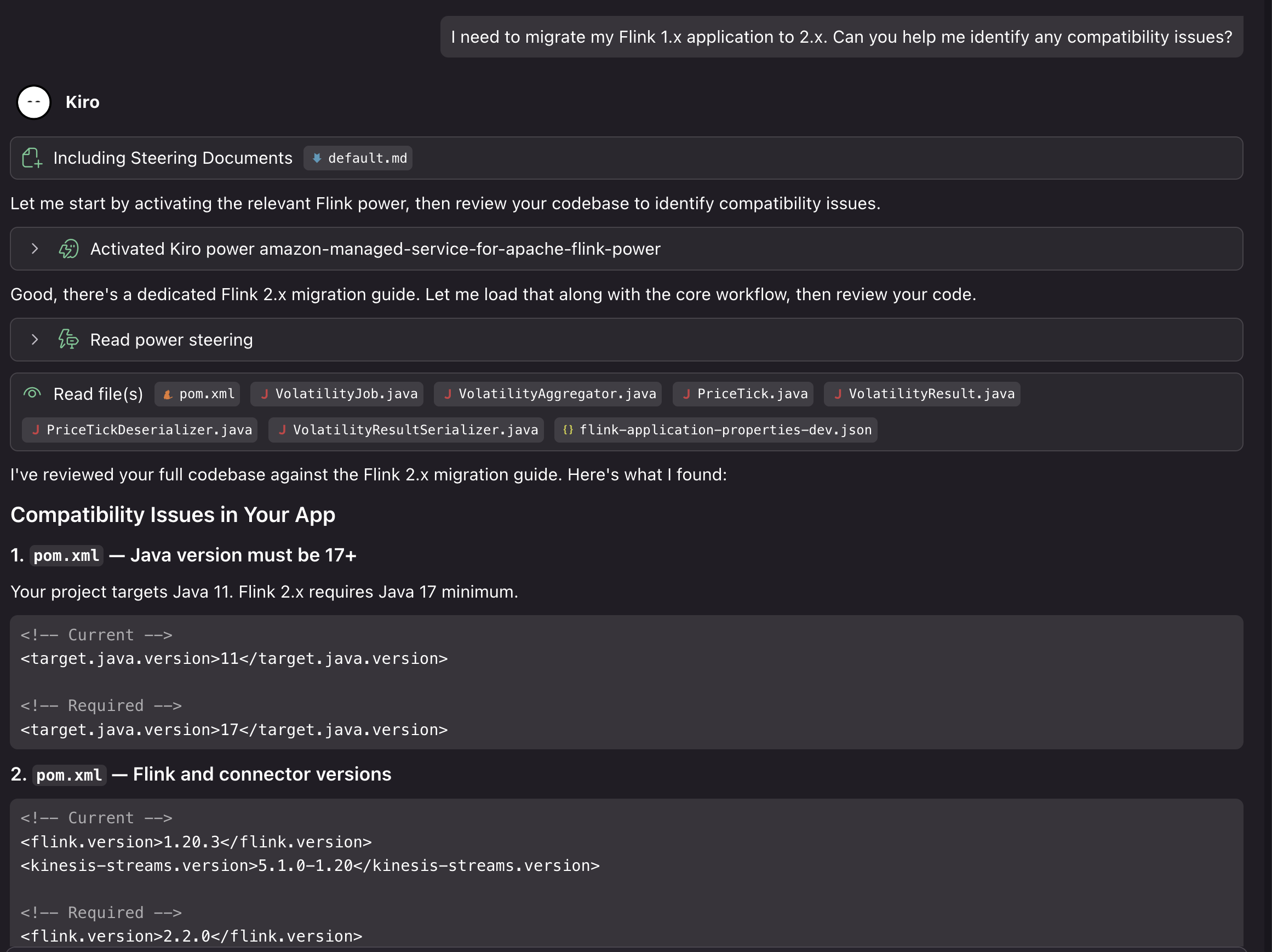
In this case, using our generated project on Flink 1.20, Kiro identified the following compatibility issues for the upgrade:
- Java 11 must move to Java 17 (minimum for Flink 2.2)
- Flink version 1.20.3 must update to 2.2.0
- The Kinesis connector must update from 5.1.0-1.20 to 6.0.0-2.0
- Time references must change to java.time.Duration in window and lateness calls
- The LocalStreamEnvironment instance of check must be removed (class removed in 2.2)
- The isEndOfStream() override must be dropped from PriceTickDeserializer (method removed)
- implements Serializable must be added to PriceTick and VolatilityResult
It also verified that some parts of the project are already Flink 2.2 compatible. The project uses the new Source Sink V2 APIs, the logging is 2.2 ready, the POJOs with no collection fields are state migration safe, and there are no Kryo registrations or TimeCharacteristic usage.
2. Implementing the migration
We can then ask Kiro to provide a step-by-step migration plan, both for updating the code and deploying to Managed Service for Apache Flink: “Can you help me update the application for Flink 2.2, and help me figure out the steps to upgrade my running Managed Service for Apache Flink application?”
Kiro evaluates the entire application code base. It evaluates it against the Power’s migration guidance and best practices, and provides a comprehensive analysis of the breaking changes, risks, and potential issues that would arise in the upgrade. After we approve the changes, Kiro then proceeds to make the necessary updates to make our application compatible with Flink 2.2 and provide us with a step-by-step upgrade process for the running application:
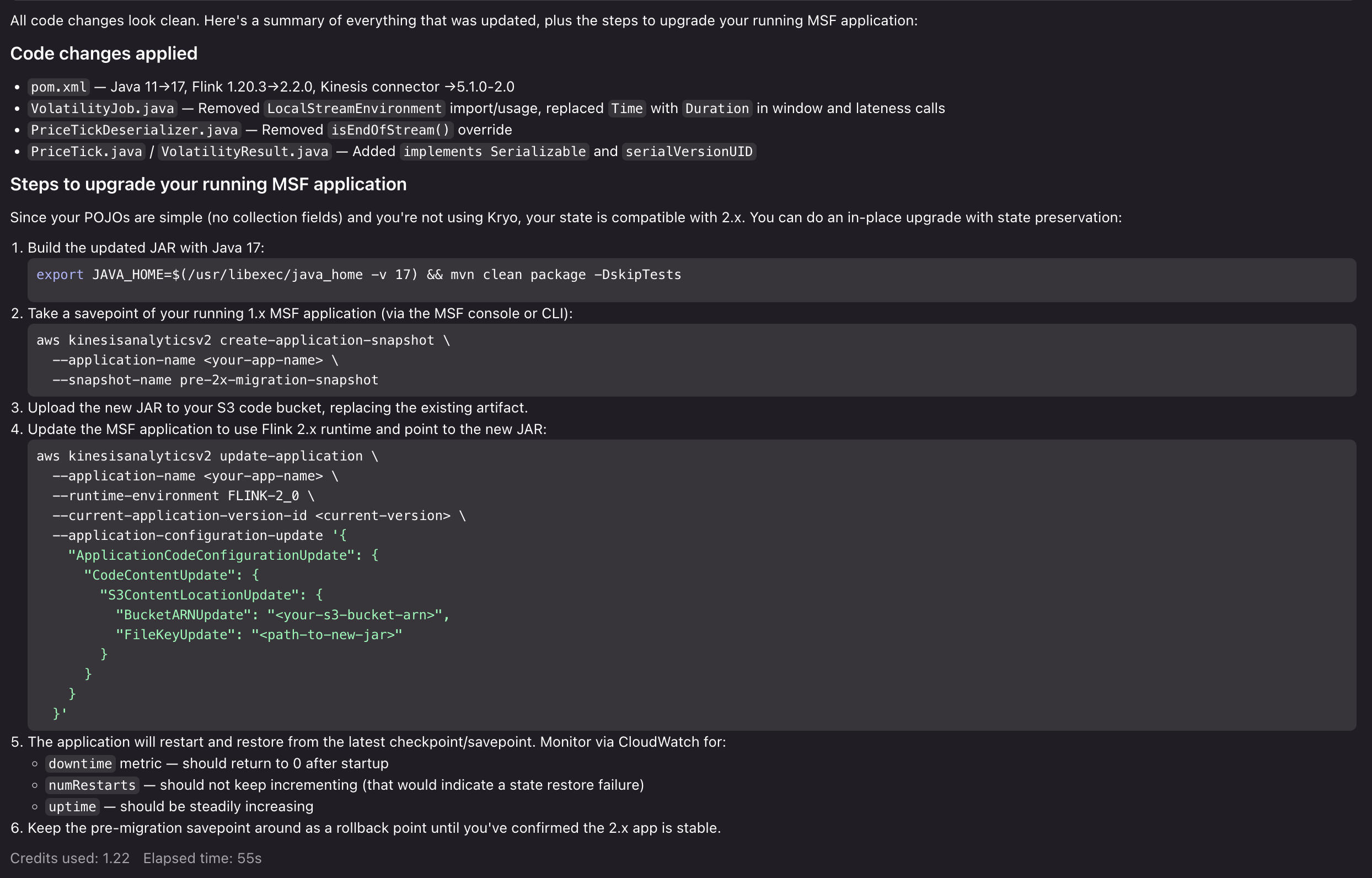
Now that Kiro has prepared the application for Flink 2.2, highlighted migration risks, and provided us with a clear path to execute the upgrade, you can test the upgrade process with confidence. From here, we can proceed to run our Flink 2.2 application locally, test the upgrade process in a development environment in Managed Service for Apache Flink, and then execute the upgrade in our production environment. If we run into issues, we can return to the Kiro Power to get advice, resolve issues, and unblock our upgrade.
Cleanup
To remove the Power/Skill installation:
For Kiro:
- Open Kiro IDE.
- Navigate to the Powers tab.
- Uninstall the Amazon Managed Service for Apache Flink Power.
For Agent Skills:
- Delete the Managed Service for Apache Flink application from the AWS Console.
- Remove associated resources for sources and sinks, if created for development.
- Delete CloudWatch log groups if no longer needed.
Conclusion
In this post, we showed you how the Kiro Power and Agent Skill for Amazon Managed Service for Apache Flink brings AI-assisted development to stream processing. You can use the tool to overcome Flink’s learning curve, build applications following Managed Service for Apache Flink best practices, and migrate to Flink 2.2 with confidence. To get started, choose the path that fits your workflow:
- If you use Kiro, install the Power from the Powers tab and start a new chat with a Flink-related prompt.
- If you use Cursor, Claude Code, or another Agent Skills-compatible tool, clone the GitHub repository into your skills directory and reference the steering/ files for guidance.
- If you are new to Amazon Managed Service for Apache Flink, review the Amazon Managed Service for Apache Flink Developer Guide and the Apache Flink documentation to build foundational knowledge alongside the Power/Skill.
We welcome your feedback. Report issues or request features through GitHub Issues, or contribute improvements via pull requests.
About the authors