

SwiftUI’s .task modifier inherits its actor context from the surrounding function. If you call .task inside a view’s body property, the async operation will run on the main actor because View.body is (semi-secretly) annotated with @MainActor. However, if you call .task from a helper property or function that isn’t @MainActor-annotated, the async operation will run in the cooperative thread pool.
Here’s an example. Notice the two .task modifiers in body and helperView. The code is identical in both, yet only one of them compiles — in helperView, the call to a main-actor-isolated function fails because we’re not on the main actor in that context:
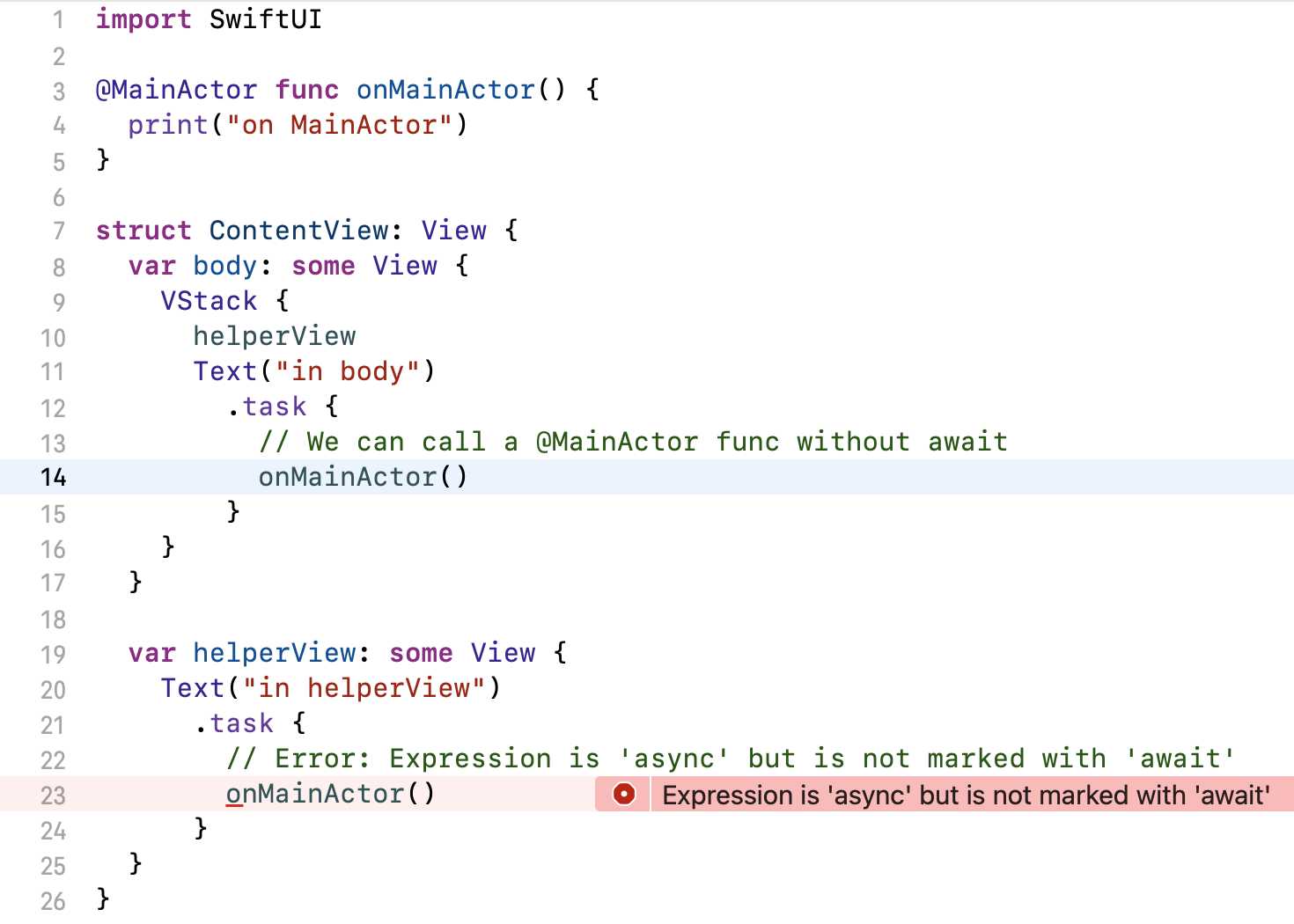
body, but not from a helper property.
import SwiftUI

@MainActor func onMainActor() {
  print("on MainActor")
}

struct ContentView: View {
  var body: some View {
    VStack {
      helperView
      Text("in body")
        .task {
          // We can call a @MainActor func without await
          onMainActor()
        }
    }
  }

  var helperView: some View {
    Text("in helperView")
      .task {
        // ❗️ Error: Expression is 'async' but is not marked with 'await'
        onMainActor()
      }
  }
}
This behavior is caused by two (semi-)hidden annotations in the SwiftUI framework:
-
The
Viewprotocol annotates itsbodyproperty with@MainActor. This transfers to all conforming types. -
View.taskannotates itsactionparameter with@_inheritActorContext, causing it to adopt the actor context from its use site.
Sadly, none of these annotations are visible in the SwiftUI documentation, making it very difficult to understand what’s going on. The @MainActor annotation on View.body is present in Xcode’s generated Swift interface for SwiftUI (Jump to Definition of View), but that feature doesn’t work reliably for me, and as we’ll see, it doesn’t show the whole truth, either.
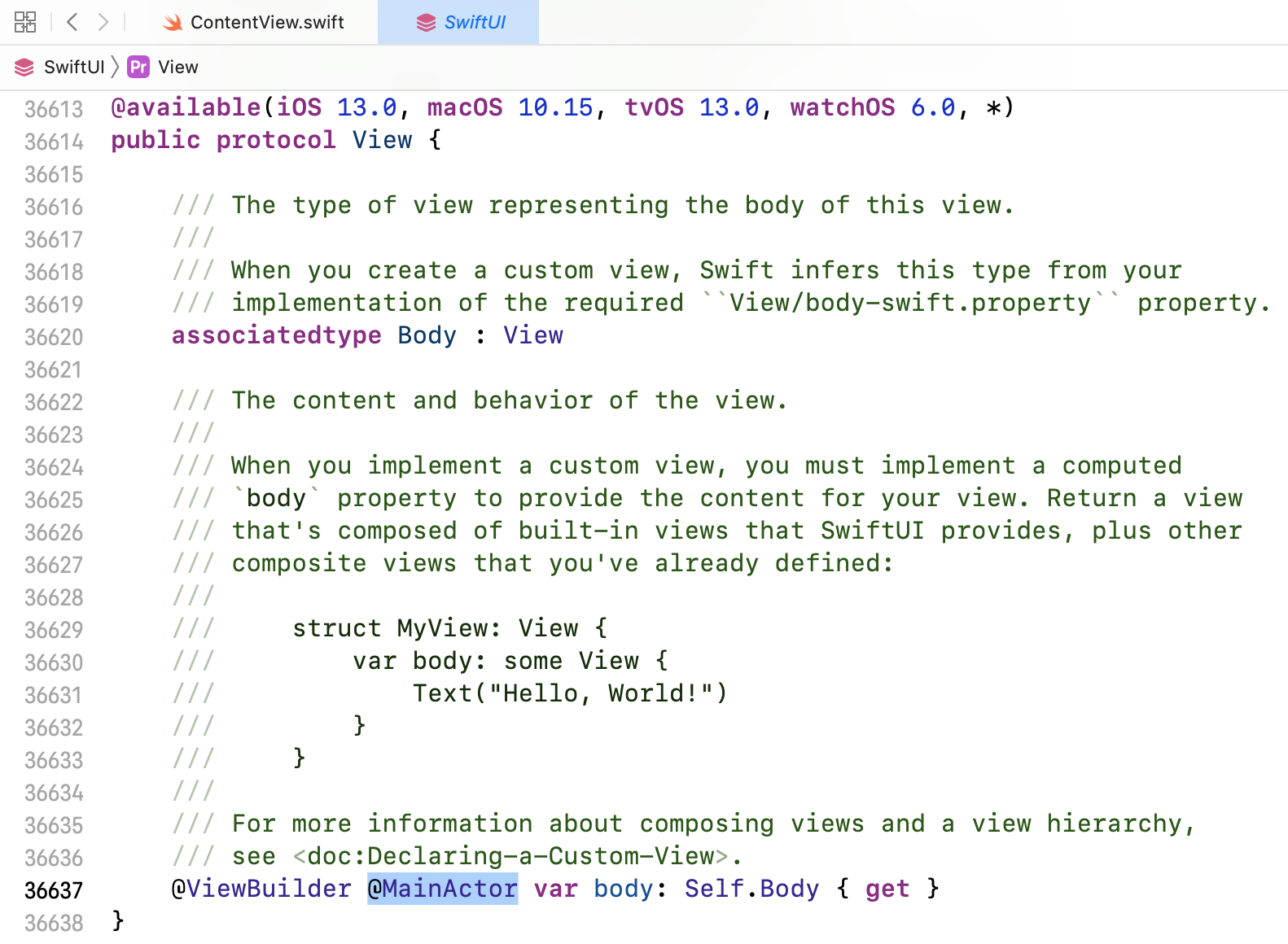
View.body is annotated with @MainActor in Xcode’s generated interface for SwiftUI.
To really see the declarations the compiler sees, we need to look at SwiftUI’s module interface file. A module interface is like a header file for Swift modules. It lists the module’s public declarations and even the implementations of inlinable functions. Module interfaces use normal Swift syntax and have the .swiftinterface file extension.
SwiftUI’s module interface is located at:
[Path to Xcode.app]/Contents/Developer/Platforms/iPhoneOS.platform/Developer/SDKs/iPhoneOS.sdk/System/Library/Frameworks/SwiftUI.framework/Modules/SwiftUI.swiftmodule/arm64e-apple-ios.swiftinterface
(There can be multiple .swiftinterface files in that directory, one per CPU architecture. Pick any one of them. Pro tip for viewing the file in Xcode: Editor > Syntax Coloring > Swift enables syntax highlighting.)
Inside, you’ll find that View.body has the @MainActor(unsafe) attribute:
@available(iOS 13.0, macOS 10.15, tvOS 13.0, watchOS 6.0, *)
@_typeEraser(AnyView) public protocol View {
  // …
  @SwiftUI.ViewBuilder @_Concurrency.MainActor(unsafe) var body: Self.Body { get }
}
And you’ll find this declaration for .task, including the @_inheritActorContext attribute:
@available(iOS 15.0, macOS 12.0, tvOS 15.0, watchOS 8.0, *)
extension SwiftUI.View {
  #if compiler(>=5.3) && $AsyncAwait && $Sendable && $InheritActorContext
    @inlinable public func task(
      priority: _Concurrency.TaskPriority = .userInitiated,
      @_inheritActorContext _ action: @escaping @Sendable () async -> Swift.Void
    ) -> some SwiftUI.View {
      modifier(_TaskModifier(priority: priority, action: action))
    }
  #endif
  // …
}
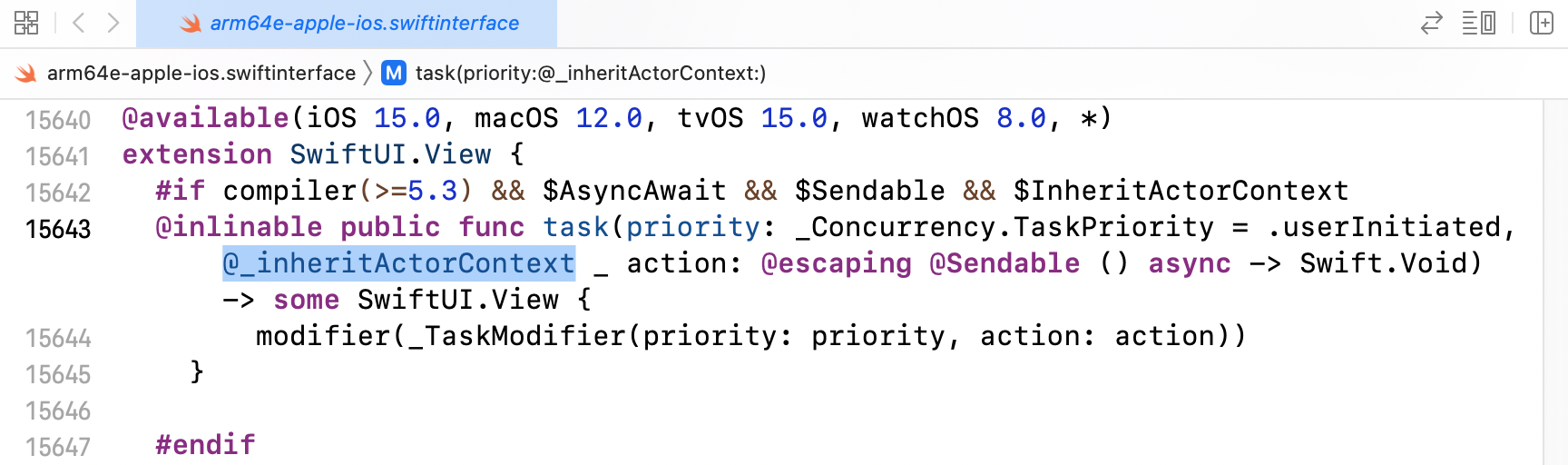
@_inheritActorContext annotatation on View.task.
Armed with this knowledge, everything makes more sense:
- When used inside
body,taskinherits the@MainActorcontext frombody. - When used outside of
body, there is no implicit@MainActorannotation, sotaskwill run its operation on the cooperative thread pool by default. -
Unless the view contains an
@ObservedObjector@StateObjectproperty, which makes the entire view@MainActorvia this obscure rule for property wrappers whosewrappedValueproperty is bound to a global actor:A struct or class containing a wrapped instance property with a global actor-qualified
wrappedValueinfers actor isolation from that property wrapperUpdate May 1, 2024: SE-0401: Remove Actor Isolation Inference caused by Property Wrappers removes the above rule when compiling in Swift 6 language mode. This is a good change because it makes reasoning about actor isolation simpler. In the Swift 5 language mode, you can opt into the better behavior with the
-enable-upcoming-featureDisableOutwardActorInferencecompiler flags. I recommend you do.
The lesson: if you use helper properties or functions in your view, consider annotating them with @MainActor to get the same semantics as body.
By the way, note that the actor context only applies to code that is placed directly inside the async closure, as well as to synchronous functions the closure calls. Async functions choose their own execution context, so any call to an async function can switch to a different executor. For example, if you call URLSession.data(from:) inside a main-actor-annotated function, the runtime will hop to the global cooperative executor to execute that method. See SE-0338: Clarify the Execution of Non-Actor-Isolated Async Functions for the precise rules.
I understand Apple’s impetus not to show unofficial API or language features in the documentation lest developers get the preposterous idea to use these features in their own code!
But it makes understanding so much harder. Before I saw the annotations in the .swiftinterface file, the behavior of the code at the beginning of this article never made sense to me. Hiding the details makes things seem like magic when they actually aren’t. And that’s not good, either.