


Andy Walker / Android Authority
I want to give Google fair praise; Android Auto is a surprisingly versatile platform. It’s primarily tasked with mirroring phone functionality and information to the dashboards of supported cars. The intention is to make drivers’ lives a little easier, giving them quick access to contacts for calls and messages, music controls, and navigation information. However, for those of us who spend plenty of time waiting in the car, there’s one feature that’s seemingly missing from this list: video playback.
The concept is simple: my car has a screen, so surely I should be able to watch a video on it. While it is technically possible, it comes with strict and awkward limitations.
Do you want video playback support on Android Auto?
14 votes
Notably, I should mention that there is no official way to watch videos on Android Auto. Google does not provide this feature, nor does it allow it in any of its supported apps. However, the company has confirmed that it’s working on bringing support to the platform in the future. It’s unclear when or how Google will introduce it, though.
For now, your only option for watching YouTube videos or sampling videos from your phone is through third-party methods.
Don’t want to miss the best from Android Authority?


Exploring CarStream and Fermata Auto
So, how easy are these third-party methods to get up and running? To start, I tried my hand at two popular apps: CarStream and Fermata Auto.
To install both apps, I used a third-party installer called AAAD. It’s available via GitHub and makes it super simple to load unofficial apps onto your phone for Android Auto use. You will have to enable Unknown Sources in Android Auto’s developer mode, though.

Andy Walker / Android Authority
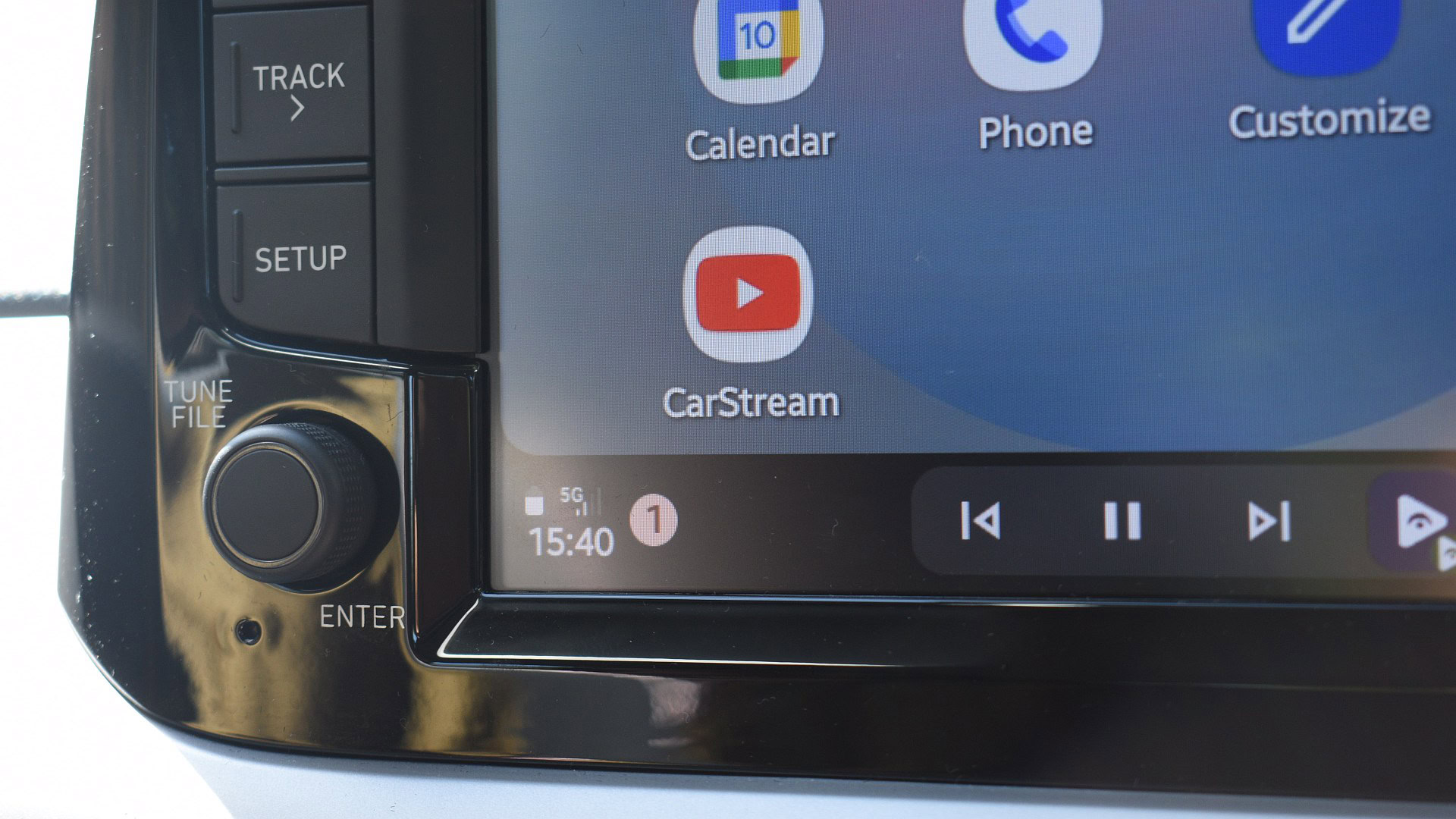
CarStream is essentially a web wrapper that loads the YouTube site and displays it on the dashboard. Users can navigate the site, select a video, and play that video on their Android Auto screens. That’s the theory anyway. It’s much tougher to get going in practice.
Once CarStream was installed on my phone, I opened it and waited for the interface to load. I then opened it on Android Auto, selected a video, and hoped for the best. I encountered several issues on my device.
If you own a modern Android phone, you’ll have a tough time getting video playback working on Android Auto.
I could hear the video’s audio through my car’s speakers, but there was no video on my dash. Instead, the app displayed a vague and ominous “No new messages during this drive” message. I checked the developer’s site, hoping to find a solution, but it appears that CarStream doesn’t work for devices that run Android 14 or newer. This would be a problem for my Android 16-packing Galaxy S24 FE. And, unfortunately, I did not have an older phone on hand to test this theory.
The developer outlines a workaround. When used through an AAWireless dongle, the Android 14 or newer limitation no longer applies. If you’ve attempted this workaround, let me know your results in the comments.

Andy Walker / Android Authority
While CarStream is designed strictly for YouTube playback, Fermata is a jack of a few more trades. It’s a surprisingly versatile app, theoretically allowing users to stream a variety of content to the car dashboard, load web pages, play YouTube content, and video files stored on their device.
Once it was installed via AAAD, I fired up Fermata Auto on my phone first, opened the YouTube tab, which loaded the web interface, and selected a video for playback.
Unlike CarStream, Fermata displays the familiar Android Auto media controls on the screen, but once again, no video emerged. The video’s audio came through without issue, but no moving pictures were present on my dash. I could even use the bar to seek.
Do you use CarStream or Fermata Auto to play video on Android Auto?
0 votes
I figured this might be a YouTube issue, so I tried playing a video stored on my phone. Annoyingly, the app didn’t display the two files that I know I moved to the Movie directory.
What’s the story? Like CarStream, Fermata Auto also experiences issues with newer Android versions, and no remedy is currently available.
‘Listening’ to YouTube in the car

Andy Walker / Android Authority
It’s worth noting that not everyone wants to “watch” YouTube on Android Auto, but rather stream audio from podcasts, ambient channels, and gaming walkthroughs.
For these users, I’d recommend using Tubular. Yes, it’s another YouTube app that doesn’t support video on Android Auto, but it will play audio through your car’s speakers. I’d pick it over Fermata and CarStream, as it’s a genuinely good YouTube app on Android proper, too.
Is playing video on Android Auto worth it?

Andy Walker / Android Authority
No, it’s not worth it. It’s best to wait until Google officially supports it. That’s my opinion, though, and I understand your views vary.
I will say that, yes, given the perfect circumstances, video playback on Android Auto is possible, but it’s not as easy as loading your app of choice and tapping the play button. You’ll need an Android phone running a much older version of the operating system to experience fewer limitations, an AAwireless dongle if you do own a newer Android phone, or purchase an AI box. This standalone device broadens Android Auto support.
Video playback on Android Auto is possible, but it’s simply not worth the effort.
I agree that the idea of watching Man United highlights while I wait to pick up a friend at the airport a great use of my car’s display, but I genuinely don’t think its worth the hassle to get there. I can quickly pull out my phone and enjoy content there.
I’m not going to tell you how to use your phone or what to do with it, though, so if you’re interested in tinkering with Android Auto’s abilities, be my guest. Just be mindful on the road and behind the wheel. And if you have managed to get video playback on Android Auto working, please detail your method in the comments below.
Thank you for being part of our community. Read our Comment Policy before posting.