

I am not a Home Assistant expert, but it’s clearly a massive and powerful ecosystem. I’ve interviewed the creator of Home Assistant on my podcast and I encourage you to check out that chat.
Home Assistant can quickly become a hobby that overwhelms you. Every object (entity) in your house that is even remotely connected can become programmable. Everything. Even people! You can declare that any name:value pair that (for example) your phone can expose can be consumable by Home Assistant. Questions like “is Scott home” or “what’s Scott’s phone battery” can be associated with Scott the Entity in the Home Assistant Dashboard.
I was amazed at the devices/objects that Home Assistant discovered that it could automate. Lights, remotes, Spotify, and more. You’ll find that any internally connected device you have likely has an Integration available.
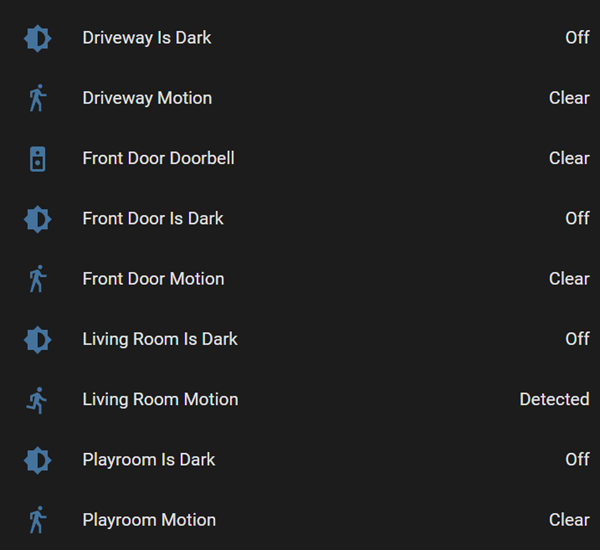
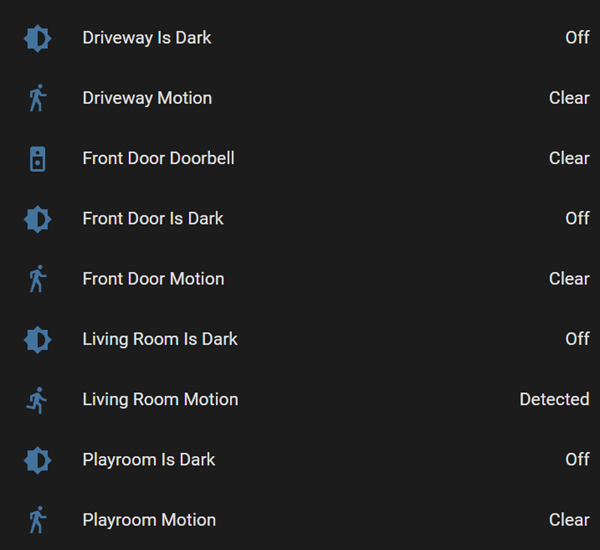
Temperature, Light Status, sure, that’s easy Home Automation. But integrations and 3rd party code can give you details like “Is the Living Room dark” or “is there motion in the driveway.” From these building blocks, you can then build your own IFTTT (If This Then That) automations, combining not just two systems, but any and all disparate systems.
What’s the best part? This all runs LOCALLY. Not in a cloud or the cloud or anyone’s cloud. I’ve got my stuff running on a Raspberry Pi 4. Even better I put a Power Over Ethernet (PoE) hat on my Rpi so I have just one network wire into my hub that powers the Pi.
I believe setting up Home Assistant on a Pi is the best and easiest way to get started. That said, you can also run in a Docker Container, on a Synology or other NAS, or just on Windows or Mac in the background. It’s up to you. Optionally, you can pay Nabu Casa $5 for remote (outside your house) network access via transparent forwarding. But to be clear, it all still runs inside your house and not in the cloud.
OK, to the main point. I used to have an Amazon Ring Doorbell that would integrate with Amazon Alexa and when you pressed the doorbell it would say “Someone is at the front door” on our all Alexas. It was a lovely little integration that worked nicely in our lives.
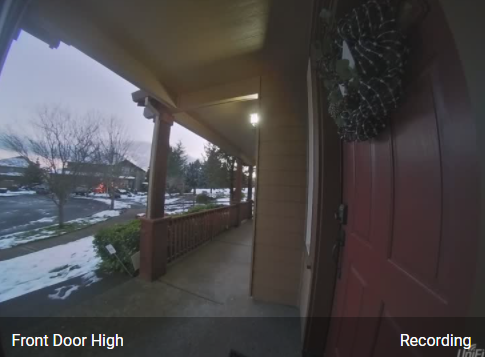
However, I swapped out the Ring for a Unifi Protect G4 Doorbell for a number of reasons. I don’t want to pump video to outside services, so this doorbell integrates nicely with my existing Unifi installation and records video to a local hard drive. However, I lose any Alexa integration and this nice little “someone is at the door” announcement. So this seems like a perfect job for Home Assistant.
Here’s the general todo list:
- Install Home Assistant
- Install Home Assistant Community Store
- This enables 3rd party “untrusted” integrations directly from GitHub. You’ll need a GitHub account and it’ll clone custom integrations directly into your local HA.
- I also recommend the Terminal & SSH (9.2.2), File editor (5.3.3) add ons so you can see what’s happening.
- Get the UniFi Protect 3rd party integration for Home Assistant
- NOTE: Unifi Protect support is being promoted in Home Assistant v2022.2 so you won’t need this step soon as it’ll be included.
- “The UniFi Protect Integration adds support for retrieving Camera feeds and Sensor data from a UniFi Protect installation on either an Ubiquiti CloudKey+, Ubiquiti UniFi Dream Machine Pro or UniFi Protect Network Video Recorder.”
- Authenticate and configure this integration.
- Get the Alexa Media Player integration
- This makes all your Alexas show up in Home Assistant as “media players” and also allows you to tts (text to speech) to them.
- Authenticate and configure this integration.
I recommend going into your Alexa app and making a Multi-room Speaker Group called “everywhere.” Not only because it’s nice to be able to say “play the music everywhere” but you can also target that “Everywhere” group in Home Assistant.
Go into your Home Assistant UI at and into Developer Tools. Under Services, try pasting in this YAML and clicking “call service.”
service: notify.alexa_media_everywhere
data:
  message: Someone is at the front door, this is a test
  data:
    type: announce
    method: speak
If that works, you know you can automate Alexa and make it say things. Now, go to Configuration, Automation, and Add a new Automation. Here’s mine. I used the UI to create it. Note that your Entity names may be different if you give your front doorbell camera a different name.
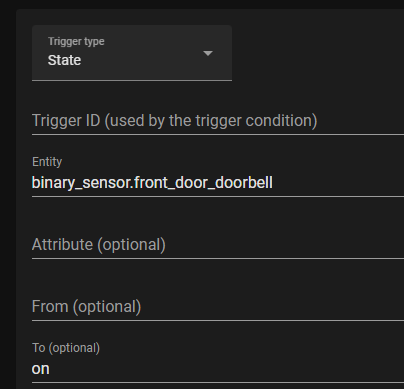
Notice the format of Data, it’s name value pairs within a single field’s value.
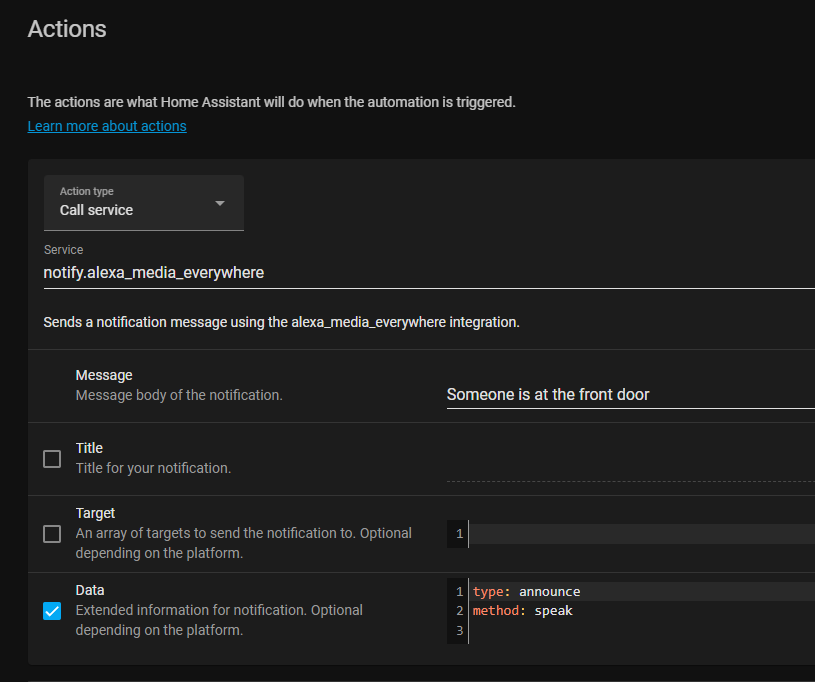
…but it also exists in a file called Automations.yaml. Note that the “to: ‘on'” trigger is required or you’ll get double announcements, one for each state change in the doorbell.
- id: '1640995128073'
  alias: G4 Doorbell Announcement with Alexa
  description: G4 Doorbell Announcement with Alexa
  trigger:
  - platform: state
    entity_id: binary_sensor.front_door_doorbell
    to: 'on'
  condition: []
  action:
  - service: notify.alexa_media_everywhere
    data:
      data:
        type: announce
        method: speak
      message: Someone is at the front door
  mode: single
It works! There’s a ton of cool stuff I can automate now!
Sponsor: Make login Auth0’s problem. Not yours. Provide the convenient login features your customers want, like social login, multi-factor authentication, single sign-on, passwordless, and more. Get started for free.
About Scott
Scott Hanselman is a former professor, former Chief Architect in finance, now speaker, consultant, father, diabetic, and Microsoft employee. He is a failed stand-up comic, a cornrower, and a book author.


