

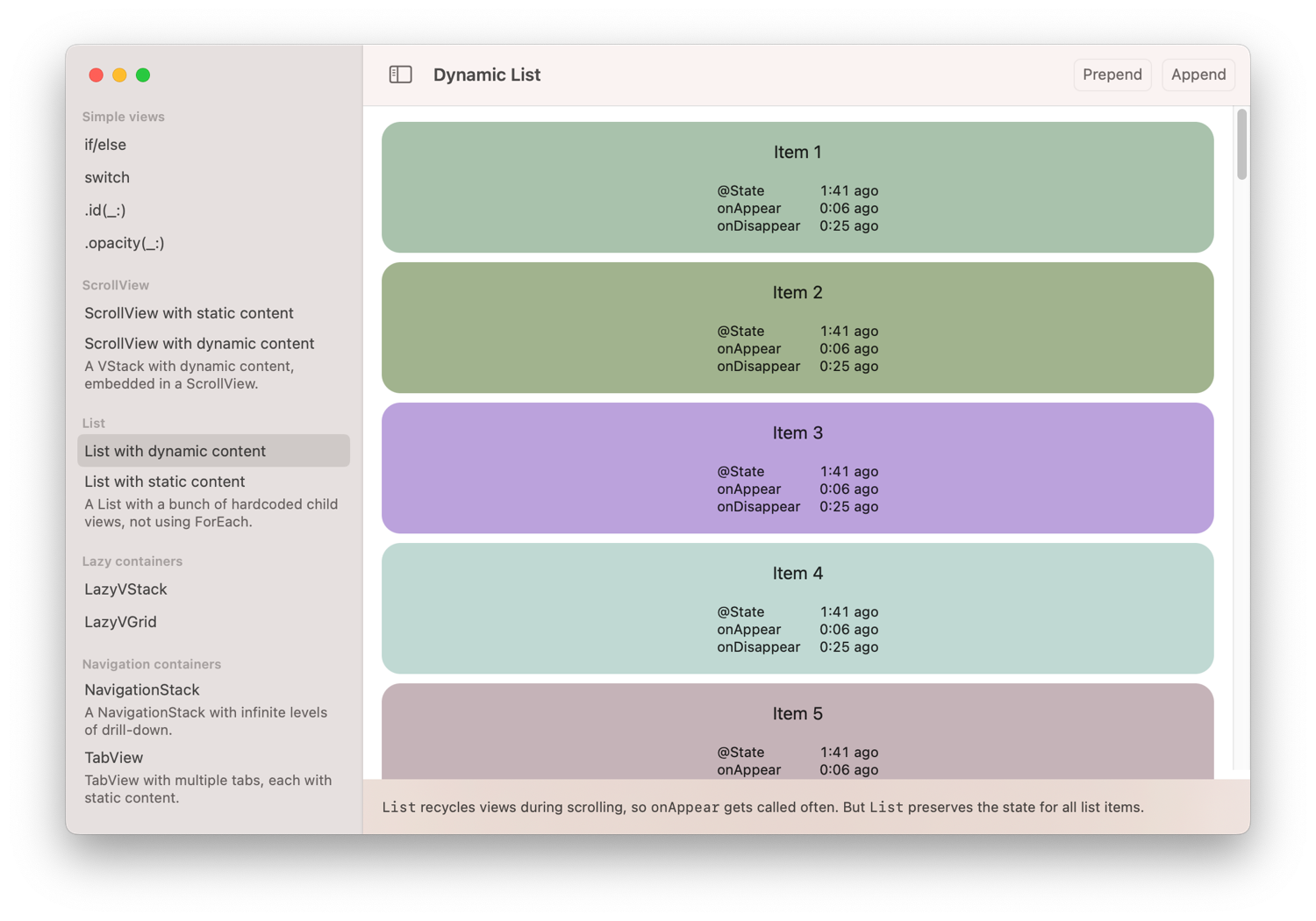
I wrote an app called SwiftUI View Lifecycle. The app allows you to observe how different SwiftUI constructs and containers affect a view’s lifecycle, including the lifetime of its state and when onAppear gets called. The code for the app is on GitHub. It can be built for iOS and macOS.
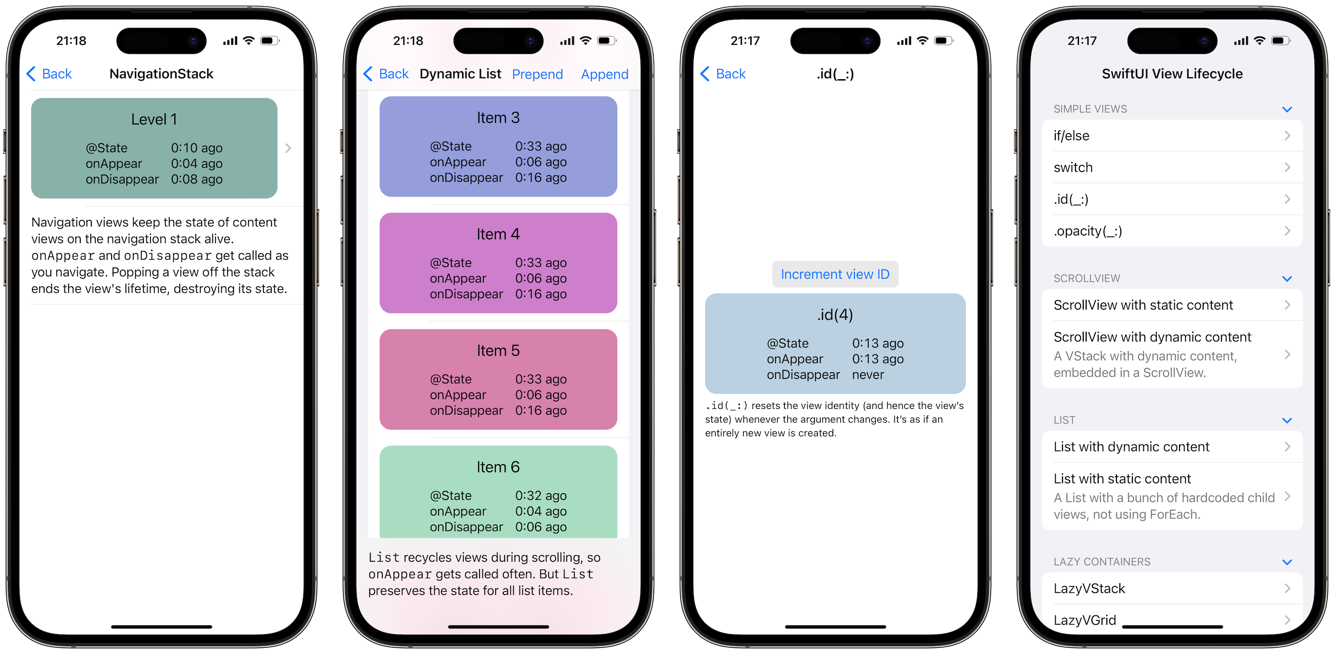
When we write SwiftUI code, we construct a view tree that consists of nested view values. Instances of the view tree are ephemeral: SwiftUI constantly destroys and recreates (parts of) the view tree as it processes state changes.
The view tree serves as a blueprint from which SwiftUI creates a second tree, which represents the actual view “objects” that are “on screen” at any given time (the “objects” could be actual UIView or NSView objects, but also other representations; the exact meaning of “on screen” can vary depending on context). Chris Eidhof likes to call this second tree the render tree (the link points to a 3 minute video where Chris demonstrates this duality, highly recommended).
The render tree persists across state changes and is used by SwiftUI to establish view identity. When a state change causes a change in a view’s value, SwiftUI will find the corresponding view object in the render tree and update it in place, rather than recreating a new view object from scratch. This is of course key to making SwiftUI efficient, but the render tree has another important function: it controls the lifetimes of views and their state.
We can define a view’s lifetime as the timespan it exists in the render tree. The lifetime begins with the insertion into the render tree and ends with the removal. Importantly, the lifetime extends to view state defined with @State and @StateObject: when a view gets removed from the render tree, its state is lost; when the view gets inserted again later, the state will be recreated with its initial value.
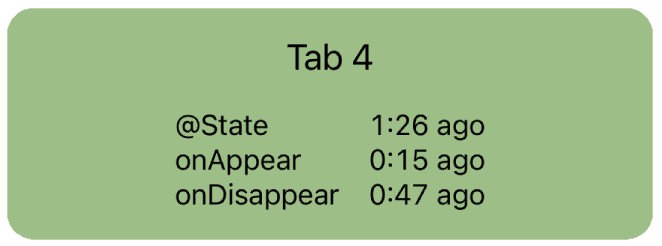
The SwiftUI View Lifecycle app tracks three lifecycle events for a view and displays them as timestamps:
- @State = when the view’s state was created (equivalent to the start of the view’s lifetime)
- onAppear = when
onAppearwas last called - onDisappear = when
onDisappearwas last called
The app allows you to observe these events in different contexts. As you click your way through the examples, you’ll notice that the timing of these events changes depending on the context a view is embedded in. For example:
- An
if/elsestatement creates and destroys its child views every time the condition changes; state is not preserved. - A
ScrollVieweagerly inserts all of its children into the render tree, regardless of whether they’re inside the viewport or not. All children appear right away and never disappear. - A
Listwith dynamic content (usingForEach) lazily inserts only the child views that are currently visible. But once a child view’s lifetime has started, the list will keep its state alive even when it gets scrolled offscreen again.onAppearandonDisappearget called repeatedly as views are scrolled into and out of the viewport. - A
NavigationStackcallsonAppearandonDisappearas views are pushed and popped. State for parent levels in the stack is preserved when a child view is pushed. - A
TabViewstarts the lifetime of all child views right away, even the non-visible tabs.onAppearandonDisappearget called repeatedly as the user switches tabs, but the tab view keeps the state alive for all tabs.
Here are a few lessons to take away from this:
- Different container views may have different performance and memory usage behaviors, depending on how long they keep child views alive.
onAppearisn’t necessarily called when the state is created. It can happen later (but never earlier).onAppearcan be called multiple times in some container views. If you need a side effect to happen exactly once in a view’s lifetime, consider writing yourself anonFirstAppearhelper, as shown by Ian Keen and Jordan Morgan in Running Code Only Once in SwiftUI (2022-11-01).
I’m sure you’ll find more interesting tidbits when you play with the app. Feedback is welcome!