


Andy Walker / Android Authority
Despite the critical content I often write about Android Auto, I have a deep fondness for Google’s phone-to-car mirroring service. Whether I’m dropping my partner off at work, going on a long road trip, or nipping to the shop in a foreign town, Auto keeps me entertained, helps me communicate with loved ones, and aids navigation while driving. The experience isn’t flawless, though, especially when focusing on that latter use case.
Google Maps is a mostly reliable and robust mapping application on Android, but its problems become apparent when used through Android Auto. Beyond its often questionable navigation suggestions, its UI frequently disrupts and distracts in an environment where information should be as legible as possible. This issue stems from Google’s reluctance to give drivers more UI control.
Have you ever experienced a UI bug on Google Maps on Android Auto?
3 votes
Android Auto should be a customizable control surface in the car

Calvin Wankhede / Android Authority
So why am I bringing up this issue now? It’s not due to a lack of content, but because of yet another annoying visual bug I’ve encountered.
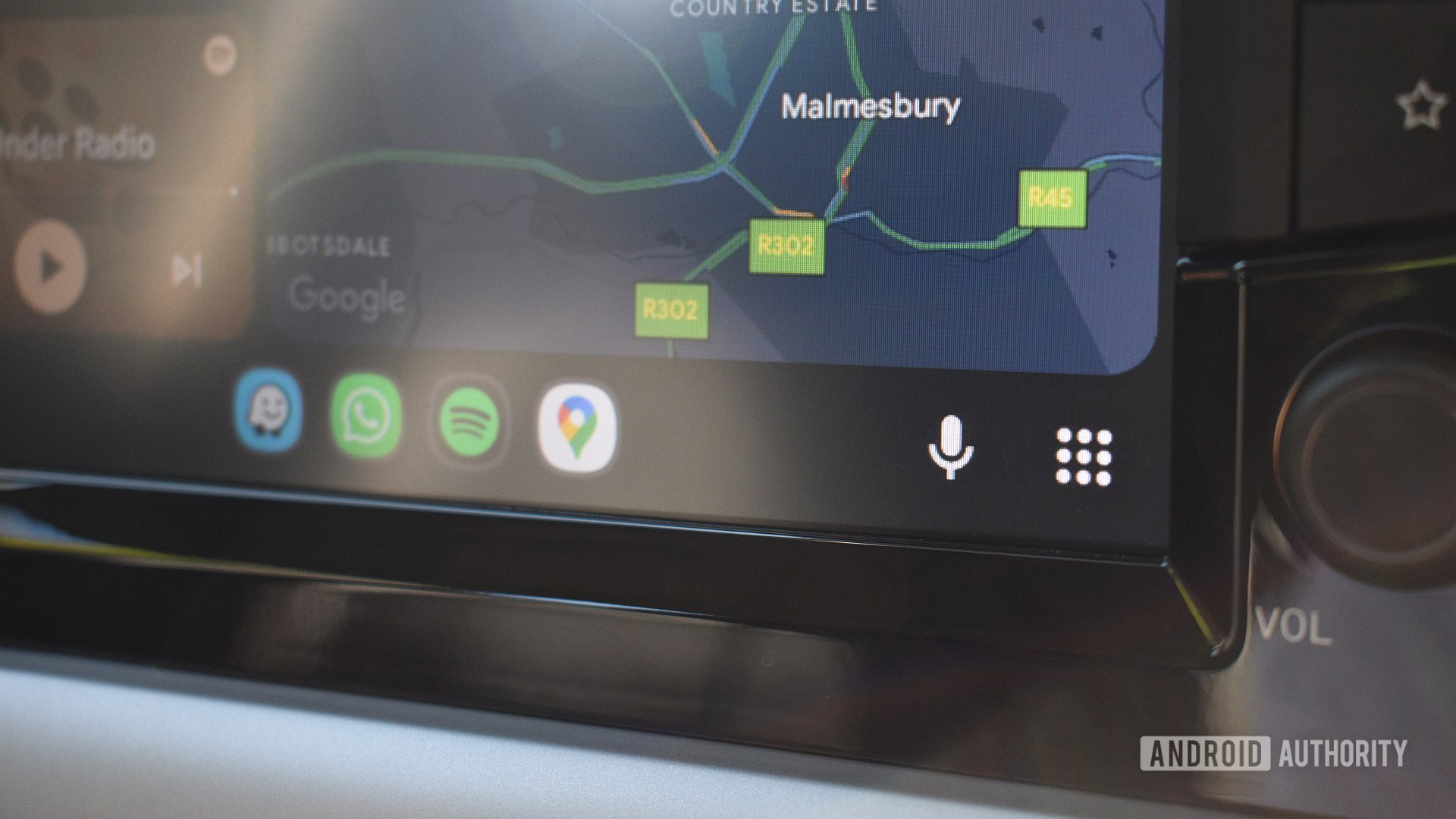
Android Auto — specifically, Google Maps on Android Auto — is buggier than an anthill. Every update Google issues, while adding functionality, seems to break a UI element. Last week, when I hopped into my car, plugged in my trusty Android Auto dongle, and drove off, I noticed something peculiar — Google Maps’ usually light gray roads were now darker and oversaturated, hiding the color-coded traffic congestion streaks. A few days after I started writing this piece, the issue apparently resolved itself, but it highlights one of my core gripes with Google’s handling of Android Auto’s interface.
Any visual change to a core element in the car is a potential distraction on the road.
Any visual change to a core element in the car is a potential distraction on the road. Imagine if your indicator stalks and washer stalks or radio tuner and volume knobs switched positions overnight — that would take some getting used to, right? We all have our cars set up in a way that suits our driving style, improving comfort and accessibility and, therefore, the occupants’ safety.
While doing my mirror checks every few seconds, I’m used to briefly glancing at my car’s screen to check the route and traffic situation ahead. Suppose I suddenly have to spend a second longer looking at my screen to gather information because the colors are different and illegible. In that case, that’s additional time I’m not paying attention to the road.
Granted, I’m well aware that Auto isn’t meant to be constantly stared at, nor do I operate the system while driving — that’s not what I’m implying. I often query Assistant (soon to become Gemini) about congestion ahead, but given the unreliability of the system’s voice commands, viewing the screen is often necessary. In short, a navigation tool displaying clear and obvious information to the driver is a safety tool and should be treated as such.
Customization = accessibility = safety

Andy Walker / Android Authority
For this reason, Android Auto’s interface should be more customizable to suit the needs of every driver better. I can adjust my seat and change my steering wheel’s rake — these tiny changes go a long way in improving the driver’s comfort and — say it with me — the safety of the occupants. Determining how Auto displays information on my car’s screen should also fall within this scope.
Android Auto’s interface should be more customizable to suit the needs of every driver better.
Google wouldn’t have to open up much of Maps’ UI for adjustments, either. At the very least, let me change the colors used to display roads, traffic, text, and the background. If an update suddenly renders roads dark gray, too narrow, the congestion lines too vague, or the font too small, I could easily tweak and mitigate these problems manually. This would enhance legibility, minimize distractions, and improve accessibility. In instances of color blindness, users can select a color profile that enables them better to discern various road conditions and traffic congestion levels. In daylight, I’d be able to choose brighter colors to compensate for glare.
A bonus would be the option to shuffle, hide, or resize buttons and widgets on the UI, allowing me to utilize more of my car’s screen to display a larger portion of the map or make specific controls more accessible.
I’m not suggesting that Google could implement these features overnight. They’d have to be carefully integrated into Maps, and the company would need to consider where to place these settings — in the car? In the app? In Android Auto’s settings menu? Clearly, there are challenges, but Maps wouldn’t be the first or only Android Auto mapping app to offer customizable map styles.
Where my second favorite Android Auto navigation app trumps Maps

Andy Walker / Android Authority
OsmAnd, a brilliant navigation app that helps me navigate gravel roads in the countryside, offers a wide range of visual and UI customizations. It includes a Profile feature that allows me to set up the UI for on-phone and in-car navigation, utilizing different widgets, buttons, and UI elements for each. More importantly, OsmAnd also includes map styles. Granted, they are preinstalled, but each style highlights different data types based on their intended use case. When I’m driving with OsmAnd, I use the Touring option to highlight smaller thoroughfares, but cyclists could pick UniRS to highlight biking routes. At the same time, snow chasers could select Winter and Ski, which highlights the quickest ways to (safely) slide down various mountains.
Google Maps already supports layers. A premade selection of additional map styles doesn’t seem that farfetched.
If you’re willing to dig deeper, OsmAnd supports custom map styles, allowing users to effectively create their own mapping overlay for use with Android Auto. While it’s possible to create an entirely custom map style, it’s not worth it given the app’s current limitations. Nevertheless, there is plenty here for Google to learn from.
Google Maps already supports layers, so a premade selection of additional map styles that can mask Maps in various color profiles could be a possible stopgap feature, at least for Android Auto. It certainly would be an improvement over the current rigid option.
Don’t want to miss the best from Android Authority?


I understand Google’s reluctance to tinker with Google Maps, especially on a service as important as Android Auto. However, it doesn’t seem to mind breaking UI elements regularly with its errant updates. When roads are suddenly darker than before, traffic congestion becomes illegible, the font size shrinks, or the background gets blown out, all this is a distraction and goes against Android Auto’s intended goal of keeping drivers focused. With the ability to customize these UI elements, I’d be able to mitigate these changes and, better yet, build a navigation interface that works for me.
Thank you for being part of our community. Read our Comment Policy before posting.