


In iOS 26, SwiftUI finally introduced one of its most highly anticipated components: WebView, a native solution for displaying web content. Before this update, SwiftUI developers had to rely on the UIKit framework, using UIViewRepresentable to wrap WKWebView or SFSafariViewController in order to embed a web view. With the arrival of WebView, Apple now provides a fully native SwiftUI approach to integrating web browsing capabilities into apps. In this tutorial, I’ll give you a quick overview of the new WebView and show you how to use it in your own app development.
The Basic Usage of WebView
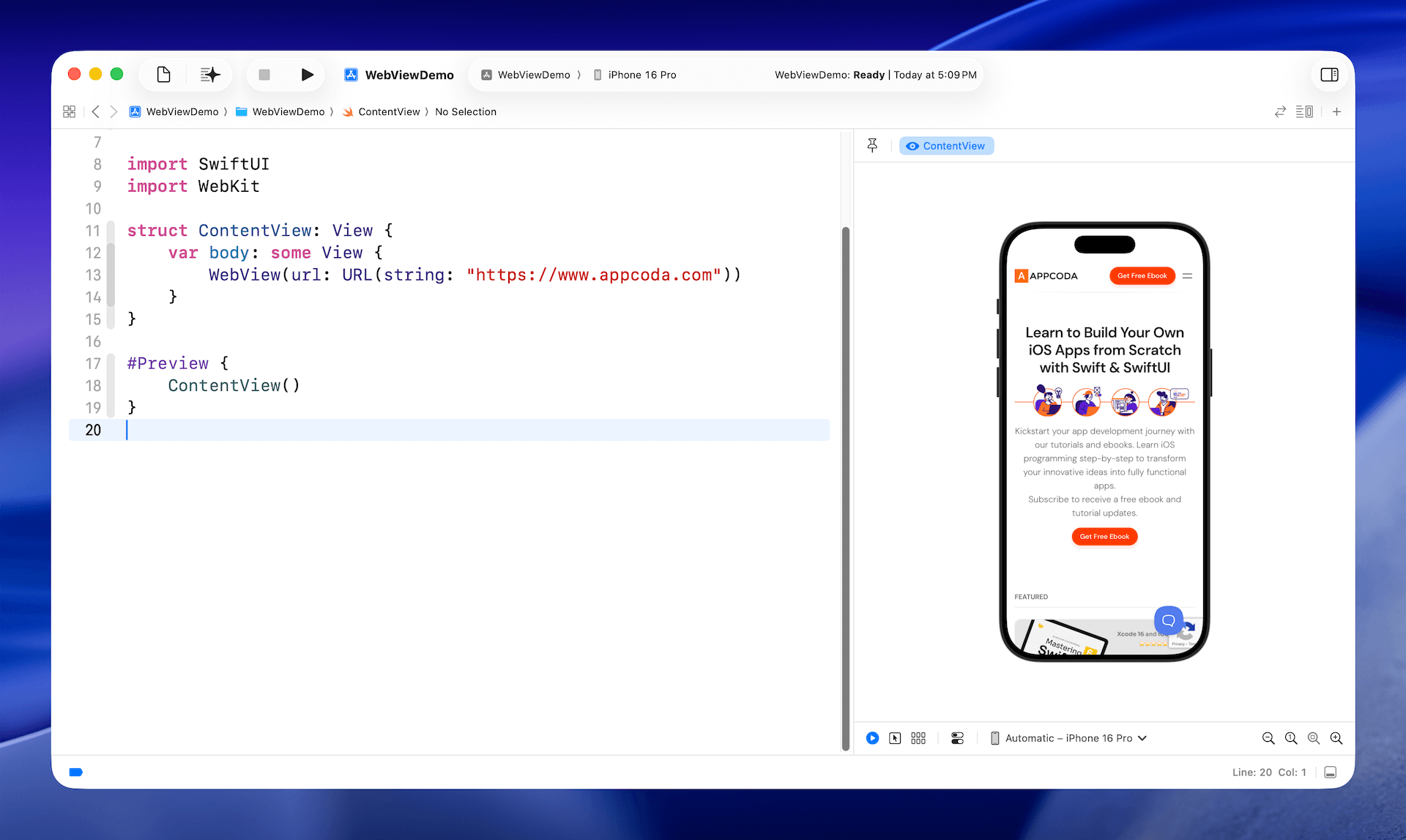
To load a web page using the new WebView, you simply import the WebKit framework and instantiate the view with a URL. Here is an example:
import SwiftUI
import WebKit

struct ContentView: View {
    var body: some View {
        WebView(url: URL(string: "
    }
}
With just a single line of code, you can now embed a full-featured mobile Safari experience directly in your app—powered by the same WebKit engine that runs Safari.
An Alternative Way of Loading Web Content
In addition to WebView, the WebKit framework also introduces a new class called WebPage. Rather than passing a URL directly to WebView, you can first create a WebPage instance with the URL and then use it to display the web content. Below is the sample code that achieves the same result:
struct ContentView: View {
    @State private var page = WebPage()

    var body: some View {

        WebView(page)
            .ignoresSafeArea()
            .onAppear {
                if let pageURL = URL(string: " {
                    let urlRequest = URLRequest(url: pageURL)
                    page.load(urlRequest)
                }
            }
    }
}
Working with WebPage
In most cases, if you simply need to display web content or embed a browser in your app, WebView is the most straightforward approach. If you need finer control over how web content behaves and interacts with your application, WebPage offers more detailed customization options like accessing web page properties and programmatic navigation.
For example, you can access the title property of the WebPage object to retrieve the title of the web page:
Text(page.title)
Text(page.url)
You can also use the url property to access the current URL of the web page.
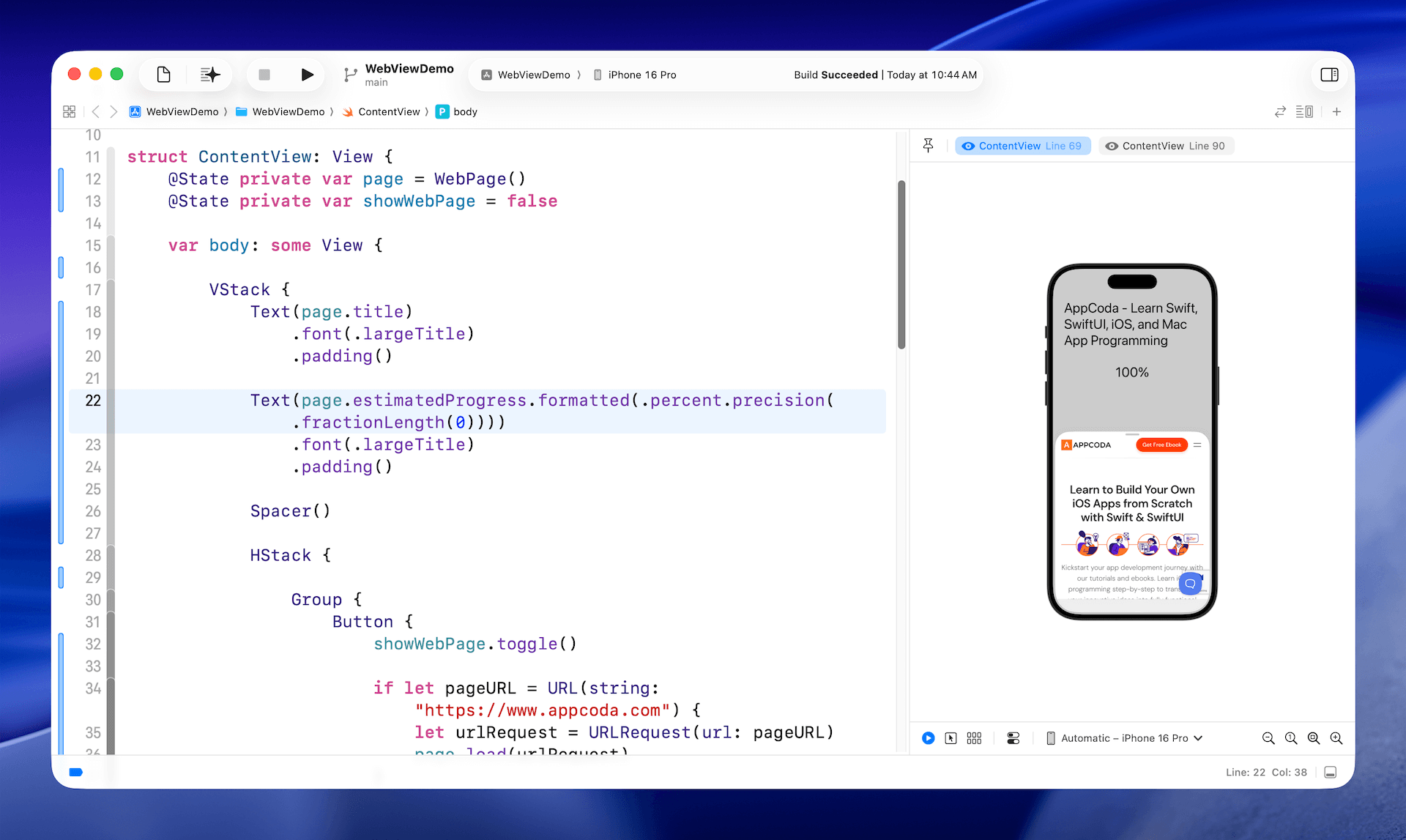
If you want to track the loading progress, the estimatedProgress property gives you an approximate percentage of the page’s loading completion.
Text(page.estimatedProgress.formatted(.percent.precision(.fractionLength(0))))
Other than accessing its properties, the WebPage class also lets you control the loading behavior of a web page. For example, you can call reload() to refresh the current page, or stopLoading() to halt the loading process.
Loading Custom HTML Content Using WebPage
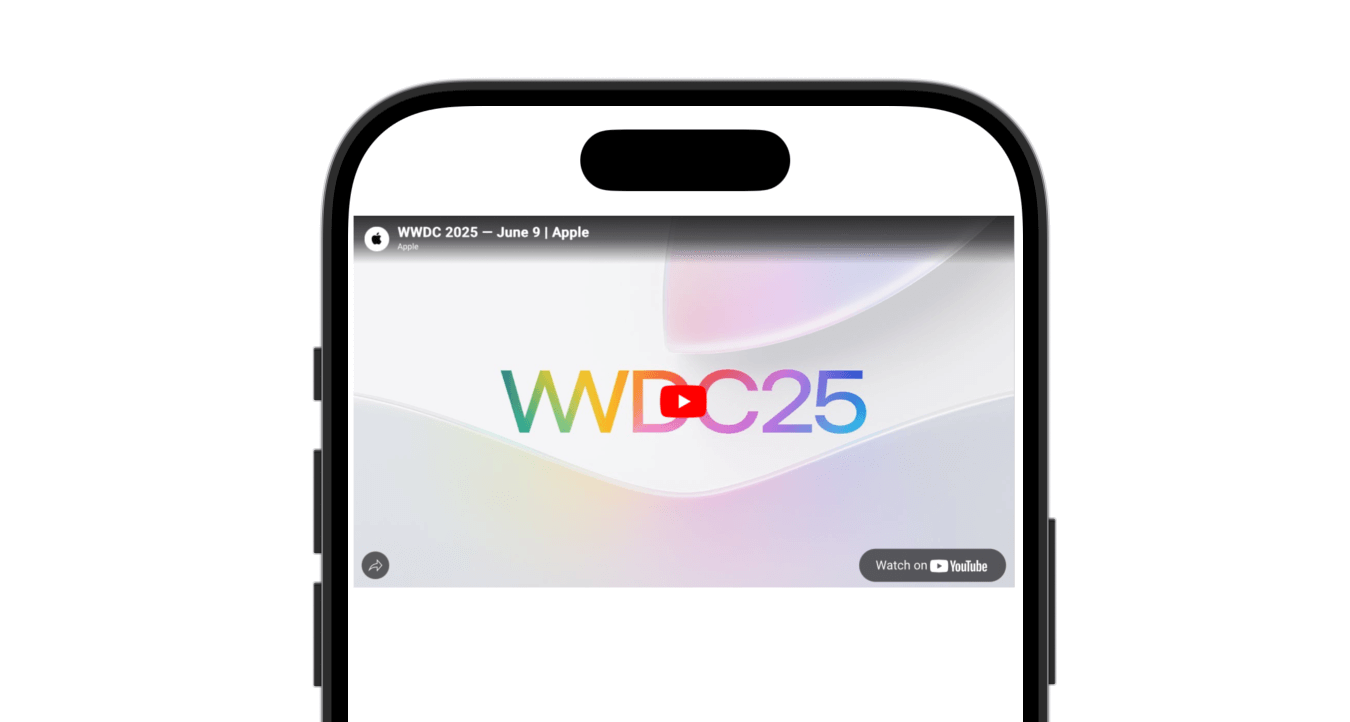
Besides loading a URLRequest, the WebPage class’s load method can also handle custom HTML content directly. Below is the sample code for loading a YouTuber player:
struct ContentView: View {

    @State private var page = WebPage()

    private let htmlContent: String = """


        """
    var body: some View {

        WebView(page)
            .onAppear {
                page.load(html: htmlContent, baseURL: URL(string: "about:blank")!)
            }
    }
}
If you place the code in Xcode, the preview should show you the YouTube player.
Executing Javascript
The WebPage object not only lets you load HTML content—it also allows you to execute JavaScript. You can use the callJavaScript method and pass in the script you want to run. Here is an example:
struct ContentView: View {

    @State private var page = WebPage()

    private let snippet = """
        document.write("");
        """

    var body: some View {

        WebView(page)
            .task {
                do {
                    try await page.callJavaScript(snippet)
                } catch {
                    print("JavaScript execution failed: \(error)")
                }
            }
    }
}
Summary
The new native WebView component in SwiftUI makes it much easier to display web content within iOS apps, removing the need to rely on UIKit wrappers. SwiftUI developers can choose between two key approaches:
WebView: Ideal for straightforward use cases where you just need to load and display a web page.WebPage: Offers more granular control, allowing you to access page properties, track loading progress, reload or stop loading, and even execute JavaScript.
This native SwiftUI solution brings a cleaner, more streamlined experience to embedding web content in your apps.