Apple @ Work is exclusively brought to you by Mosyle, the only Apple Unified Platform. Mosyle is the only solution that integrates in a single professional-grade platform all the solutions necessary to seamlessly and automatically deploy, manage & protect Apple devices at work. Over 45,000 organizations trust Mosyle to make millions of Apple devices work-ready with no effort and at an affordable cost. Request your EXTENDED TRIAL today and understand why Mosyle is everything you need to work with Apple.
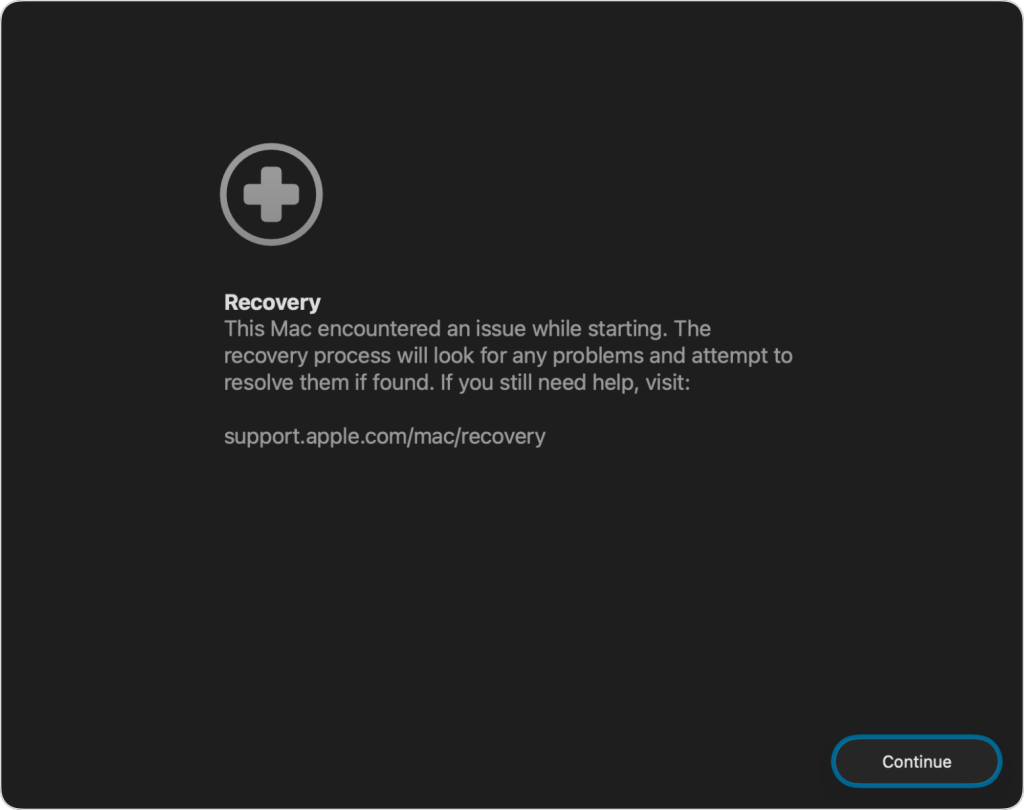
In my time with managing Apple devices in the enterprise, macOS has always been known for its reliability in terms of not getting to a state where it can’t boot, but even the most stable systems have the occasional bad day due to a software update issue, etc. With macOS 26, Apple introduced Recovery Assistant, a built-in utility designed to help when that happens. Instead of forcing users to boot into recovery mode and guess at what went wrong, Recovery Assistant automatically launches when the Mac fails to start, diagnoses the problem, and tries to fix it.
About Apple @ Work: Bradley Chambers managed an enterprise IT network from 2009 to 2021. Through his experience deploying and managing firewalls, switches, a mobile device management system, enterprise grade Wi-Fi, 1000s of Macs, and 1000s of iPads, Bradley will highlight ways in which Apple IT managers deploy Apple devices, build networks to support them, train users, stories from the trenches of IT management, and ways Apple could improve its products for IT departments.
For companies with remote employees, this is a critical step forward for managing Macs and really continues in the zero touch deployment theme. Hardware repairs will always require a hands-on fix, but software problems should not send users running to an Apple Store or waiting days for IT to ship them a replacement device. The software should fix itself, and with Recovery Assistant, Apple is moving closer to that reality for IT teams.
Recovery Assistant automatically launches when a Mac fails to start and looks for known software issues that might be preventing the Mac from booting properly. It connects to Apple’s servers for the latest recovery data, checks macOS, and attempts to fix the problem without requiring the end user to take a lot of actions. When the process is finished, the Mac either restarts successfully or provides clear next steps on what’s next.
From an IT perspective, this addition to macOS 26 is huge. It gives support teams more confidence that devices can self-correct from software issues, especially in environments where users are distributed across cities or even the world. With countless macOS updates throughout the year, anything can happen in terms of failure. Even outside of bad updates, issues related to power failure during an update can cause situations where Mac can’t boot properply. For organizations managing hundreds or thousands of Macs, every device that can fix itself saves time, shipping costs, and employee down time.
If Recovery Assistant cannot repair the issue, the system provides straightforward guidance for next steps like reinstalling macOS or repairing the startup disk. It is simple, approachable, and in line with Apple’s broader goal of making macOS easier to support at scale for IT and the end user. One thing to note here is that captive network portal and networks that require 802.1X authentication aren’t supported. This might affect an employee that is traveling and using hotel Wi-Fi, etc. In that situation, you’d want to tether to an iPhone to fix it.
Apple has spent years improving the management, scalability, and deployment process for Macs in the enterprise. With features like Declarative Device Management, Managed Apple Accounts, and now Recovery Assistant, the company continues to reduce the burden on IT and drives the experience forward for IT. The best support experience is the one that never needs a help desk ticket, and with macOS 26, Apple is giving IT one more way to make that happen. The goal here is that only hardware repairs take an employee out of action from doing their work.
Apple @ Work is exclusively brought to you by Mosyle, the only Apple Unified Platform. Mosyle is the only solution that integrates in a single professional-grade platform all the solutions necessary to seamlessly and automatically deploy, manage & protect Apple devices at work. Over 45,000 organizations trust Mosyle to make millions of Apple devices work-ready with no effort and at an affordable cost. Request your EXTENDED TRIAL today and understand why Mosyle is everything you need to work with Apple.
FTC: We use income earning auto affiliate links. More.