
Close Menu
geekfence.comgeekfence.com
    What's Hot

    Samsung Missed a Big Opportunity at Galaxy Unpacked – Tech Advisor

    July 26, 2026

    The Best Backpacking Sleeping Pads, Tested on the Trail (2026)

    July 26, 2026

    AT&T bets its fiber and 600 MHz on agentic AI traffic

    July 26, 2026
    Facebook X (Twitter) Instagram
    • About Us
    • Contact Us
    Facebook Instagram
    geekfence.comgeekfence.com
    • Home
    • UK Tech News
    • AI
    • Big Data
    • Cyber Security
      • Cloud Computing
      • iOS Development
    • IoT
    • Mobile
    • Software
      • Software Development
      • Software Engineering
    • Technology
      • Green Technology
      • Nanotechnology
    • Telecom
    geekfence.comgeekfence.com
    Home»Cyber Security»How to use the new Windows 11 Start menu, now rolling out
    Cyber Security

    How to use the new Windows 11 Start menu, now rolling out

    AdminBy AdminNovember 10, 2025No Comments3 Mins Read4 Views
    Facebook Twitter Pinterest LinkedIn Telegram Tumblr Email
    How to use the new Windows 11 Start menu, now rolling out
    Share
    Facebook Twitter LinkedIn Pinterest Email


    How to use the new Windows 11 Start menu, now rolling out

    The Windows Start menu is getting its first major redesign since 2021 and will be rolled out to everyone with the November 11 Patch Tuesday update.

    The Start menu is now scrollable, so you can move through your apps in one place.
    Windows 11
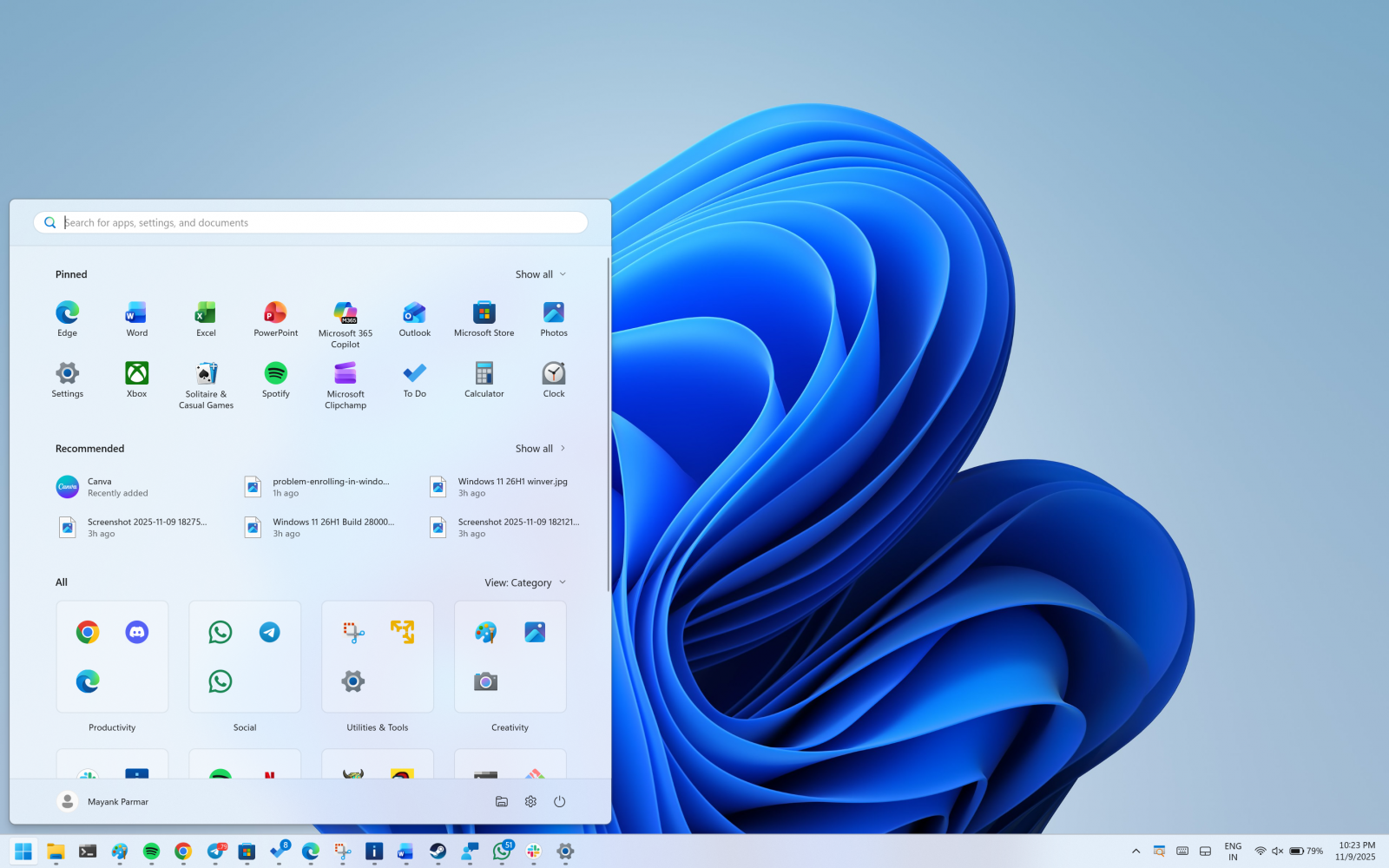
    New Start UI with Categories view

    This means the “All” section sits on the main screen, and you do not need to jump to a separate page.

    Wiz

    Right now, when you open Start, you need to click on All apps to find the list of installed apps.

    Now, you’ve the “All” section on the homepage.

    The Start menu has two UIs for the All apps list

    By default, Microsoft has categorised view enabled by default, which groups by app type. It moves your most used ones to the top of each group.

    The categories are created locally and maintained using a local JSON file. 

    A category is created when it has at least three apps. If a group is smaller, those apps stay in “Other.”

    New Categories UI
    Categories UI in the Start menu

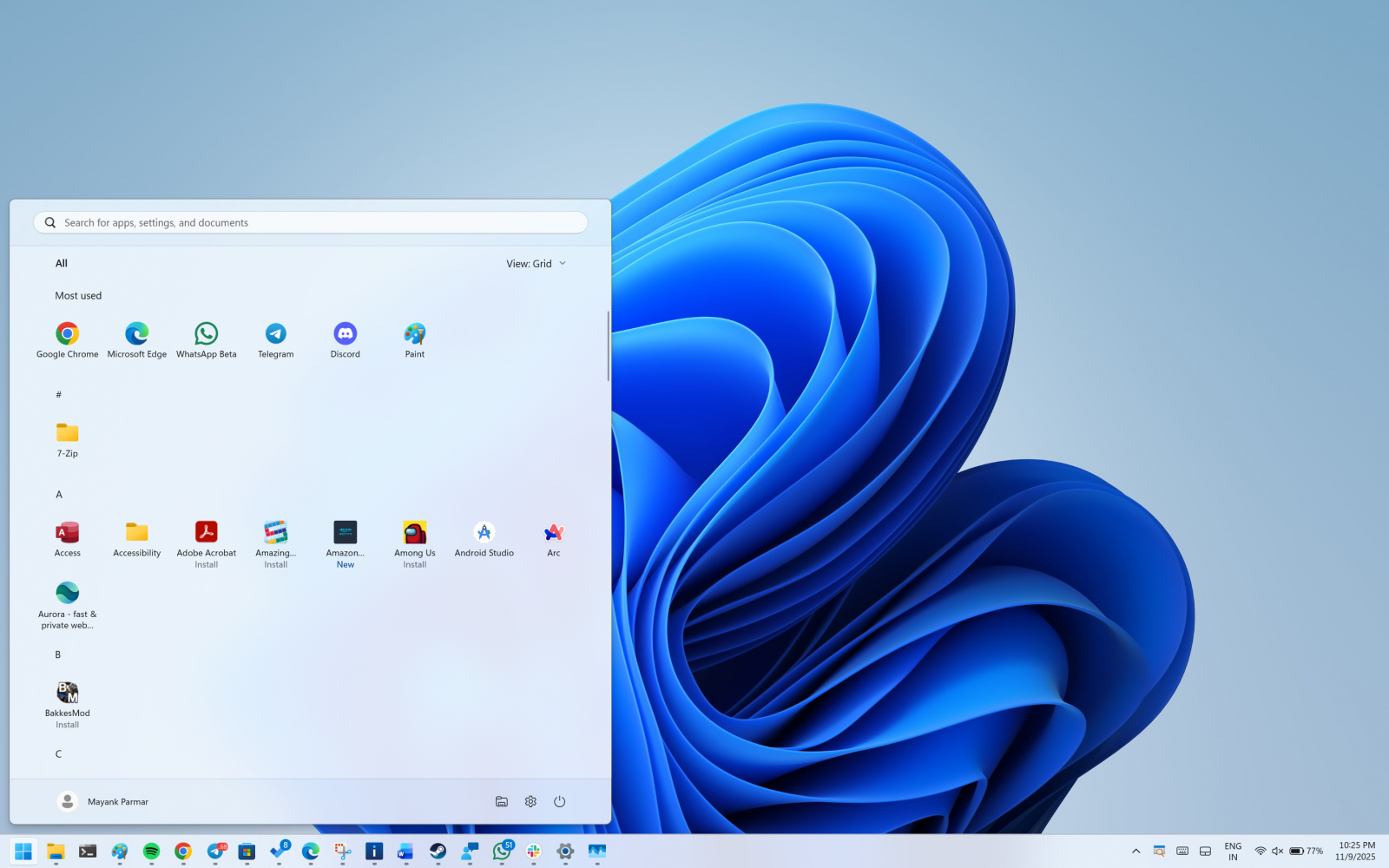
    Finally, we have a grid view, which keeps the classic A to Z order, but it has a wider layout so you can scan more apps at once.
    Windows Start UI

    Windows remembers the view you last used, but after the update, it will default to the categories view unless you change it.

    The new Start menu UI is adaptive

    The menu also grows or shrinks to fit your screen. On bigger screens, you see a larger Start menu by default. That can show eight columns of pinned apps, six recommendations, and four columns in the “All” categories.

    On smaller screens, you will see six columns of pinned apps, four recommendations, and three columns in the “All” categories.

    If you only pin a few apps, the Pinned area collapses to one row, and other parts move up.

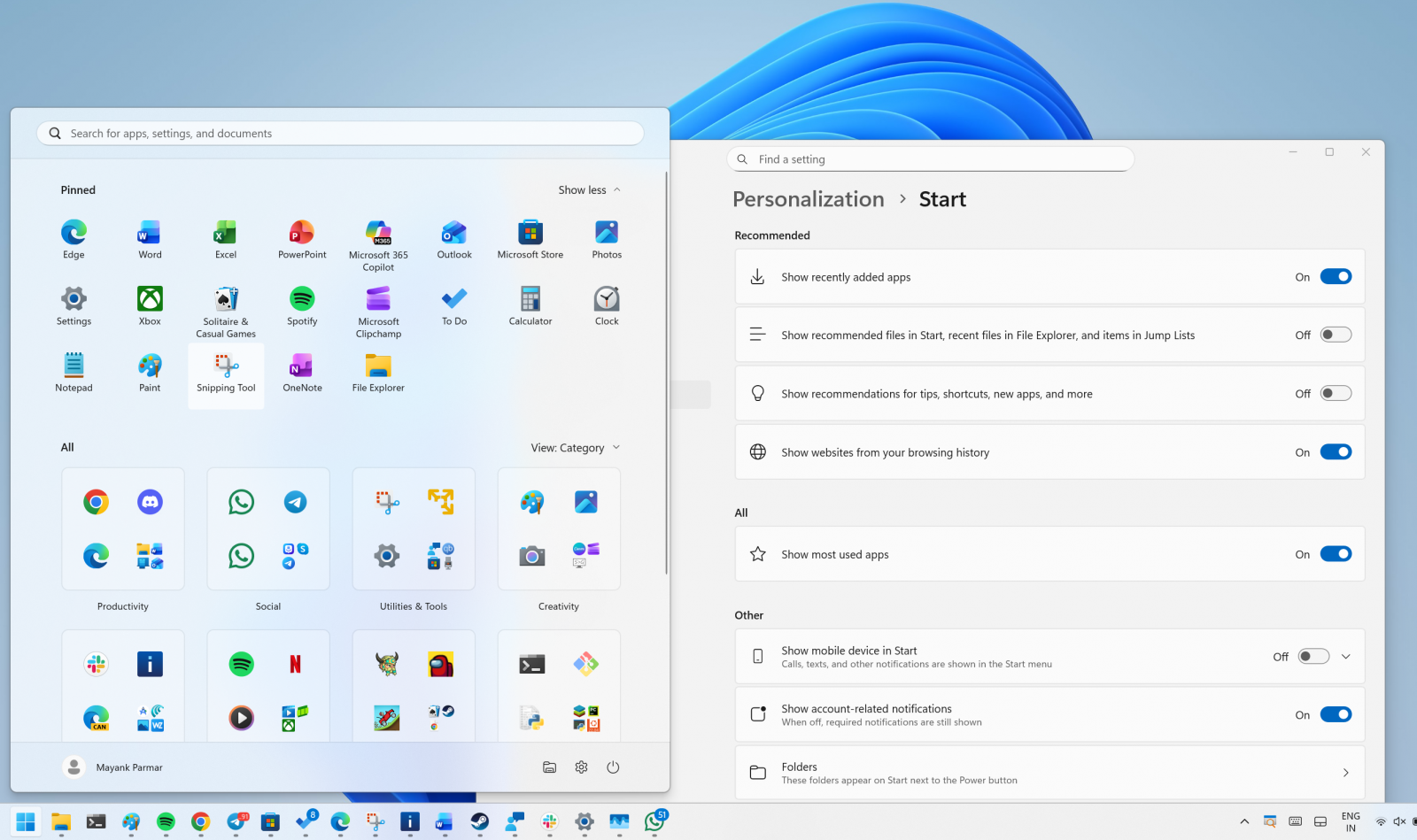
    You can now remove the Recommended feed
    Recommended

    If you do not want recommendations, open Settings, then Personalization, then Start, and turn off the toggles for recently added apps, recommended files, websites from your history, and tips.

    When there are no recommendations, that section hides itself, so you see more of your installed apps.

    The new Start menu is better, but it needs these two fixes

    The new Start menu is a much-needed upgrade, but at the same time, it covers almost 60-70% of the screen on PCs with low resolution.
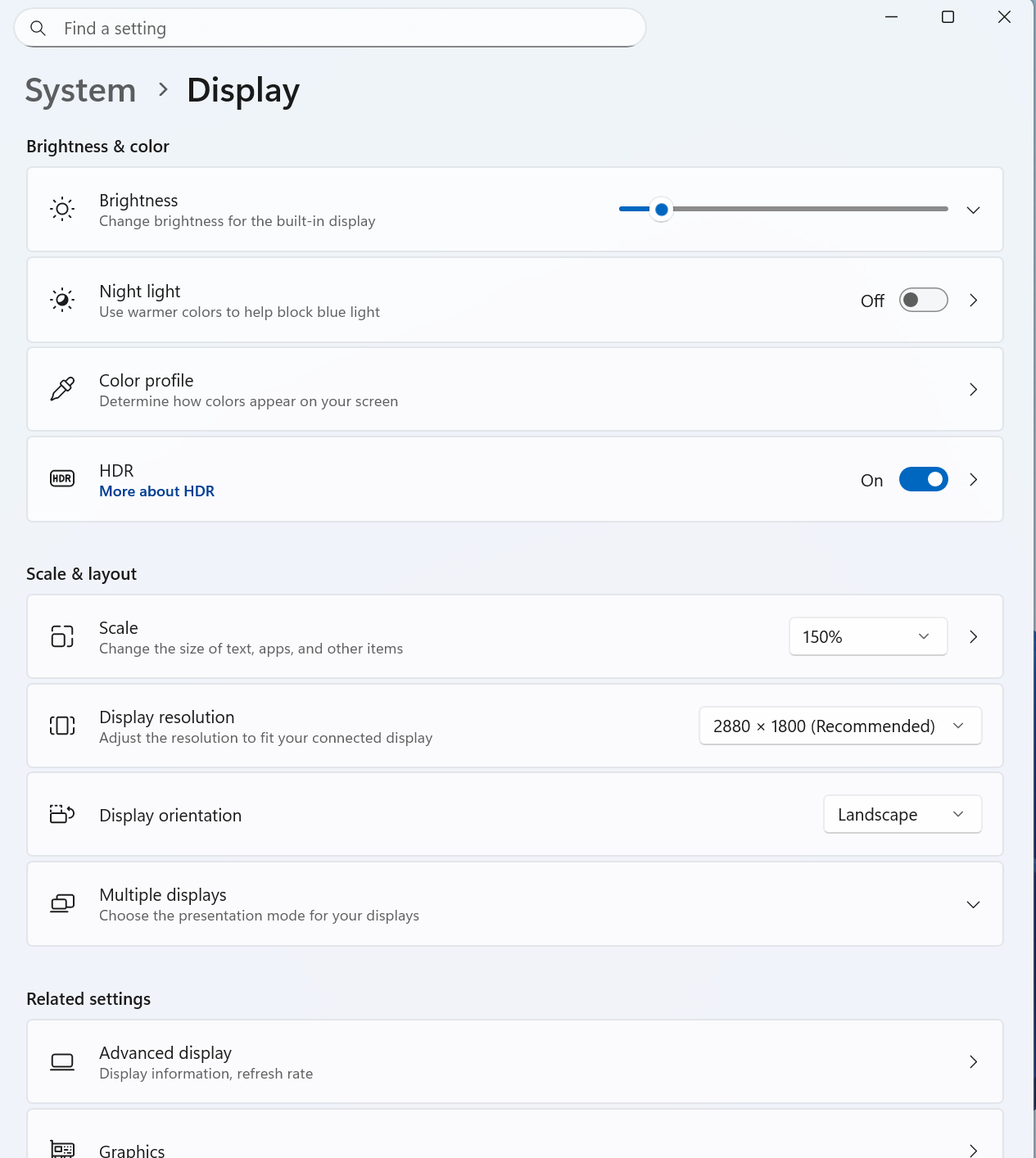
    Start UI

    If you run into Start menu UI issues, I recommend lowering the scale settings from Settings > System > Display.

    Second, Microsoft should allow you to create your own categories.

    Most of my apps are grouped under the “Other” category because I do not have three similar apps that qualify Microsoft’s criteria.

    However, it’s likely the customisation controls will eventually improve.

    How to get the new Start menu

    As mentioned at the outset, this new Start menu UI begins rolling out with the November 2025 Patch Tuesday, and the rollout is expected to be completed in a few years.

    This new Start UI is included in Build 26200.7019 and 26100.7019 or newer, but it won’t be turned on by default.

    Wiz

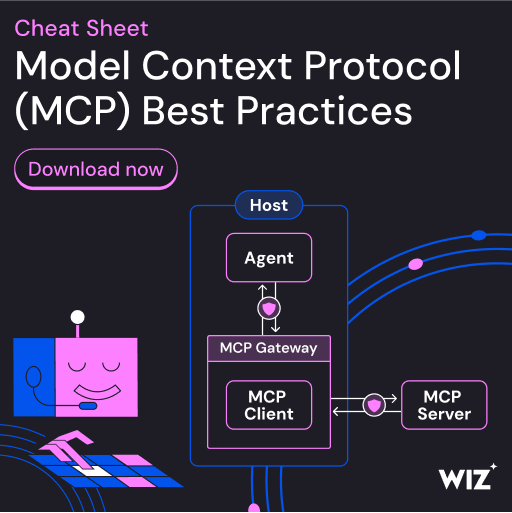
    As MCP (Model Context Protocol) becomes the standard for connecting LLMs to tools and data, security teams are moving fast to keep these new services safe.

    This free cheat sheet outlines 7 best practices you can start using today.


    Source link

    Share. Facebook Twitter Pinterest LinkedIn Tumblr Email

    Related Posts

    Malvertising Sends Malware in Pieces, Then Makes the Browser Build the Executable

    July 26, 2026

    LG to Ban Residential Proxies from Smart TV Apps – Krebs on Security

    July 25, 2026

    Cyber readiness for SMBs: Getting the basics right

    July 24, 2026

    US Mobile Speeds Jump 74% as Verizon and T-Mobile Split RootMetrics Honors

    July 23, 2026

    How Cisco architected AI-driven support and validated against industry benchmarks

    July 22, 2026

    Ukraine warns fake CAPTCHAs are being used to make you hack yourself

    July 21, 2026
    Top Posts

    Understanding U-Net Architecture in Deep Learning

    November 25, 202566 Views

    Hard-braking events as indicators of road segment crash risk

    January 14, 202633 Views

    Redefining AI efficiency with extreme compression

    March 25, 202632 Views
    Don't Miss

    Samsung Missed a Big Opportunity at Galaxy Unpacked – Tech Advisor

    July 26, 2026

    I watched the Unpacked live stream right to the bitter end just in case there…

    The Best Backpacking Sleeping Pads, Tested on the Trail (2026)

    July 26, 2026

    AT&T bets its fiber and 600 MHz on agentic AI traffic

    July 26, 2026

    Stranded in the Slow Zone – O’Reilly

    July 26, 2026
    Stay In Touch
    • Facebook
    • Instagram
    About Us

    At GeekFence, we are a team of tech-enthusiasts, industry watchers and content creators who believe that technology isn’t just about gadgets—it’s about how innovation transforms our lives, work and society. We’ve come together to build a place where readers, thinkers and industry insiders can converge to explore what’s next in tech.

    Our Picks

    Samsung Missed a Big Opportunity at Galaxy Unpacked – Tech Advisor

    July 26, 2026

    The Best Backpacking Sleeping Pads, Tested on the Trail (2026)

    July 26, 2026

    Subscribe to Updates

    Please enable JavaScript in your browser to complete this form.
    Loading
    • About Us
    • Contact Us
    • Disclaimer
    • Privacy Policy
    • Terms and Conditions
    © 2026 Geekfence.All Rigt Reserved.

    Type above and press Enter to search. Press Esc to cancel.