


Looking to model to implement pose estimation? I know something that can perform detection, instance segmentation, pose estimation and classification, all of that in real-time. Yes, I’m talking about the YOLO26 from ultralytics.
It can aid security systems or can be fine-tuned to detect even smaller objects. Wondering how to get started? No worries, we’ll cover the basics of YOLO and learn to perform inference using the model.
Background on YOLO
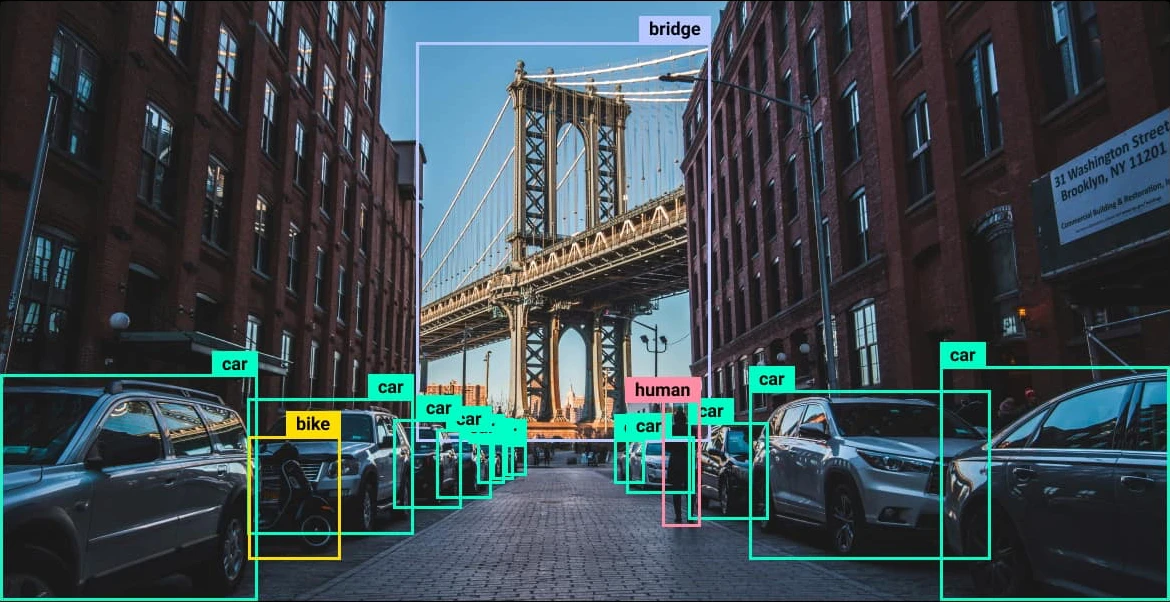
YOLO (You Look Only Once) is a family of deep learning models used for computer vision tasks; the foundational logic is the use of localization and classification. In simple words, localization detects objects and finds the coordinates of each one. Then, the classifier predicts the class probabilities and assigns the most probable class to that object. The latest family of models from YOLO is YOLO26, as mentioned earlier they can perform:
- Object Detection: Finds one or more objects in an image and predicts their class confidence score and bounding box. This tells you what the object is and where it is located.
- Classification: Assigns the image to one of 1000 ImageNet categories. The class with the highest probability is selected as the final prediction.
- Pose Estimation: Detects the 17 human body keypoints defined by the COCO dataset. These include points like the nose, shoulders elbows, knees and ankles to estimate each person’s pose.
- Oriented Bounding Box (OBB) Detection: Predicts rotated bounding boxes using five parameters. x. y. w. h and θ. This is especially useful for aerial and satellite images where objects rarely appear perfectly aligned.
- Instance Segmentation: Generates a pixel level mask for every detected object. This helps seperate individual objects even when they belong to the same class.
These models have a higher accuracy and better efficiency than the previous generations of models.
Architecture
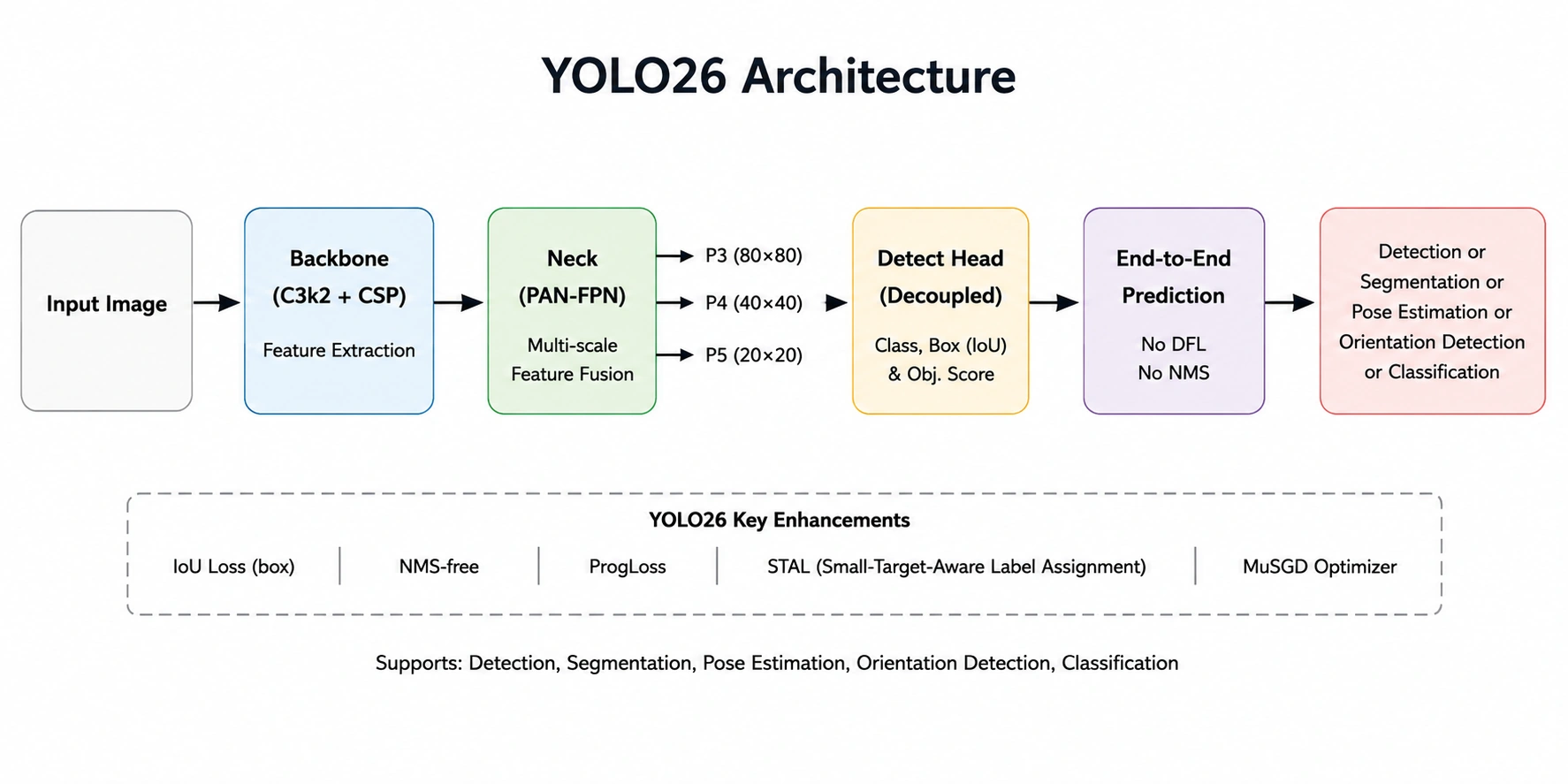
- Input Image: The input image is resized and normalized before the model processes it.
- Backbone (C3k2 + CSP): Extracts features from the image like edges, textures, shapes, and object patterns.
- Neck (PAN-FPN): Performs fusion of P3, P4 & P5. This helps improve the detection of small, medium, and large objects respectively.
- Detection Head: Predicts the object classes, bounding boxes, and confidence scores using the fused feature maps.
- End-to-End Inference: Eliminates a few things present in the previous generations, specifically DFL and NMS. Simplifying the pipeline while improving inference latency.
- Output: Object detection, segmentation, pose estimation, orientation detection, or classification.
For Context
- C3k2: A feature extraction block introduced recently in YOLO models. It improves feature learning with fewer parameters.
- PAN (Path Aggregation Network): Passes low level and high level features in both directions, helping object detection of varied sized objects accurately.
- FPN (Feature Pyramid Network): Combines feature maps from multiple depths, helps recognize objects at multiple scales.
- P3 -> High resolution feature map, P4 -> Medium resolution feature map and P5 -> Low resolution feature map. They help the model detect small, medium, and large objects respectively.
Hands-On
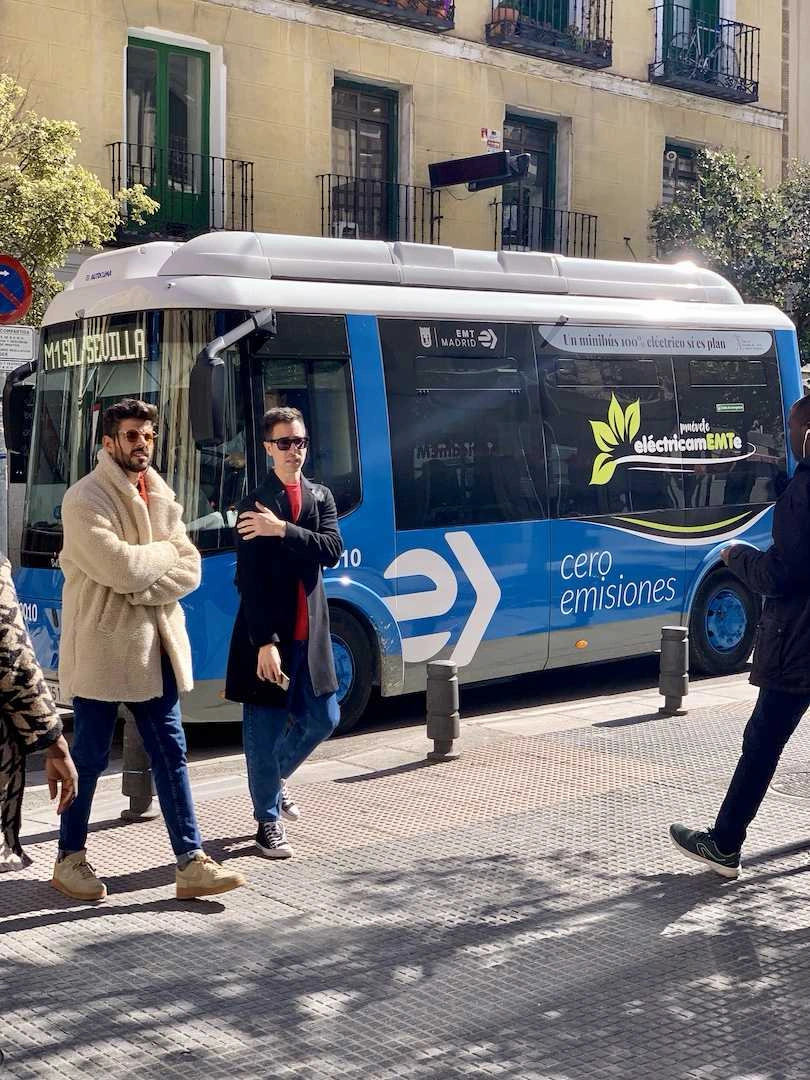
Let’s try out the YOLO26 with the help of Google Colab. We’ll primarily be using this image during the inference:
Note: YOLO models don’t require high-end hardware, they can be run locally in Jupyter Notebook as well.
Installations
!pip install -q "ultralytics>=8.4.0" Here ‘-q’ is used to install the library and dependencies without displaying anything.
Defining Helper function
from PIL import Image

# helper function
def show(result):
    display(Image.fromarray(result.plot()[..., ::-1]))
This will be used to display the results.
Object detection
from ultralytics import YOLO

IMAGE = "
model = YOLO("yolo26n.pt")
result = model(IMAGE)[0]

show(result)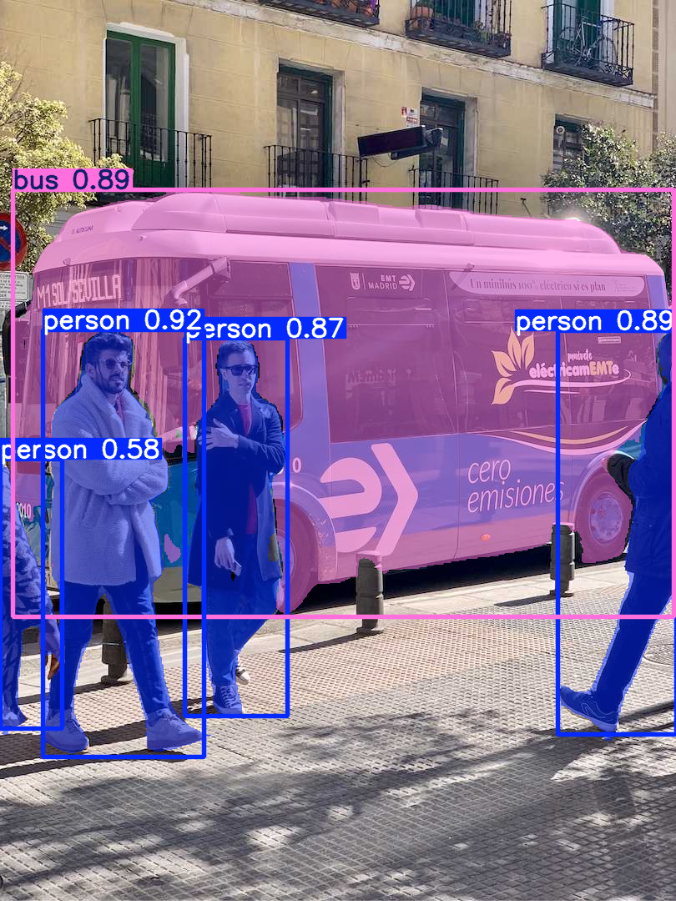
The model has successfully detected the bus and the people.
Instance Segmentation
seg_model = YOLO("yolo26n-seg.pt")
result = seg_model(IMAGE)[0]
show(result)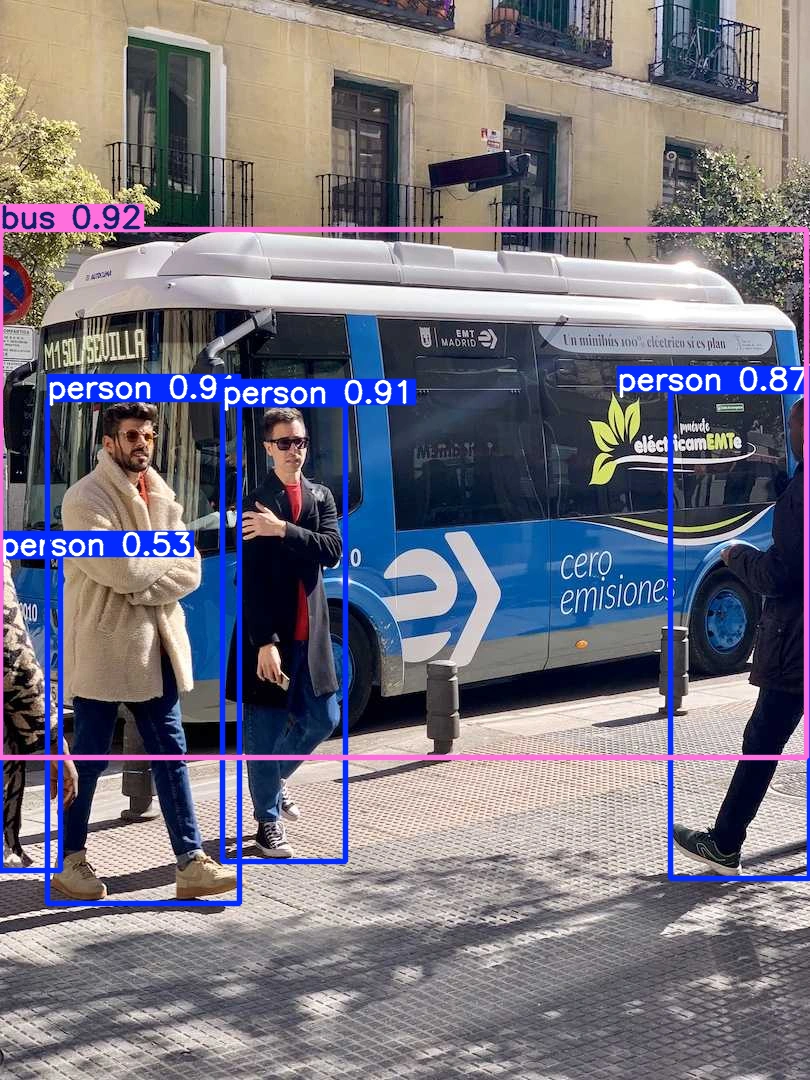
Here the model has performed the segmentation, it has masked the objects it has detected. The edge detection also looks good.
Pose / Keypoint Estimation
pose_model = YOLO("yolo26n-pose.pt")

result = pose_model(IMAGE)[0]

show(result)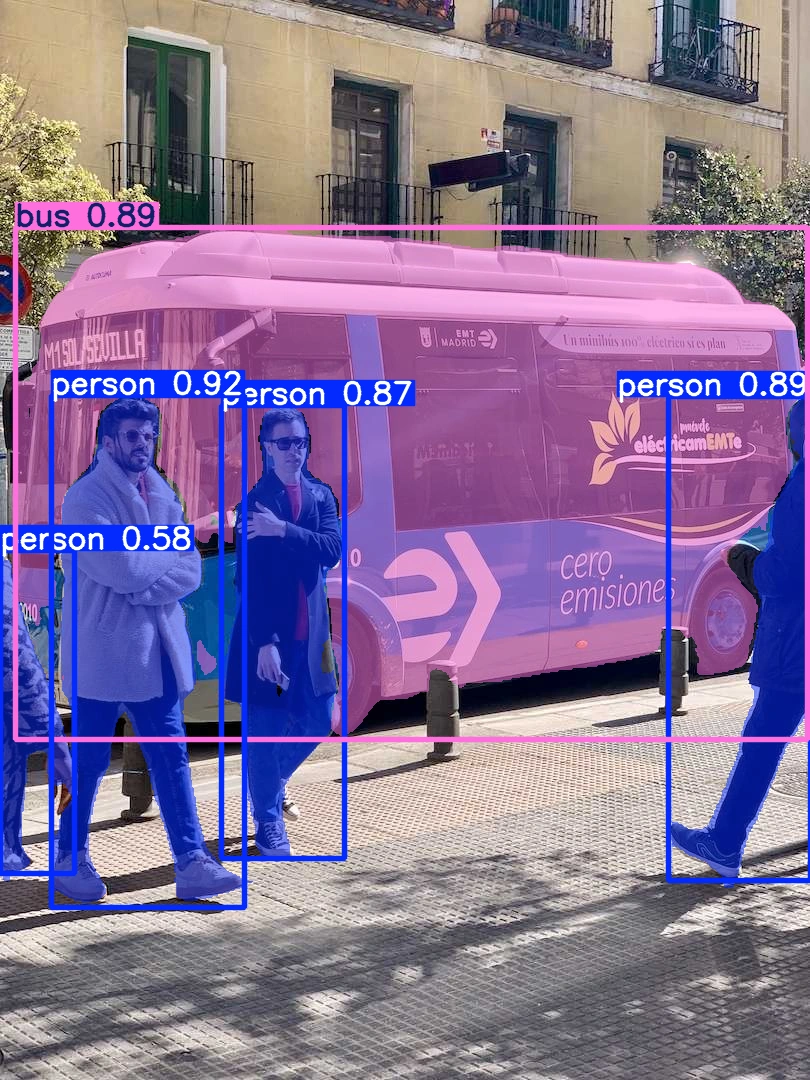
The model has successfully predicted the human body key points for pose detection.
Oriented Bounding Boxes
obb_model = YOLO("yolo26n-obb.pt")
result = obb_model("https://ultralytics.com/images/boats.jpg")[0]
show(result)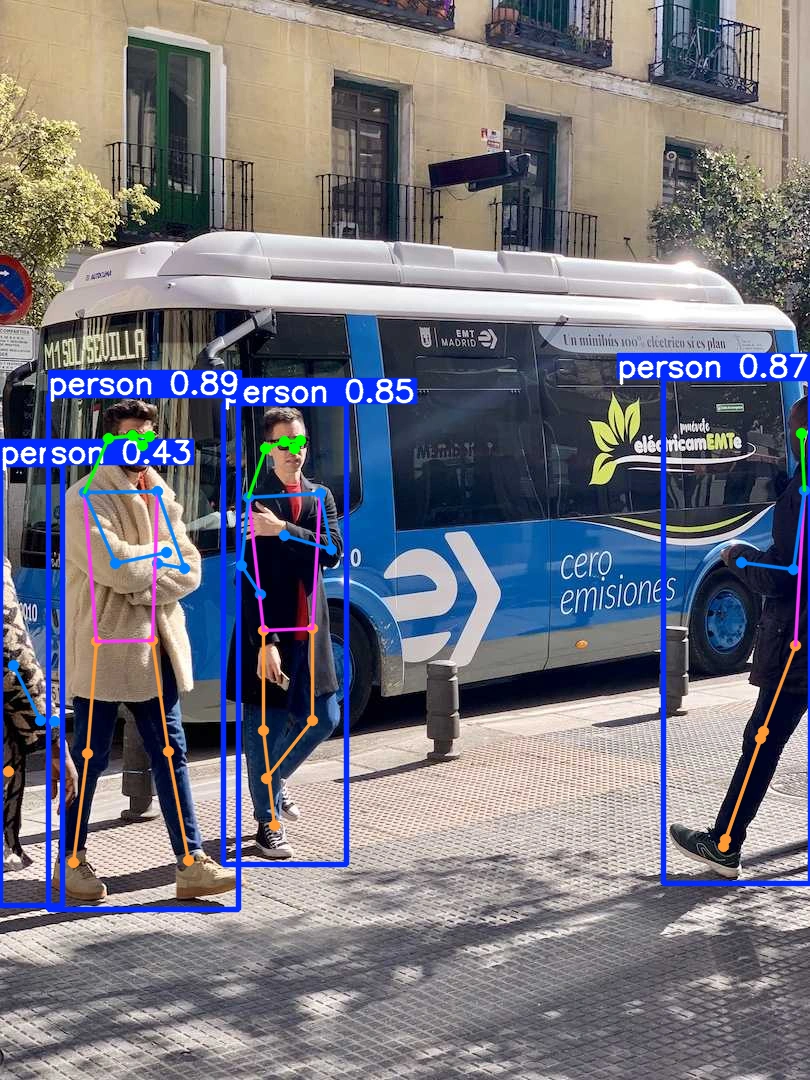
This model can specifically detect objects in aerial, top-down, or satellite images. As you can see it has detected the ships in the image very well.
Image Classification
cls_model = YOLO("yolo26n-cls.pt")
result = cls_model(IMAGE)[0]

for i in result.probs.top5:
   print(f"{result.names[i]:<25} {result.probs.data[i]:.2%}")
Output:

The model outputs the probabilities of 1000 classes, here the classifier predicted the class as minibus accurately.
Conclusion
In summary, you learned the basics of YOLO and YOLO26, explored its architecture, and performed inference in Google Colab for object detection, instance segmentation, pose estimation, oriented bounding boxes, and image classification. With its improved accuracy, efficiency, and real-time performance, YOLO26 is a nice choice for a wide range of computer vision applications.
Frequently Asked Questions
A. In Google Colab, you can upload an image using files.upload() function and pass the uploaded path to the model for inference.
A. Yes. You can read the video as images (frames), run the model on every frame, and then combine the processed frames as a video.
A. No. YOLO26 models can run on a CPU, although a GPU would be much faster for inference for larger tasks.

Passionate about technology and innovation, a graduate of Vellore Institute of Technology. Currently working as a Data Science Trainee, focusing on Data Science. Deeply interested in Deep Learning and Generative AI, eager to explore cutting-edge techniques to solve complex problems and create impactful solutions.
Login to continue reading and enjoy expert-curated content.