


|
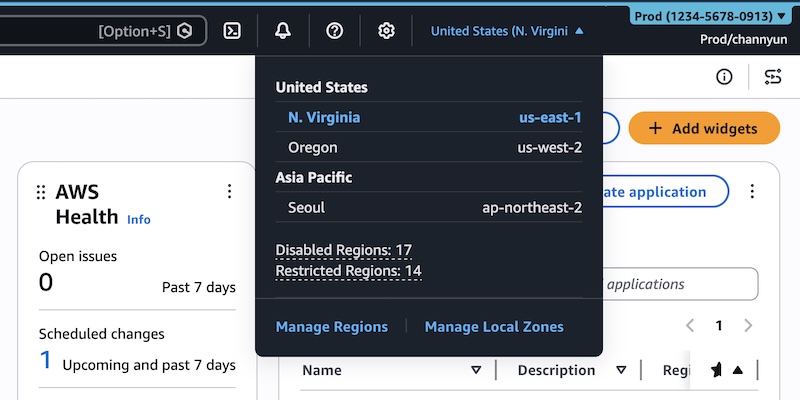
In August 2025, we introduced AWS User Experience Customization (UXC) capability to tailor user interfaces (UIs) to meet your specific needs and complete your tasks efficiently. With this capability, your account administrator can customize some UI component of AWS Management Console, such as assigning a color to an AWS account for easier identification.
Today, we’re announcing additional customization capability in UXC that enables selective display of relevant AWS Regions and services for your team members. By hiding unused Regions and services, you can reduce cognitive load and eliminate unnecessary clicks and scrolling, helping you focus better and work faster. With this launch, we offer the ability to customize account color, Region, and service visibility together.
Categorize account by color
You can set a color for your accounts to visually distinguish between them. To get started, sign in to the AWS Management Console and choose your account name on the navigation bar. Your account color isn’t set yet. To set the color, choose Account.
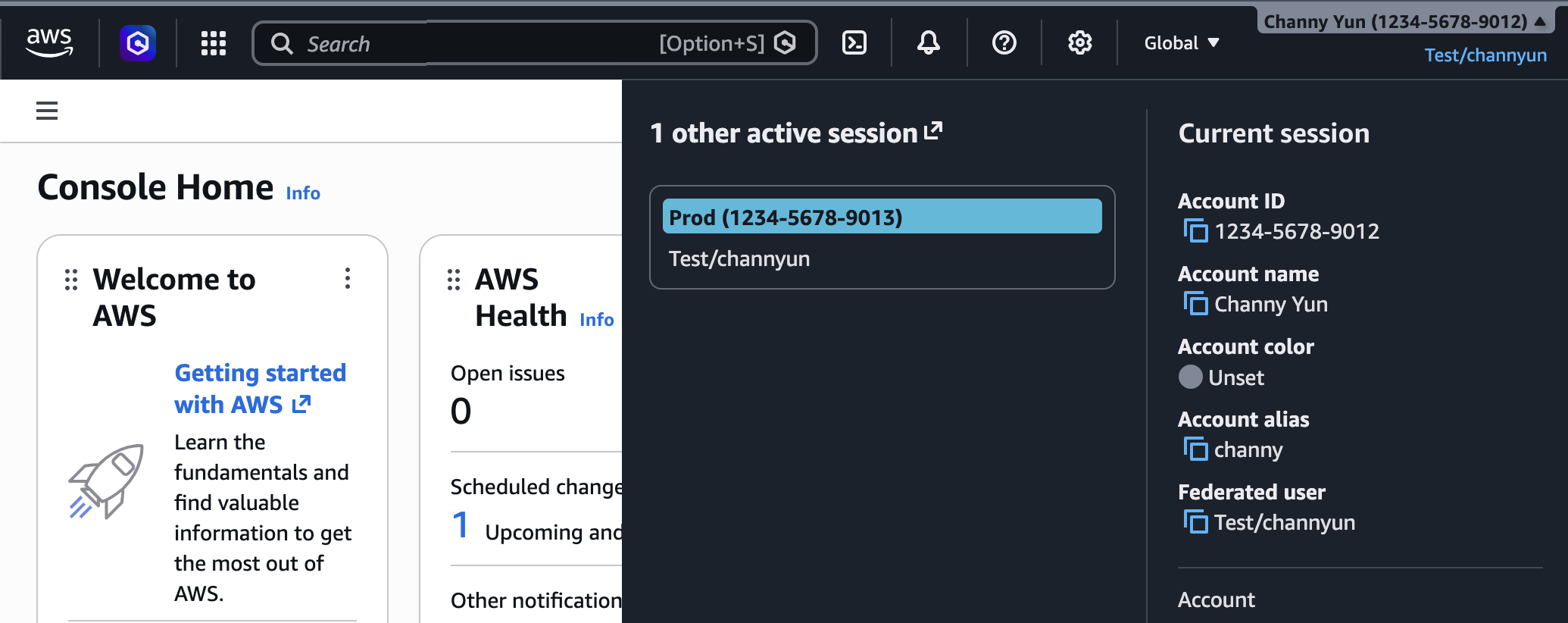
In the Account display settings, select your preferred account color and choose Update. You can see the chosen color in the navigation bar.
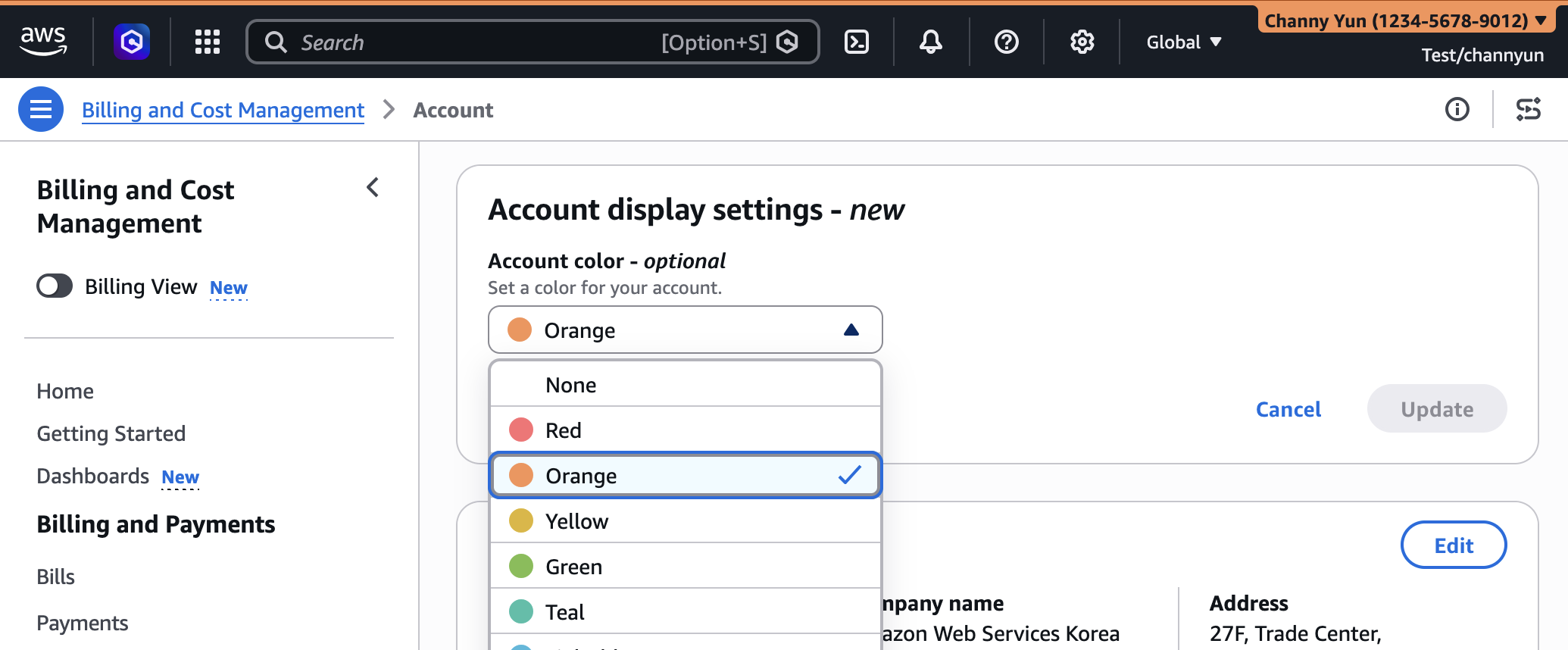
By changing the account color, you can clearly distinguish the account’s purpose. For example, you can use orange for development accounts, light blue for test accounts, and red for production accounts.
Customize Regions and services visibility
You can control which AWS Regions appear in the Region selector or which AWS services appear in the console navigation. In other words, you can set to show only the Regions and services that are relevant to your account.
To get started, choose the gear icon on the navigation bar and choose See all user settings. If you are in an administrator role, you can see a new Account settings tab in the unified settings. If you have not configured a setting, all Regions and services are visible.
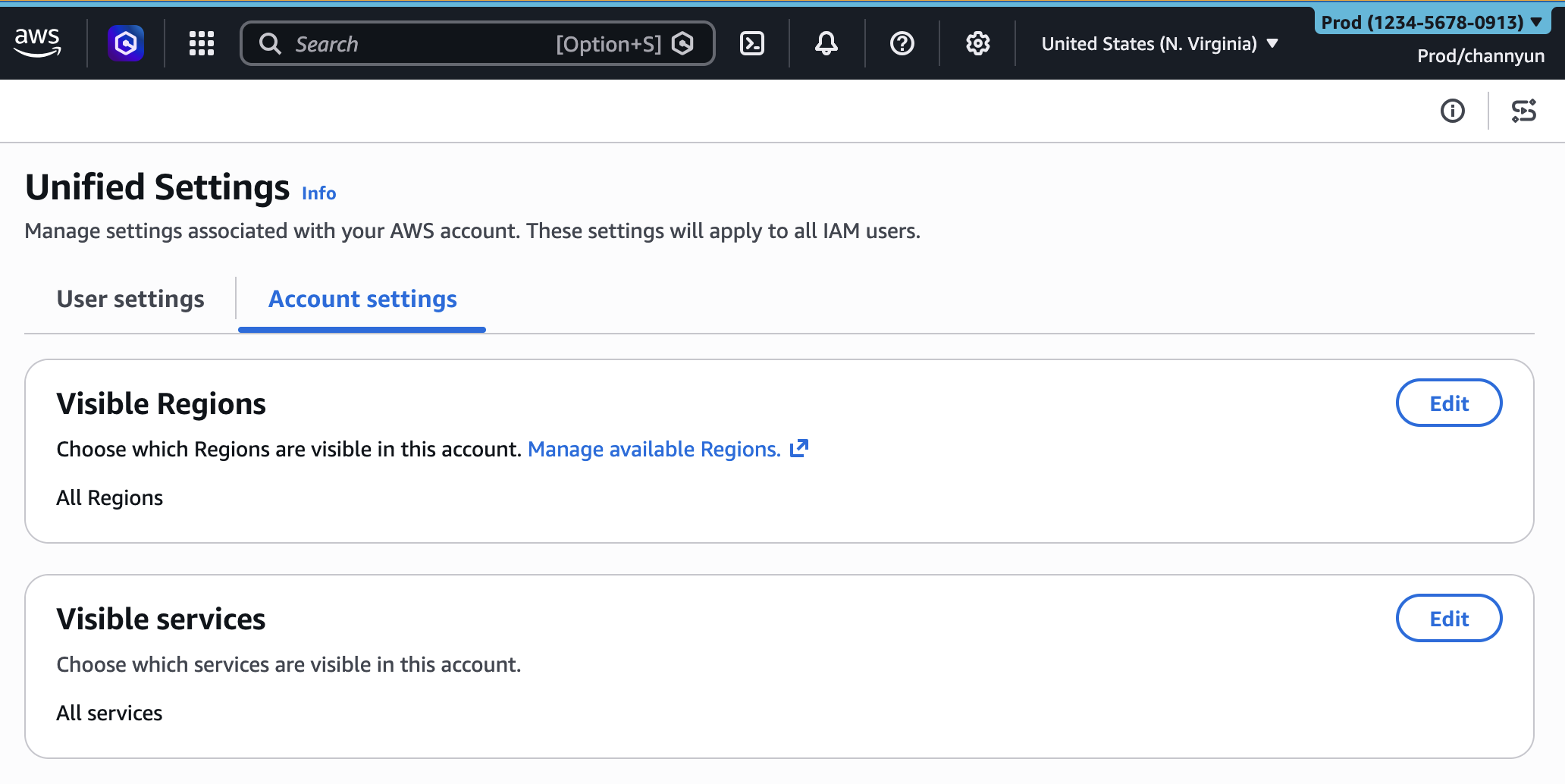
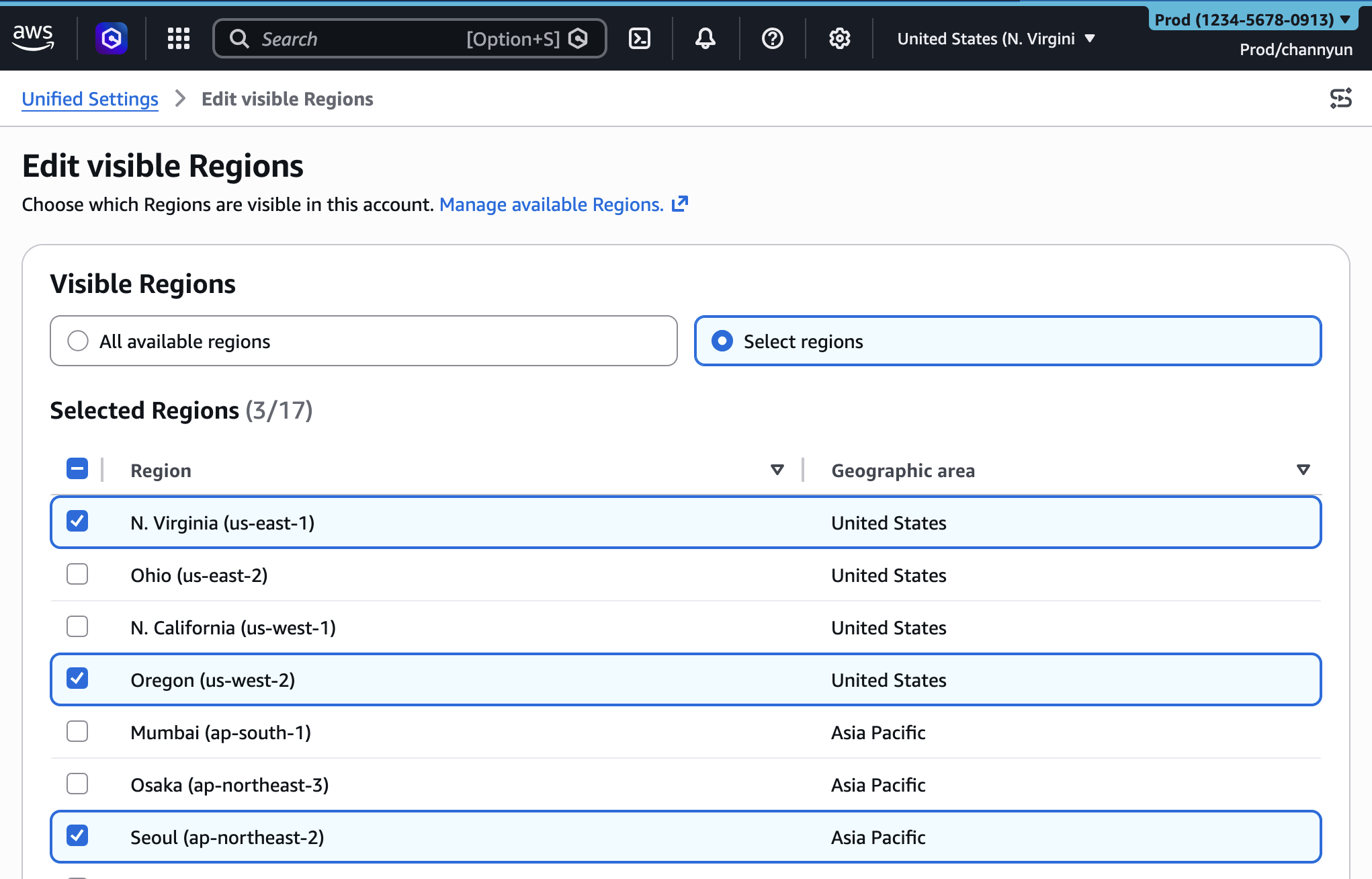
To set visible Regions, choose Edit in the Visible Regions section. Select your visible Regions to All available Regions or Select Regions and configure your list. Choose Save changes.
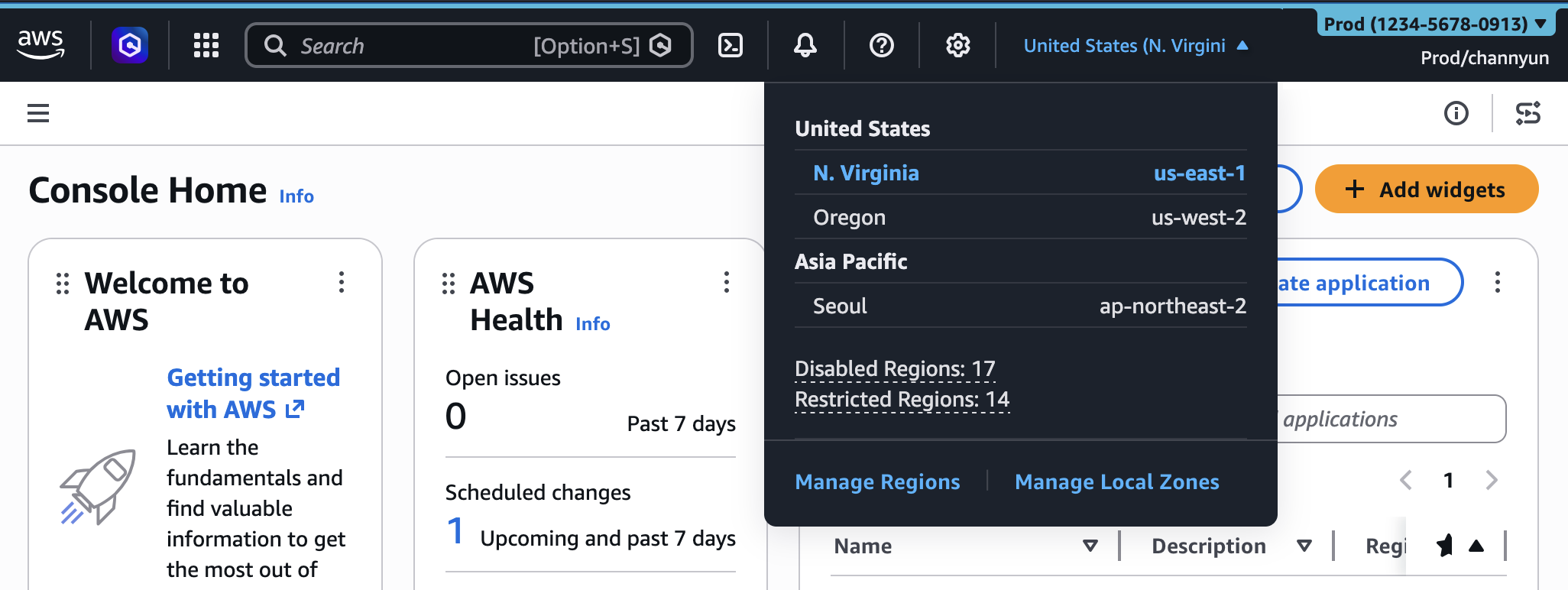
After configuring visible Region setting, you will find only selected Regions in the Regions selector on the navigation bar in the console.
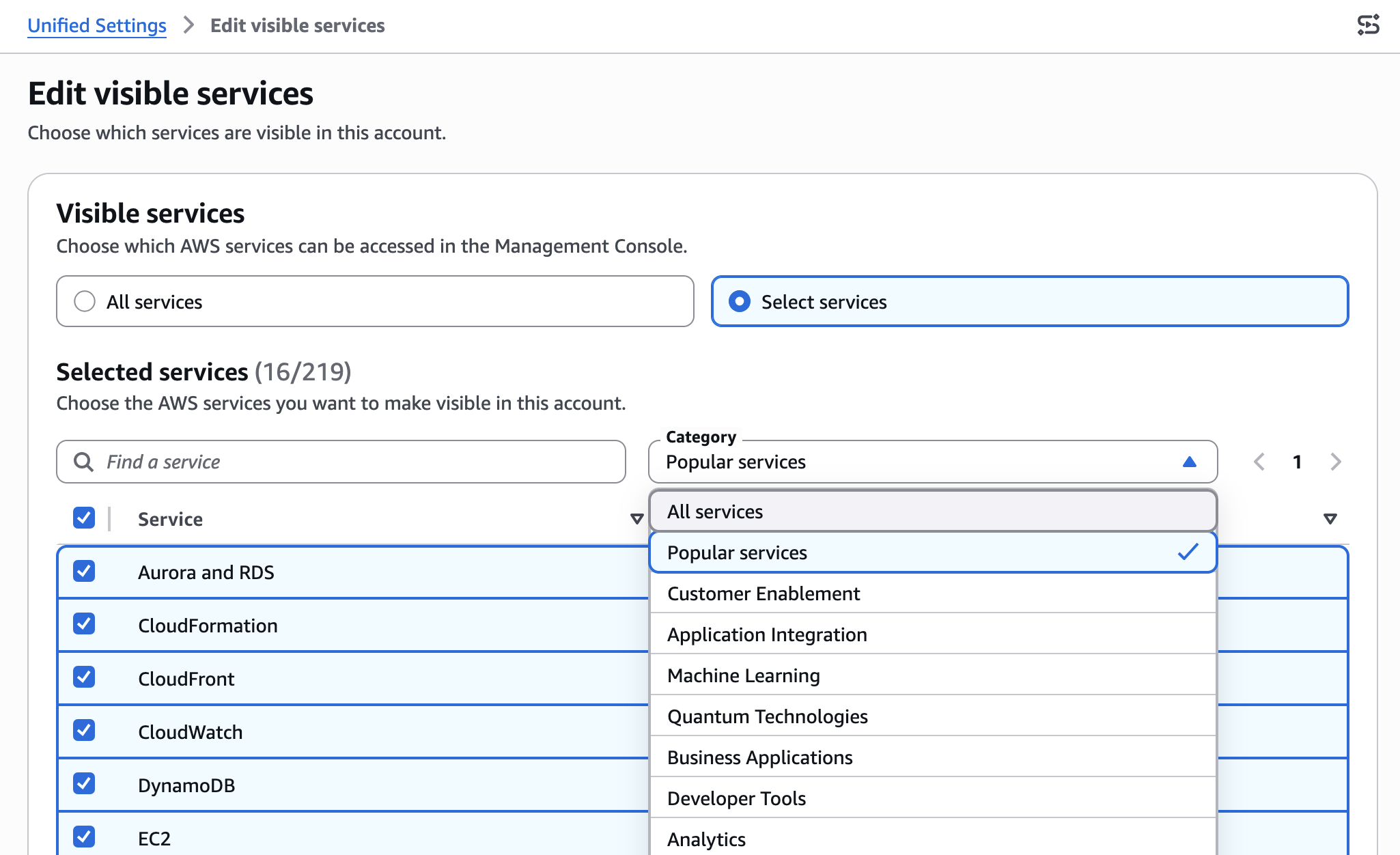
You can also set visible services in the same way. Search or select services from the category. I used the Popular services category to select my favorites. When you finish selection, choose Save changes.
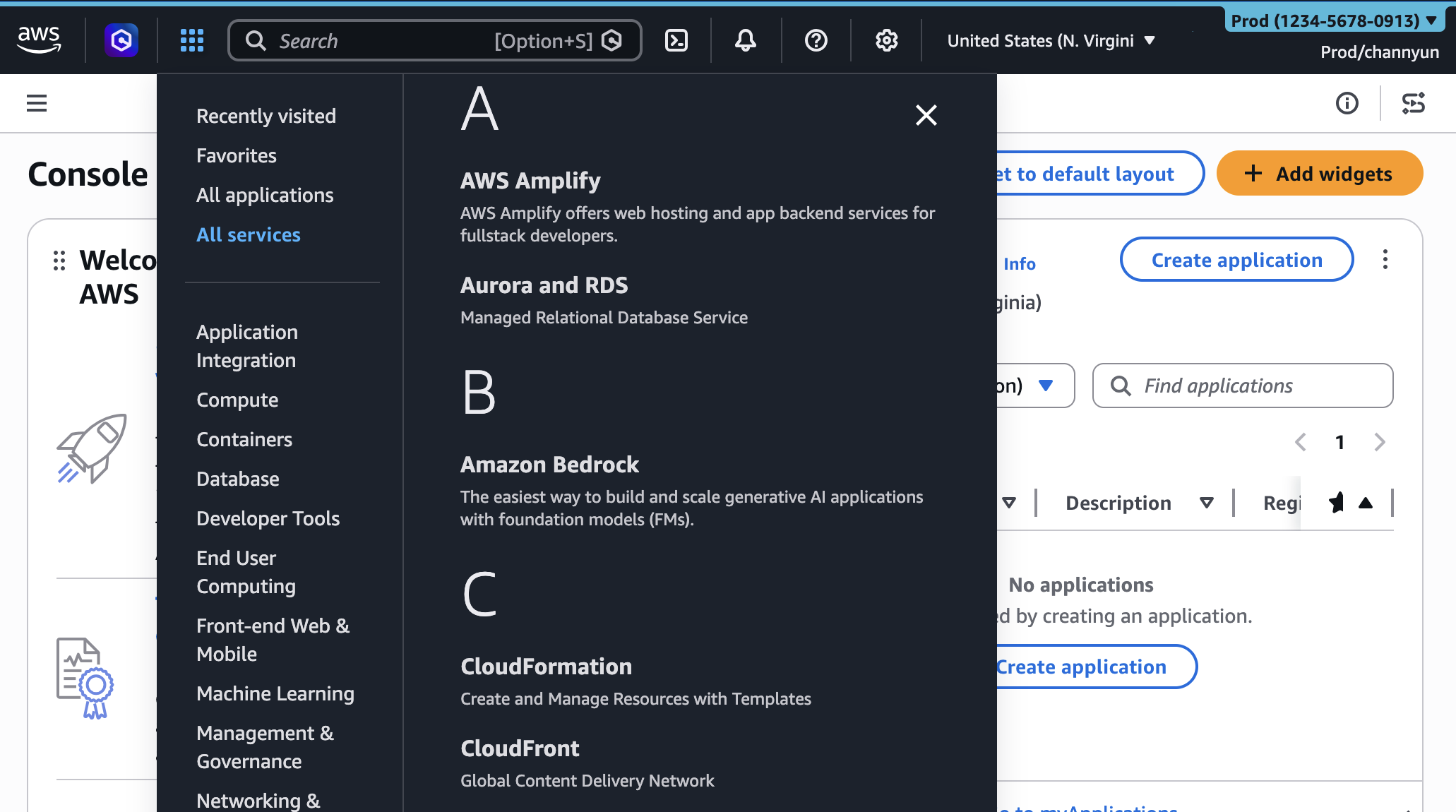
After configuring visible services setting, you will find only selected services in the All services menu on the navigation bar.
When you search the service name in the search bar, you can only choose selected services.
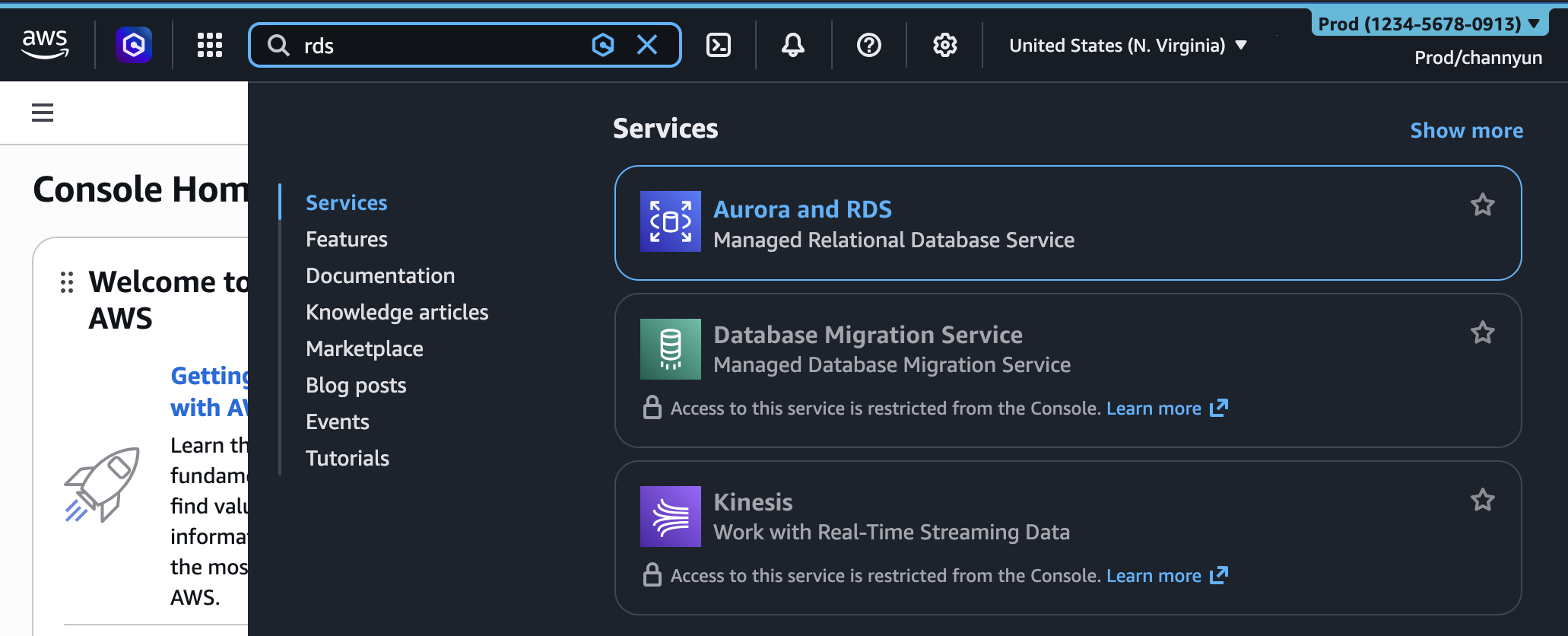
The Regions and services visibility settings control only the appearance of services and Regions in the console. They don’t restrict access through the AWS Command Line Interface (AWS CLI), AWS SDKs, AWS APIs, or Amazon Q Developer.
You can also manage these account customization settings programmatically with new visibleServices and visibleRegions parameters. For example, you can use AWS CloudFormation sample template:
AWSTemplateFormatVersion: "2010-09-09"
Description: Customize AWS Console appearance for this account

Resources:
  AccountCustomization:
    Type: AWS::UXC::AccountCustomization
    Properties:
      AccountColor: red
      VisibleServices:
        - s3
        - ec2
        - lambda
      VisibleRegions:
        - us-east-1
        - us-west-2
And you can deploy your Cloudformation template.
$ aws cloudformation deploy \
  --template-file account-customization.yaml \
  --stack-name my-account-customization
To learn more, visit the AWS User Experience Customization API Reference and AWS CloudFormation template reference.
Give it a try in the AWS Management Console today and provide feedback by selecting the Feedback link at the bottom of the console, posting to the AWS re:Post forum for the AWS Management Console, or reaching out to your AWS Support contacts.
— Channy